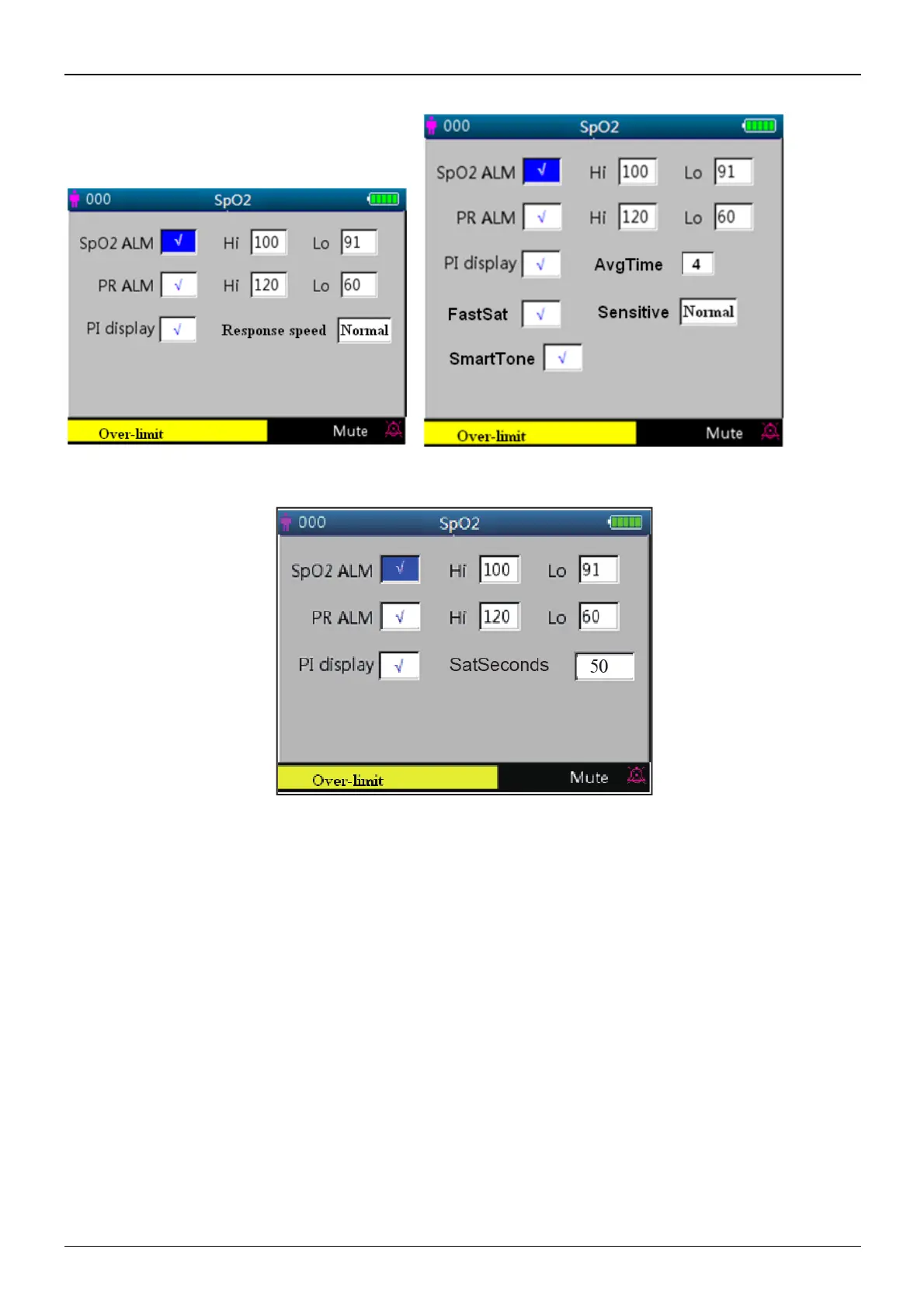
4.9.2 SpO
2
Setup (Optional)
Figure 4.12A SpO
2
Setup Screen Figure 4.12B SpO
2
Setup Screen (with Masimo SpO
2
configuration)
Figure 4.12C SpO
2
Setup Screen (with Nellcor SpO
2
configuration)
The SpO
2
setup screen is as shown in figure 4.12A or 4.12B, please refer to the monitor in your hand.
Screen Description:
² “SpO
2
ALM”: SpO
2
alarm switch; This is set "ON" and the user cannot adjust it.
“Hi/Lo”: high and low alarm limit for SpO
2.
² “PR ALM”: pulse rate alarm switch..This is set "ON" and the user cannot adjust it.
“Hi/Lo”: high and low alarm limit for PR.
² “PI% display”: PI display switch. "√" means PI display is enabled, "×" means PI display is disable
d.
² "Response speed": "Normal", "Steady" and "Fast" for optional. Note: this setting item is optional, please refer
to the monitor you purchased.
² AvgTime (only for Masimo SpO
2
is configured): The signal averaging time of the oximetry can be set to: 2, 4,
8, 10, 12, 14 and 16 seconds.For the 2 and 4 second settings the averaging times may range from 2-4 and 4-6
seconds, respectively. The default is 8. The stability of the SpO2 and PR readings over time is affected by the
averaging mode being used.The longer the averaging time,the more stable the readings tend to become.This is



 To Next Page