due to a dampened response as the signal is averaged over a longer period of time than during shorter
averaging times. However, longer averaging times delay the response of the oximeter and reduce the measured
variations of SpO2 and PR.
² FastSat (only for Masimo SpO
2
is configured): There are 2 options: "ON" and "OFF". Select "ON" to activate
the FastSat algorithm. With FastSat the averaging time is dependent on the input signal. In the 2 and 4 seconds
averaging mode, the FastSat algorithm is automatically enabled. The default is "OFF".
² Sensitive (only for Masimo SpO
2
is configured): Rotate the knob to toggle between the Normal, APOD and
Maximum Sensitivity modes. Use the Normal Sensitivity setting for typical monitoring purposes. Use the
APOD setting where there is a high probability of the sensor becoming detached. Use the Maximum
Sensitivity setting for patients with low perfusion or when the low perfusion message is displayed on the
screen in APOD or normal sensitivity mode. The default is APOD.
² SmartTone (only for Masimo SpO
2
is configured): SmartTone is a feature that affects pulse beep and Signal
IQ waveforms. When the SmartTone feature is ON, the Masimo SET
®
algorithms will continue to provide
pulse beep and Signal IQ waveforms even the plethysmogram is noisy due to motion or low signal conditions
.
With SmartTone OFF, the pulse beep and signal IQ waveforms will suppress beep information during periods
of motion or low signal conditions. The default is OFF.
² “SatSeconds” (only for Nellcor SpO
2
is configured): SatSeconds provides a proprietary alarm management
technique to help reduce false and nuisance alarms when using pulse oximetry. This function can be activated
by selecting a Sat limit. “0” (Zero means that SatSeconds alarm management turns OFF), “10”, “25”, “50” and
“100” are optional
.
NOTE: 1. The SatSeconds icon may be filled in the clock-wise direction beginning at the 12
o’clock position. The icon may fill in increments using a ratio of the current SatSeconds value to
the current SatSeconds setting.
2. When the SatSeconds value reaches to the setting SatSeconds (such as “50”), the SatSeconds
circle icon will become a red rectangle with a black circle in it (like “ ”), meanwhile SpO2
alarm is activated.
3. SatSeconds value =Saturation points * Seconds.
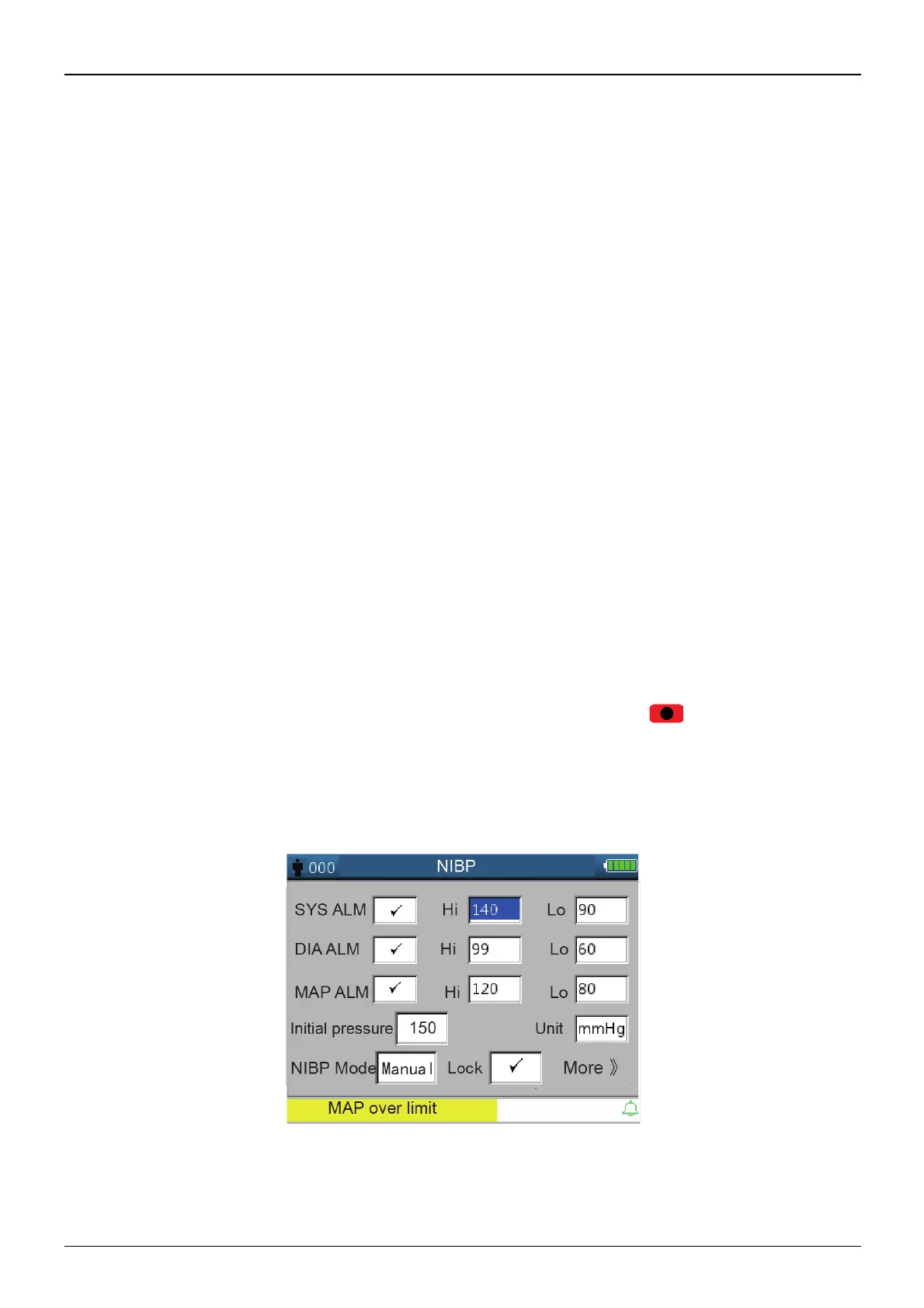
4.9.3 NIBP Setup (Optional)
Figure 4.10 NIBP Setup



 To Next Page