EasyManua.ls Logo

Gin X - User Manual

Gin X
28 pages
Print Icon
To Next Page IconTo Next Page
Loading...
User
Manual
www.ginebikes.com
GIN Electric Bikes
PLEASE READ CAREFULLY
BEFORE USING YOUR GIN X
FOR THE FIRST TIME
Question and Answer IconNeed help?

Do you have a question about the Gin X and is the answer not in the manual?

Summary

General Safety Warnings

Essential Safety Precautions

Critical warnings about bike modification, risks, and professional inspection.

Maintaining Your Electric Bike

Getting Your GIN X Road Ready

Handlebar, Tyre, and Headlight Setup

Guide for installing handlebar, front tyre, and front headlight.

Pedal, Seat Post, and Display Setup

Instructions for installing pedals, seat post, and display monitor.

S830 Display Monitor Overview

Monitor Operation and Mode Entry

How to switch the monitor on/off and access programme modes.

Understanding Programme Modes

Speed Limitations and Adjustments

Battery Care and Charging

Battery Charging Procedure and Guidelines

Step-by-step charging guide, procedures, and safety guidelines.

Preparing to Ride Safely

Component Security and Adjustment

Ensuring pedals, handlebars, and seat post are securely tightened before riding.

Pre-ride Safety Inspection Checklist

Checklist for checking brakes, tire pressure, and all latches are secure.

Riding Safety and Load Capacity

Overview

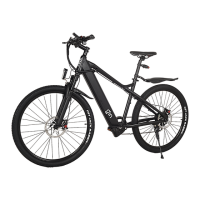
The provided document is a user manual for the GIN X electric bike, offering comprehensive guidance on its assembly, operation, maintenance, and safety.

Function Description

The GIN X is an electric bicycle designed to provide assisted riding, making it easier to navigate various terrains and distances. It features a motor and battery system that supplements the rider's pedaling effort, offering different levels of pedal assist and a throttle for propulsion. The bike is equipped with a 7-speed gear system, allowing riders to adjust their pedaling effort for comfortable riding on flats, uphills, and downhills. It also includes a display monitor that provides essential information such as speed, battery level, pedal assist level, and odometer readings. The GIN X is designed for personal transportation, offering a blend of traditional cycling with electric assistance to enhance the riding experience.

Usage Features

The GIN X electric bike comes partially assembled (85%) and requires the user to complete the setup before the first ride. Key assembly steps include installing the handlebar, front tire, front headlight, pedals, seat post, display monitor, battery, and rear cargo rack (if opted for).

  • Handlebar Installation: Users need to tighten the screws of the cockpit bar and the screws surrounding the spacers. Spacers can be removed to adjust the handlebar height.
  • Front Tire Installation: The bike comes with a quick-release mechanism for the front tire. Users must remove the suspension fork protector, rotate the quick-release clockwise, and then lock it. It's crucial to align the rear and front brake discs on the same side.
  • Front Tire Inflation: The front tire should be inflated to 40 psi.
  • Front Headlight Installation: The headlight mounts on the front fork support bar, and its nut must be tightened securely.
  • Pedal Installation: The pedals have opposite threads; the left pedal rotates anti-clockwise, and the right pedal rotates clockwise for installation.
  • Seat Post Installation: The seat post is inserted through the frame, and its height can be adjusted. A quick-release mechanism is used to lock the seat post to the frame.
  • Display Monitor Installation: The display monitor has two slots for bolts and nuts, which are screwed to the handlebar at the center or a preferred location. The monitor wire socket connects to the frame wire socket. For heavy rainfall, sealing the sockets with tape is recommended to prevent water seepage.
  • Battery Installation and Charging: The removable battery is housed in the downtube. To install, the bike should be laid on its right side. The battery slides into the downtube, ensuring the charging port aligns with the charging point in the downtube frame. The battery can be charged on or off the bike. The red power button on the battery serves as an ON/OFF switch ('I' for ON, 'O' for OFF). A key is used to lock the battery into the frame, but it's not needed while riding. The battery has a fuse to prevent overcurrent during charging. It's crucial not to charge the battery overnight or for longer than 6 hours at a stretch. The charger light is red during charging and turns green when fully charged. Users should avoid leaving the charger plugged in after full charge and refrain from charging a damaged or discolored battery. Charging typically takes 4-6 hours for an empty battery.
  • Rear Cargo Rack Installation: The cargo rack, with a maximum weight limit of 50 Kgs, mounts to the rear end of the bike, just above the rear tire. It attaches to the seat post via a quick-release. Rubber pads are provided to prevent scratches and friction. Screws allow adjustment of vertical height and horizontal length. A total of 15 bolts/screws secure the rack.

The GIN X features an S830 display monitor with several indicators and controls:

  • Speed: Displays current speed in MPH/KPH.
  • Battery Bar: Shows the estimated charge level.
  • Pedal Assist Level: Indicates the current assist level (1 to 5).
  • Odometer: Tracks total distance traveled.
  • Switch ON/OFF Display: Controlled by the 'M' button.
  • Enter Programme Mode: Accessed by pressing the 'A' and 'V' buttons simultaneously, then 'M' to switch modes.

The manual outlines various program modes (P1 to P17) for adjusting bike settings, though it strongly advises against changing certain values marked "DO NOT CHANGE THIS" as it will void the warranty. These modes include:

  • P01 Brightness: Adjusts backlight display brightness (1-3).
  • P02 Distance Units: Sets units to KM or MILE.
  • P03 Voltage: Set to 48 (DO NOT CHANGE).
  • P04 Display Sleep Time: Sets display to turn off after 3 minutes of inactivity.
  • P05 PAS Levels: Sets the number of Pedal Assist System levels (1).
  • P06 Wheel Size: Set to 27.5 inches for accurate speed and odometer (DO NOT CHANGE).
  • P07 Motor Magnet Type: Set to 1 (DO NOT CHANGE).
  • P08 Speed Limit: Sets maximum operating speed (e.g., 25 km/h for UK default).
  • P09 Throttle Response: 0 for active from standstill, 1 for active only when moving.
  • P10 PAS/Throttle Mode: 0 for PAS Active/Throttle Inactive, 1 for PAS Inactive/Throttle Active, 2 for Both PAS and Throttle Active.
  • P11 PAS Sensitivity: Higher numbers require more crank rotations for motor activation.
  • P12 PAS Strength: Higher numbers result in stronger motor engagement.
  • P13 Magnets Type: Set to 12 (DO NOT CHANGE).
  • P14 Controller Current: Set to 12 (DO NOT CHANGE).
  • P15 NA: Set to 39 (DO NOT CHANGE).
  • P16 Odometer Reset: Hold the up arrow for 5 seconds to reset.
  • P17 NA: Set to 0 (DO NOT CHANGE).

The headlight can be turned ON/OFF by pressing the 'A' button for 2 seconds. The bike also features a "Walk mode," activated by pressing the 'V' button, which engages the motor to assist in pushing the bike, useful for uphill walks or when tires are flat.

Before riding, a pre-ride safety check is essential. This includes ensuring all components (pedals, handlebars, cranks, seat, seat post clamp) are tightened, checking seat and handlebar alignment, verifying proper seat height, checking tire pressure (40psi for GIN X hybrid tires), testing brakes, and ensuring seat post and handlebar stem are inserted past minimum insertion points. Both handlebar and frame latches must be fully closed and locked.

Riding at night requires increased caution, with reflectors, front headlight, and rear taillight turned on and adjusted. Riders should wear bright clothing.

The bike has a maximum total weight capacity of 290 lbs/131 kgs/21 stone. If the rear rack is attached, it can hold 95 lbs/45 kgs. Exceeding these limits can invalidate the warranty and cause damage or injury.

Tips for increasing range include riding in lower pedal assist levels, using lower assist levels and pedaling on hills, pedaling from a standstill, and setting the max speed lower than 20 mph on the LCD display.

Maintenance Features

The manual emphasizes regular maintenance to ensure the longevity and safe operation of the GIN X electric bike.

  • Best Practices:

    • Store the bike in a clean, dry place to prevent rust.
    • Keep components tightened to specified torque values.
    • Ensure frame and handlebar latches are locked before riding.
    • Clean and lubricate moving parts regularly.
    • Clean the bike frame with a wet rag and low residue cleaner, lubricating where necessary.
    • Maintain tire pressure within the recommended range.
    • Ensure all electrical wires are connected before each ride.
    • The GIN X is not waterproof; avoid storing or using it in wet conditions to prevent water damage, which is not covered under warranty.
  • 100 Mile Tune Up (Wear-in Period): After 100 miles or 5 full battery charge cycles, a service is recommended by a certified bike mechanic.

    • Brakes: Brake cables may stretch and require adjustment and tensioning.
    • Shifting: Shifting cables may stretch, affecting performance and requiring derailleur adjustment.
  • Ongoing Service:

    • Hardware: All hardware should be torqued to specified values. Damaged hardware should be inspected and replaced by a certified mechanic.
    • Monthly (or every 250-500 miles):
      • Inflate tires to recommended pressure.
      • Lubricate chain to minimize drivetrain noise.
      • Check all hardware for tightness.
      • Inspect brake pads for wear and replace if necessary.
      • Check shifting performance and adjust derailleur if needed.
      • Clean the bike thoroughly and lubricate.
      • Check and adjust spoke tension if necessary.
    • Quarterly (or every 750-1500 miles):
      • Perform all monthly service checks.
      • Check tire tread for excessive wear and replace if necessary.
      • Get a tune-up from a certified and reputable bike mechanic.
  • Battery Care:

    • For storage longer than a few days, keep the battery charged at about 75% capacity to minimize degradation.
    • Periodically check the charge level monthly and recharge to 75%.
    • For maximum battery cycles, charge to 100% a few hours before riding, rather than keeping it fully charged when not in use.
    • Charge the battery indoors in dry spaces, away from extreme temperatures.
    • Ensure no dirt, debris, or flammable items are near the charger.
    • The charger automatically stops charging when the battery is full.

The manual also includes a warranty disclaimer, outlining what is covered (frame, forks, stem, handlebars, headset, seat post, saddle, brakes (excluding pads), lights, bottom bracket, crank set, pedals, rims, wheel hub, freewheel, cassette, derailleur, shifter, motor, throttle, controller, wiring harness, LCD display (excluding water damage), kickstand, reflectors, and hardware) and what is not (water damage, power surges, 3rd party chargers, improper maintenance, normal wear, rust, stolen bikes, accessories unless specified). Shipping damage must be reported within 14 days of arrival. GIN electric bikes reserves the right to change its warranty. The manual also includes a liability disclaimer, emphasizing that riding bikes carries inherent risks and that GIN electric bikes is not responsible for damages from defective or improperly secured parts.

Gin X Specifications

General IconGeneral
Motor Power350W
FoldableYes
Charging Time4-5 hours
CategoryScooter
Max Speed25 km/h
Max Range30 km
Max Load100 kg
Tire Size8.5 inches
BrakesDisc Brake