GlideScope
®
System Getting Started
User’s Manual page 39
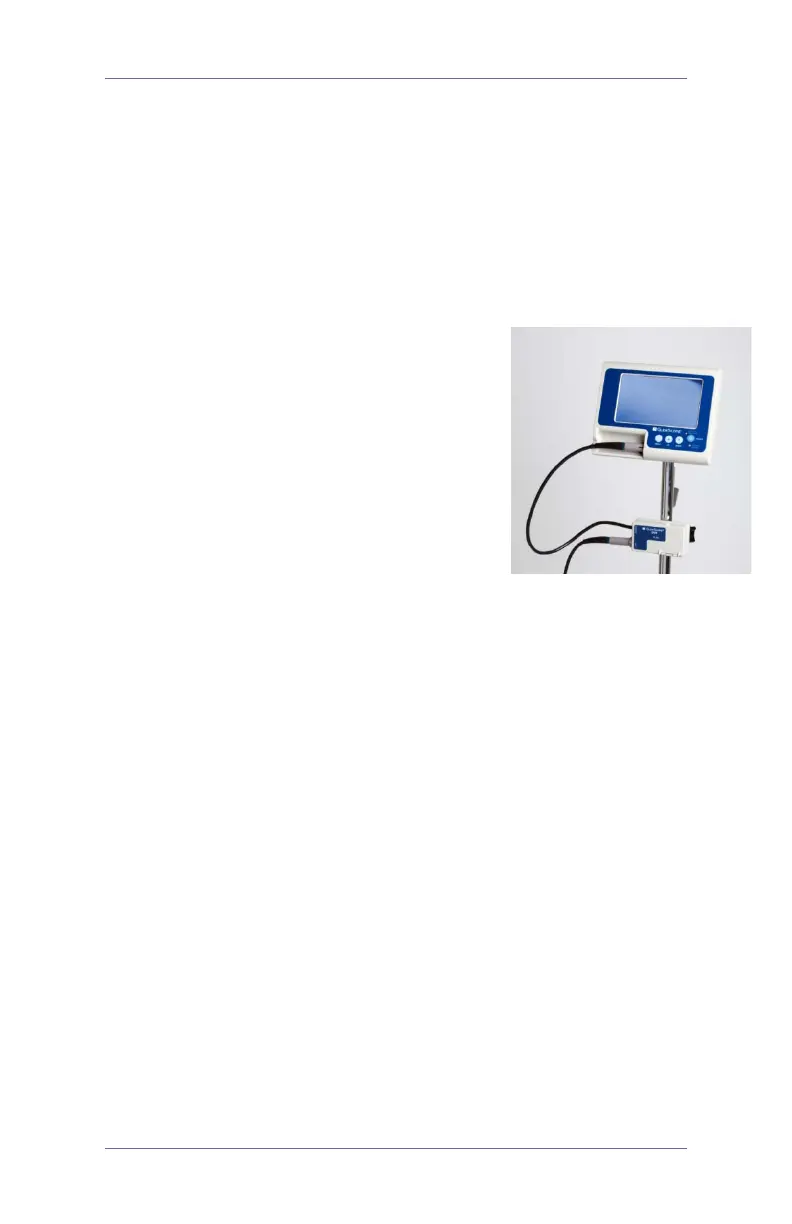
3. Connect DVR cable to monitor
4. Turn monitor ON
5. REC LED will light up in solid
RED after approximately 3 seconds
6. DVR begins recording automatically
Playback
1. Turn the monitor OFF and wait
until REC LED turns OFF
(approximately 3 seconds)
2. Open DVR door and remove SD card
by pushing and releasing.
3. Insert the SD card in an SD card reader
connected to a PC
4. Browse to the DVMPG4 folder in SD card drive
5. Playback any recordings with .ASF extensions
Troubleshooting
If REC LED is blinking, there may be a problem with
recording. Possible causes:
1. Connections are not secure. Verify cable connections:
•
GVL
®
/video baton to DVR
•
DVR to monitor
2. SD card is missing or not inserted properly. Turn monitor OFF;
ensure SD card is properly inserted and try again.
3. SD card is defective. Try another SD Card.
4. Problem with GVL/video baton. Ensure proper
function by connecting GVL/video baton
directly to monitor.



 To Next Page