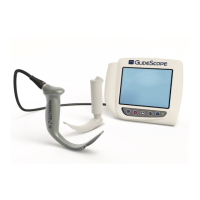
GlideScope
®
System Getting Started
User’s Manual page 21
Preparing for First Use
Prior to using the GlideScope system for the first time, perform
the following steps:
1. Charge the monitor battery (instructions begin on this page).
2. Set up the GlideScope system in your preferred
configuration (instructions begin on page 24).
3. Attach a video laryngoscope to the monitor (instructions
begin on page 34).
4. Connect the monitor to an external source such as a TV
screen or NTSC video monitor (optional).
5. Perform a functional check (instructions begin on page 37).
1. Charging the Monitor Battery
The GlideScope system can operate on AC power (wall current)
or battery power.
The GlideScope monitor contains a lithium battery that provides
power to the GlideScope video laryngoscope. Under normal
conditions, the battery will last approximately 90 minutes before
it needs to be recharged.
IMPORTANT! The battery must be fully charged prior to
first use.
For optimal battery life:
The battery must be fully charged before first use in
battery mode (takes approximately 3 hours).
When the battery is low, the
charge status LED (on the
monitor front panel) will flash green for approximately
five minutes.
When the battery is nearly depleted, the
charge status
LED will flash green and beep. This indicates that the
battery has approximately one minute of power remaining.
The monitor battery should be charged at room
temperature, between 0° - 40° C (32° - 104°F).
To charge the monitor battery:



 To Next Page