It is forbidden the reproduction and the copy of this manual without written permission of producer. REV. ING. 2.0
22
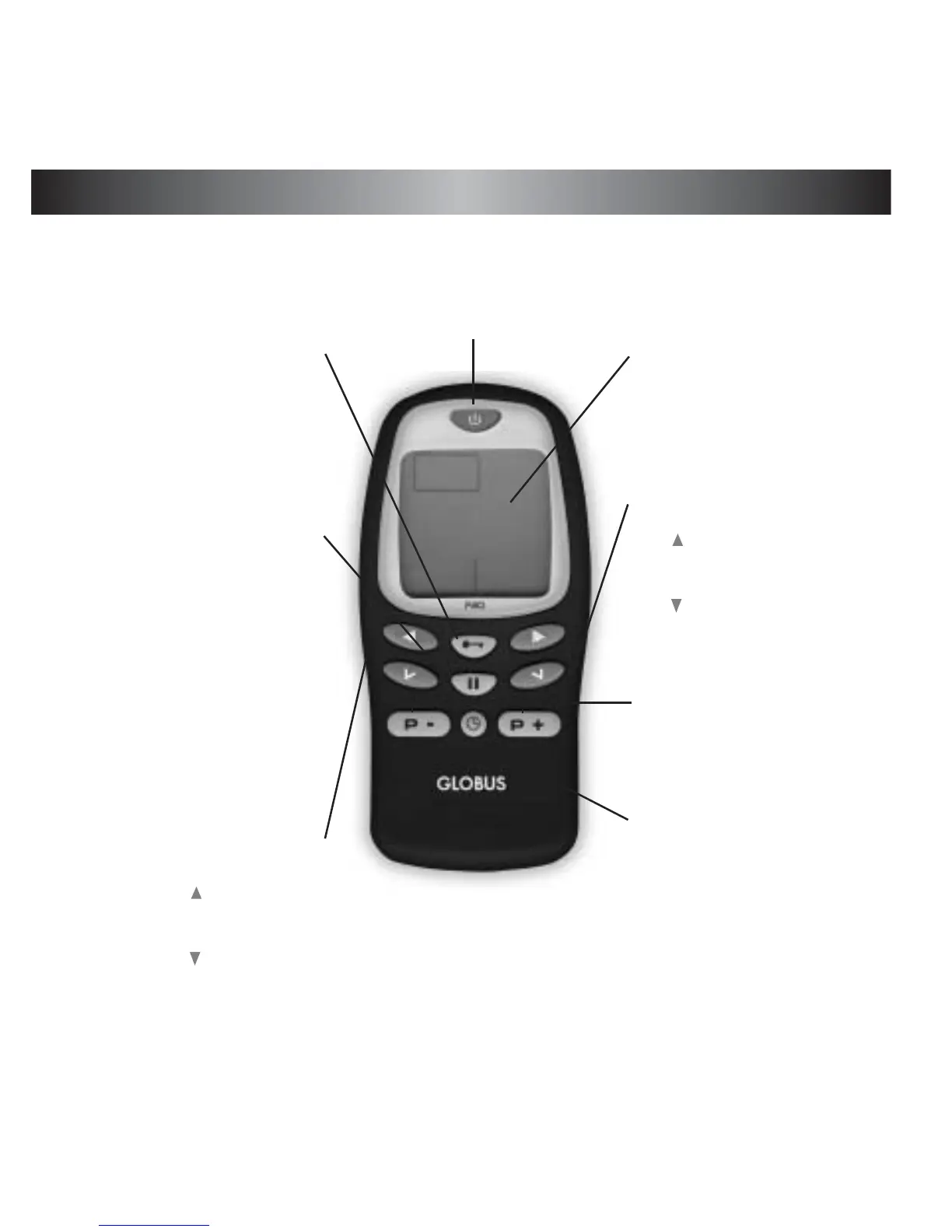
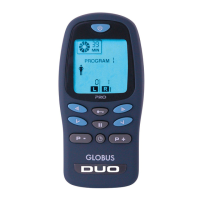
DESCRIPTION OF THE PALM
ON / OFF key
-Press for three seconds for turning the stimu-
lator ON.
-Press for three seconds fur turning the stimu-
lator OFF.
LOCK key
-To lock all keys, except
for the ON / OFF key,
press for 3 seconds.
-To unlock the keys press
for 3 seconds again.
Display
-Indicates mode, parame-
ters etc.
Program key
-Press this key to select
the program.
Intensity key of the right
channel
-Press the key with the
arrow to increase the out
intensity of the right chan-
nel.
-Press the key with the
arrow to decrease the out
intensity of the right chan-
nel.
Intensity key of the left
channel
-Press the key with the
arrow to increase the out
intensity of the left chan-
nel.
-Press the key with the
arrow to decrease the
out intensity of the left
channel.
PAUSE key
- Press the key to set the
Pause.
TIME key
- Press the key to increase the
time program


 To Next Page