Need help?
Do you have a question about the GlucoRx TD-4277 and is the answer not in the manual?
General advice and precautions for using the blood glucose monitoring system.
Specifies the purpose and scope of the blood glucose monitoring system.
Explains the scientific basis of how the glucose meter measures blood sugar levels.
Lists all the components included in the GlucoRx Nexus system kit.
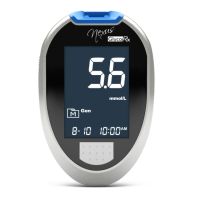
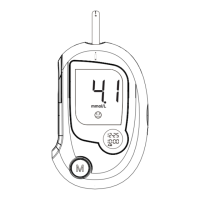
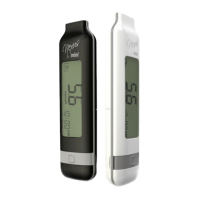
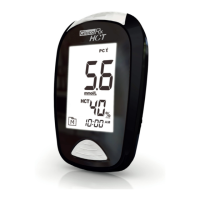
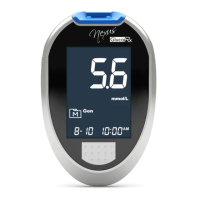
Identifies and describes the different parts and features of the blood glucose meter.
Explains the various symbols and information shown on the meter's display.
Details the structure and proper handling of the blood glucose test strips.
Guides on how to set the correct year, month, and day on the meter.
Instructions for selecting the desired time format (12h or 24h).
Instructions for setting the hour and minute for the meter's clock.
Instructions for configuring the meter's buzzer to be On or Off.
Instructions for configuring up to four daily reminder alarms on the meter.
Explains the purpose and frequency of performing control solution tests.
Step-by-step guide on how to conduct a control solution test with the meter.
Guides on preparing the lancing device for blood sample collection.
Guides on selecting and preparing the puncture site for blood collection.
Detailed procedure for performing a blood glucose test using the meter and strips.
How to access and view individual past blood glucose test results stored in the meter.
Instructions for viewing 7, 14, 21, 60, and 90-day average blood glucose readings.
Information on low battery signals and how to replace the meter's batteries.
Guidelines for cleaning the meter exterior and proper storage conditions.
Instructions on how to properly store and handle test strips to maintain accuracy.
Explains specific abnormal readings like 'Lo', 'Ketone?', and 'Hi' and their meanings.
Lists common error codes (E-b, E-U, E-EE-O, E-F, E-E, E-ヒ) and their solutions.
Provides solutions for common issues like no display, test not starting, or out-of-range control results.
 General
| Product Type | Blood Glucose Meter |
|---|---|
| Model | TD-4277 |
| Blood Sample | Capillary whole blood |
| Sample Size | 0.5 µL |
| Test Time | 5 seconds |
| Display | LCD |
| Battery Life | Approximately 1000 tests |
| Operating Temperature | 10 to 40 °C |
| Operating Humidity | 10 - 90% RH |
| Measurement Range | 20 - 600 mg/dL (1.1 - 33.3 mmol/L) |
| Memory Capacity | 500 test results |

 To Next Page