EasyManua.ls Logo

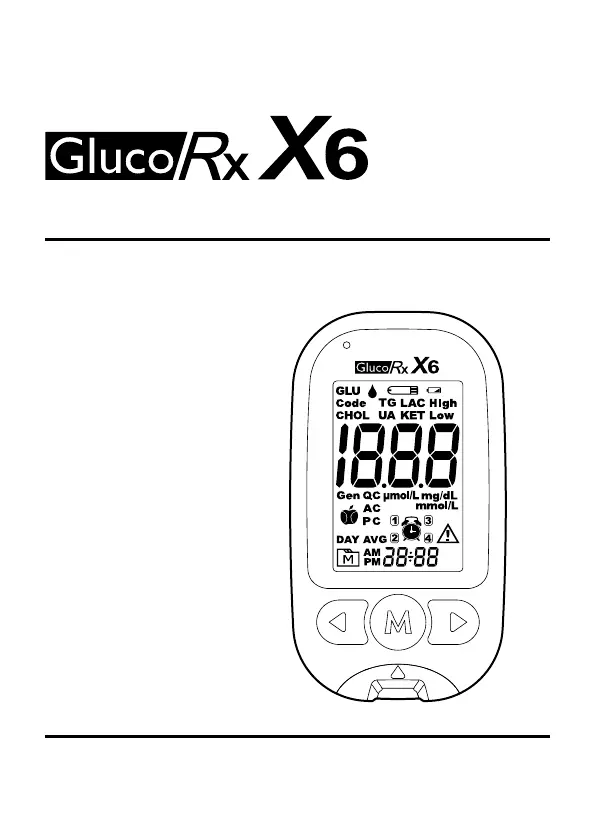
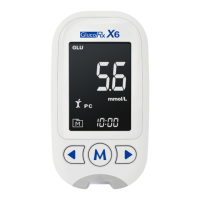
GlucoRx X6 - User Manual

GlucoRx X6
44 pages
Print Icon
To Next Page IconTo Next Page
Loading...
Multi-Functional Monitoring System
Owners Manual

Questions and Answers

Summary

Intended Use

Test Principle

Important Safety Precautions

Meter Overview

Meter Components and Controls

Describes physical parts like the display, buttons, slot, ejector, and compartment.

Indicator Functions

Explains the Bluetooth indication light and strip indication light.

Display Screen Elements

Measurement and Status Indicators

Covers parameter symbols, test modes, results, errors, battery, and alarms.

Data and Process Indicators

Includes day averages, memory, date/time, code, measurement units, and test process indicators.

Test Strip Components

Absorbent Hole

The specific area on the test strip for applying the blood sample.

Confirmation Window

Verifies if sufficient blood sample has been applied to the strip.

Test Strip Handle

The part of the test strip designed to be held by the user.

Contact Bars

Electrical contact points on the test strip that interface with the meter.

Setting Your Meter

Initial Setup Steps

Guide for setting date, time, format, Uric Acid unit, and glucose target ranges.

Optional Settings Configuration

Instructions for configuring beep, reminder alarms, and Bluetooth.

Quality Control Tests

When to Perform a Control Solution Test

Identifies scenarios where performing a control solution test is necessary.

Performing a Control Solution Test

Step-by-step instructions for conducting a control solution test.

Prepare For Blood Tests

Calibration and Code Matching

Ensures meter accuracy by matching codes with test strips.

Lancing Device and Puncture Site Prep

Steps for preparing the lancing device and puncture site for blood samples.

Perform Blood Tests

Test Initiation and Mode Selection

How to start a test by inserting a strip and selecting the measuring mode.

Sample Collection and Application

Detailed steps for fingertip testing and applying the blood sample.

Blood Glucose Tests

Reference Values for Blood Glucose

Provides normal plasma glucose ranges for individuals without diabetes.

Blood Glucose Result Readings

β-Ketone Tests

Reference Values for β-Ketone

Normal expected levels of Beta-Hydroxybutyrate (β-OHB) in the blood.

β-Ketone Result Readings

Lactate Tests

Reference Values for Lactate

Typical and normal ranges for lactate concentration in blood.

Lactate Result Readings

Interpreting the meter's readings for lactate levels.

Total Cholesterol Tests

Reference Values for Total Cholesterol

Provides desirable, borderline, and high ranges for total cholesterol.

Total Cholesterol Result Readings

Triglycerides Tests

Reference Values for Triglycerides

Defines desirable, borderline, high, and very high triglycerides levels.

Triglycerides Result Readings

Uric Acid Tests

Reference Values for Uric Acid

Lists normal uric acid ranges for males and females in mg/dL and µmol/L.

Uric Acid Result Readings

Review Test Results

Reviewing Stored Results and Averages

Accessing and navigating through stored test results and day averages.

Data Transfer via Bluetooth

Transferring Data to Laptop or Mobile Device

Instructions for pairing and transferring data to a laptop or mobile app.

Bluetooth Indicator Status

Explains the meaning of the meter's Bluetooth indicator lights.

Maintenance and Care

Meter Cleaning, Storage, and Disposal

Covers proper procedures for cleaning, storing, and disposing of the meter.

Test Strip Handling and Storage

Guidelines for optimal handling, storage, and usage of test strips.

Batteries Management

Battery Status and Replacement

Information on low battery signals and how to replace the batteries.

System Troubleshooting

Error Messages and Solutions

Details common error messages and the corresponding recommended actions.

Troubleshooting Common Issues

Meter Response and Test Initiation Problems

Addresses issues like meter not displaying messages or tests failing to start.

Control Solution Test Errors

Guidance for resolving control solution test results outside the expected range.

Symbol Information

Specifications

GlucoRx X6 Specifications

General IconGeneral
BrandGlucoRx
ModelX6
CategoryBlood Glucose Meter
LanguageEnglish

Related product manuals