16
Perform Blood Tests
To perform a blood test, you need: (b), (c), (e) and (f).
1. Turn on your meter by inserting a test strip
Wait for the meter to display the “
”, “ ”, and either “GLU”/
“KET”/ “LAC”/ “CHOL”/ “TG”/ “UA”.
2. Select the appropriate measuring mode by pressing ► (Blood
Glucose only: Gen / AC / PC.) The other parameters only provide
General mode.
3. Fingertip testing (h): Hold the preset lancing device’s tip firmly
against the lower side of your fingertip. Press the release button to
prick your finger. A click indicates that the puncture is complete and
a blood drop can be obtained for sampling the relevant test.
4. Be careful NOT to smear the blood sample.
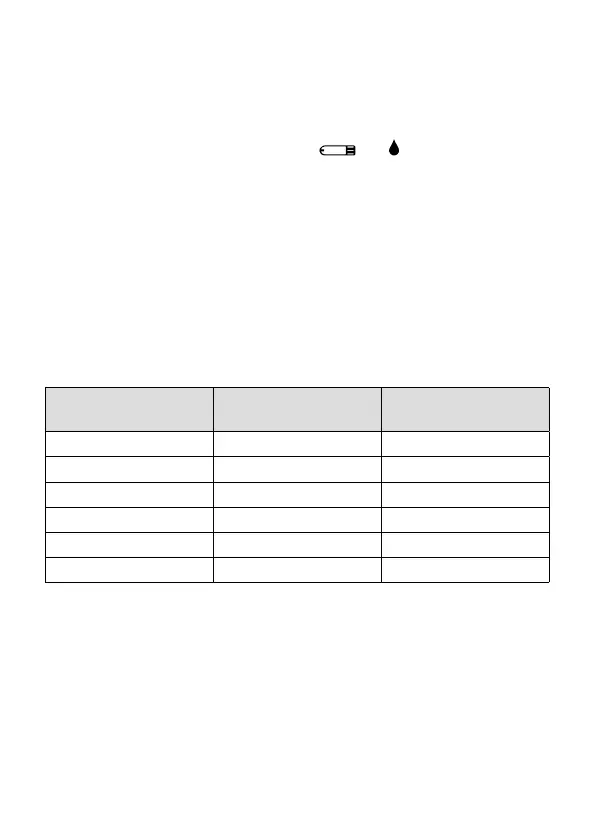
The amount of blood and time required for the blood test:
Biochemical
Parameters
Amount of Blood Time Required
Blood Glucose 0.5 microliter (μL) 5 seconds
β-ketone 0.8 microliter (μL) 10 seconds
Lactate 0.8 microliter (μL) 5 seconds
Total Cholesterol 3.0 microliter (μL) 60 seconds
Triglycerides 3.0 microliter (μL) 60 seconds
Uric Acid 0.5 microliter (μL) 15 seconds
5. Apply the sample (j): Gently apply your drop of blood to the
absorbent hole of the test strip at a tilted angle. The confirmation
window should be completely filled if enough blood has been
applied. Do NOT remove your finger until you hear a “beep” sound.


 To Next Page