10-36 Vehicle Care
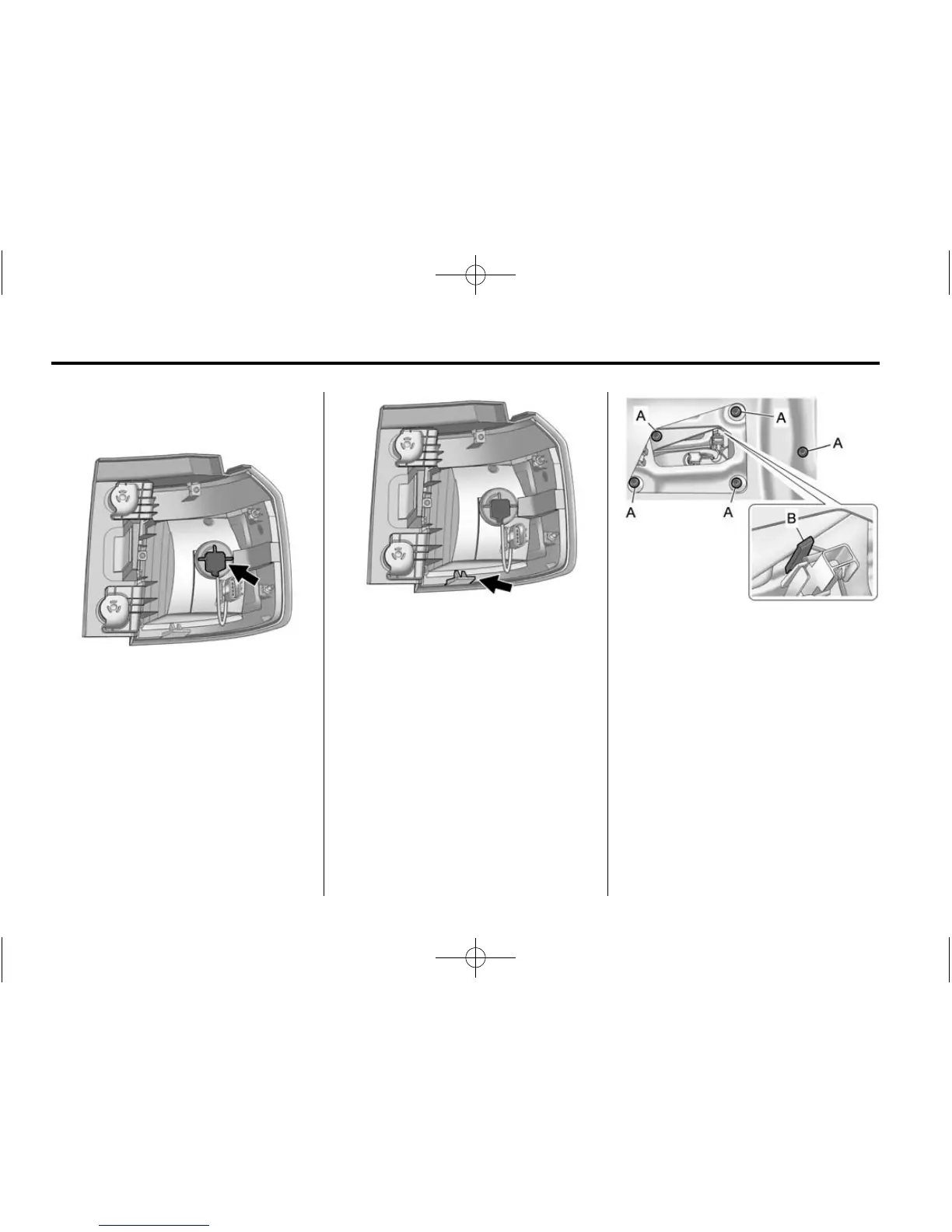
5. Disconnect the lamp wiring
harness.
6. Turn the bulb socket
counterclockwise and pull it out.
7. Pull the bulb straight out of the
socket.
8. Install the new bulb.
9. Push the bulb socket in and turn
it clockwise.
10. Reverse Steps 2 through 5 to
reinstall the lamp assembly.
11. Verify that the taillamp
assembly tab, located at
the bottom of the taillamp
assembly, is aligned to the
facia bracket before securing
with screws.
Auxiliary Taillamp
To replace one of these lamps:
1. Open the liftgate. See Liftgate
(Manual) on page 2‑9 or Liftgate
(Power) on page 2‑10.
2. Remove the interior trim access
panel.
A. Attachment Nuts
B. Retaining Hook
3. Remove the five attachment
nuts (A) securing the taillamp
assembly to the liftgate.
4. Disengage the retaining hook (B)
and pull the taillamp assembly
out of the vehicle liftgate.
5. Disconnect the lamp wiring
harness.













 To Next Page