Seats and Restraints 3-7
Power Reclining Seatbacks
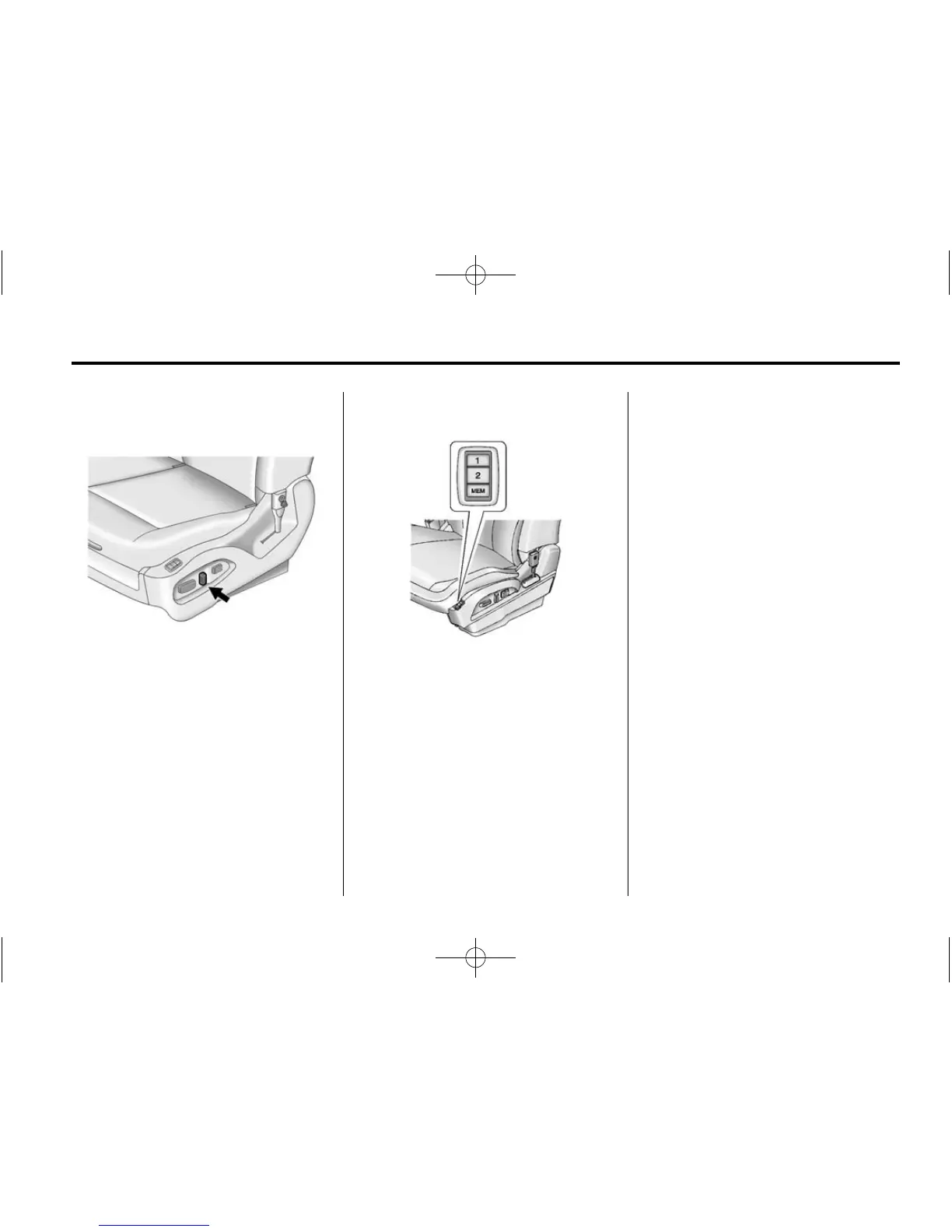
To adjust a power seatback,
if available:
.
Tilt the top of the control
rearward to recline.
.
Tilt the top of the control forward
to raise.
Memory Seats
On vehicles with the memory
feature, the “1” and “2” buttons
on the outboard side of the driver
seat are used to manually save and
recall the driver seat and outside
mirror positions. These manually
stored positions are referred to
as Button Memory positions.
The vehicle will also automatically
save driver seat and outside mirror
positions to the current driver
Remote Keyless Entry (RKE)
transmitter when the ignition is
turned off. These automatically
stored positions are referred to
as RKE Memory positions.
See Remote Keyless Entry (RKE)
System Operation on page 2‑3
for more information.
Storing Button Memory Positions
To save positions into Button
Memory:
1. Adjust the driver seat, seatback
recliner, and both outside mirrors
to the desired driving positions.
2. Press and hold MEM (Memory)
and “1” at the same time until a
beep sounds.
3. Repeat Steps 1 and 2 for a
second driver using “2.”












 To Next Page