CONTROLS
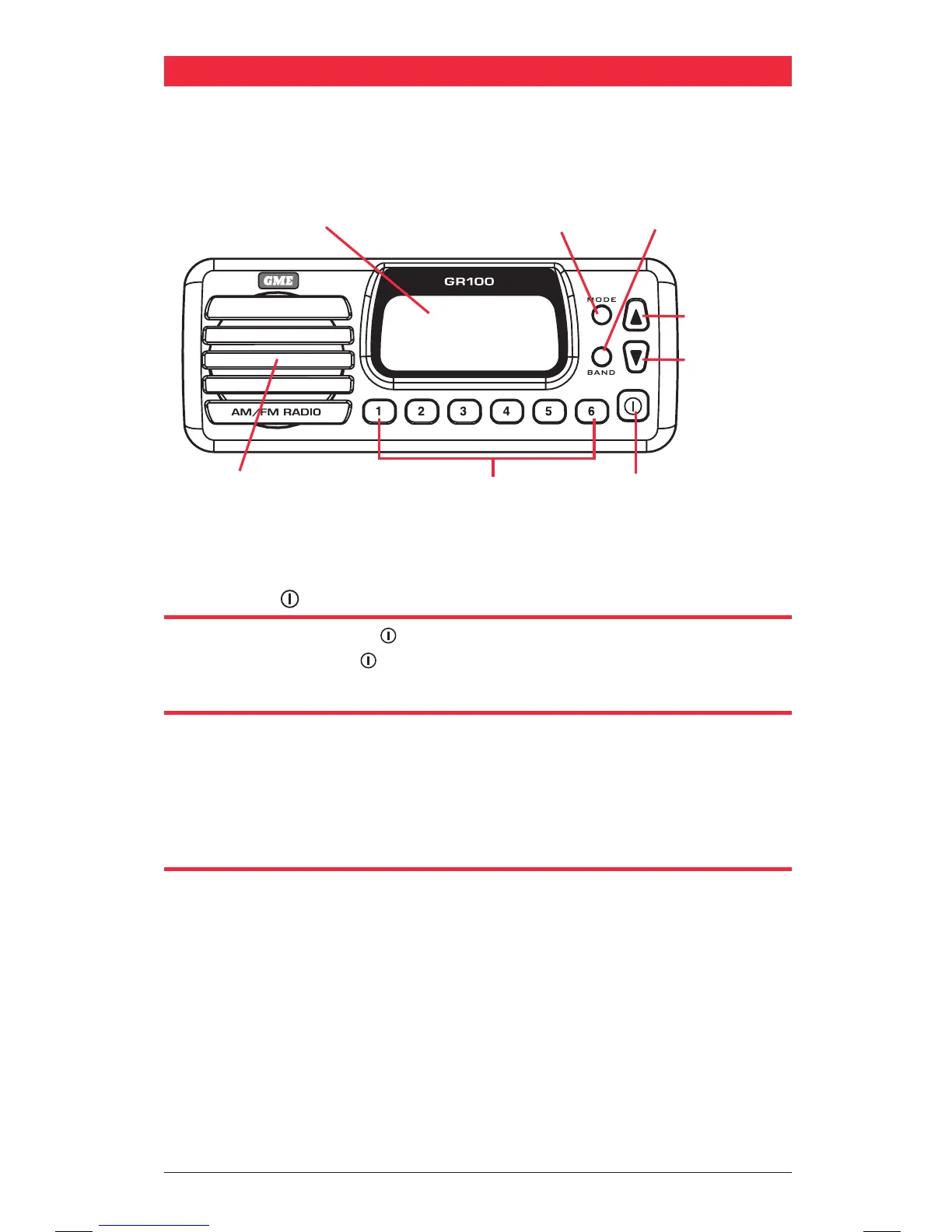
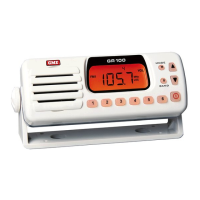
POWER KEY
Press and hold the Power key to turn the GR100 ON or OFF. While the radio is ON,
briefly press the Power key to toggle the audio mute button.
MODE KEY (M)
The Mode Key provides access to the Volume, Bass, Treble, Balance, Frequency
Adjustment, Automatic Memory Store (AMS) and Local/DX settings.
The Mode selection will automatically return to the Volume setting 20 seconds after
the last key press.
BAND KEY (B)
The GR100 has 7 selectable frequency bands labelled LW, SW, AM1, AM2, FM1, FM2
and VHF. Each press of the BAND key cycles to the next band in sequence and a
corresponding icon (LW, SW, AM1, AM2, FM1, FM2 or VHF) is displayed.
The frequency coverage for each band is listed in the specifications at the rear of
this manual.
Speaker
LCD Display Mode Key
Up Key
Down Key
Band Key
Memory Keys Power/Mute Key
M
B


 To Next Page