TUNING FOR STATIONS
Selecting the Frequency Band
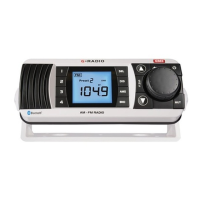
The GR100 has 7 selectable frequency bands labelled LW, SW, AM1, AM2, FM1, FM2
and VHF. The two AM bands (AM1 and AM2) are identical to each other as are the two
FM bands (FM1 and FM2).
To select the required frequency band, briefly press the Band key. Each press will
advance to the next band in sequence and a corresponding icon (LW1, SW, AM1, AM2,
FM1, FM2 or VHF) will be displayed.
Selecting USA or European Receiver Standards
The GR100 supports both USA and European standards for AM and FM reception.
Australian models conform to the European standard and are set that way by default.
Owners in the USA should select the USA standard.
To toggle between European or USA standards, press and hold the Band key for 3
seconds. The GR100 will display ‘E’ at the top of the display for European or U for USA.
The E or U will disappear when any of the preset memory buttons are pressed.
The differences between European and USA bands and their frequency steps are listed
in the specifications at the rear of this manual.
Note: When the VHF marine band is selected, switching between USA and European
standards will also select USA or International VHF marine channel allocations.
Manually Tuning the Frequency
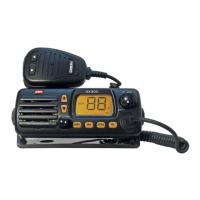
Briefly press the Mode key repeatedly until ‘FREQ’ is displayed on the right hand side
of the LCD. You can now manually change the frequency. To adjust the frequency,
briefly press the or key. Pressing the key will increase the frequency while
pressing the Key will decrease the frequency. The frequency will be displayed on the
LCD.
Scanning for Stations
While in frequency tuning mode, press and hold the or key for 3 seconds. The
GR100 will automatically scan upwards or downwards in frequency starting at the
present frequency. When a station is found, scanning will stop on that frequency.
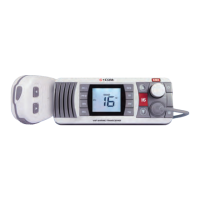
Note: When tuning in the VHF band, standard VHF marine channel numbers 1-28 and
60-88 are displayed. If the USA standard is selected, an additional ten NOAA weather
channels are also available. When these are selected, ‘WEATHER’ is displayed on
the LCD.


 To Next Page