PAGE 8 INSTRUCTION MANUAL TX3345
signAl Meter/bAttery Meter
The TX3345 includes a digital signal strength meter that
shows the relative strength of incoming signals on the display.
The meter displays signal strengths in values from 0 (very
weak) to 9 (very strong). Signals that exceed strength 9 are
shown as 9+
The TX3345 can also be set to display a battery meter instead
of the signal meter. The battery meter displays the voltage of
the connected power source with a resolution of 0.1 V. The
Signal Meter is selected by default.
To switch between Signal Meter and Battery Meter:
1. Press and hold the
MENU
F
key for several seconds. The radio
will enter Menu mode.
2. Press the
MENU
F
key repeatedly until ‘S-MET’ (S Meter) or
‘BATT’ (Battery) is displayed.
3. Press the
or keys to select the required option.
4. To exit, press and hold the
MENU
F
key or wait for the Menu
to time out.
Priority ChAnnel
The Priority Channel feature allows you to store one channel
as a Priority Channel that can be instantly recalled at the press
of a key. This can be used to provide instant access to your
working channel or your local repeater channel.
To store a Priority Channel
1. Select the required channel.
2. Briefly press the
MENU
F
key then press and hold the
LVL
PRI
key. The selected channel will flash followed by a high beep
as the channel is stored.
To recall a Priority Channel
Briefly press the
MENU
F
key then briefly press the
LVL
PRI
key.
The radio will switch straight to the selected Priority Channel.
Any active functions (such as Scanning or Quiet) will be
cancelled.
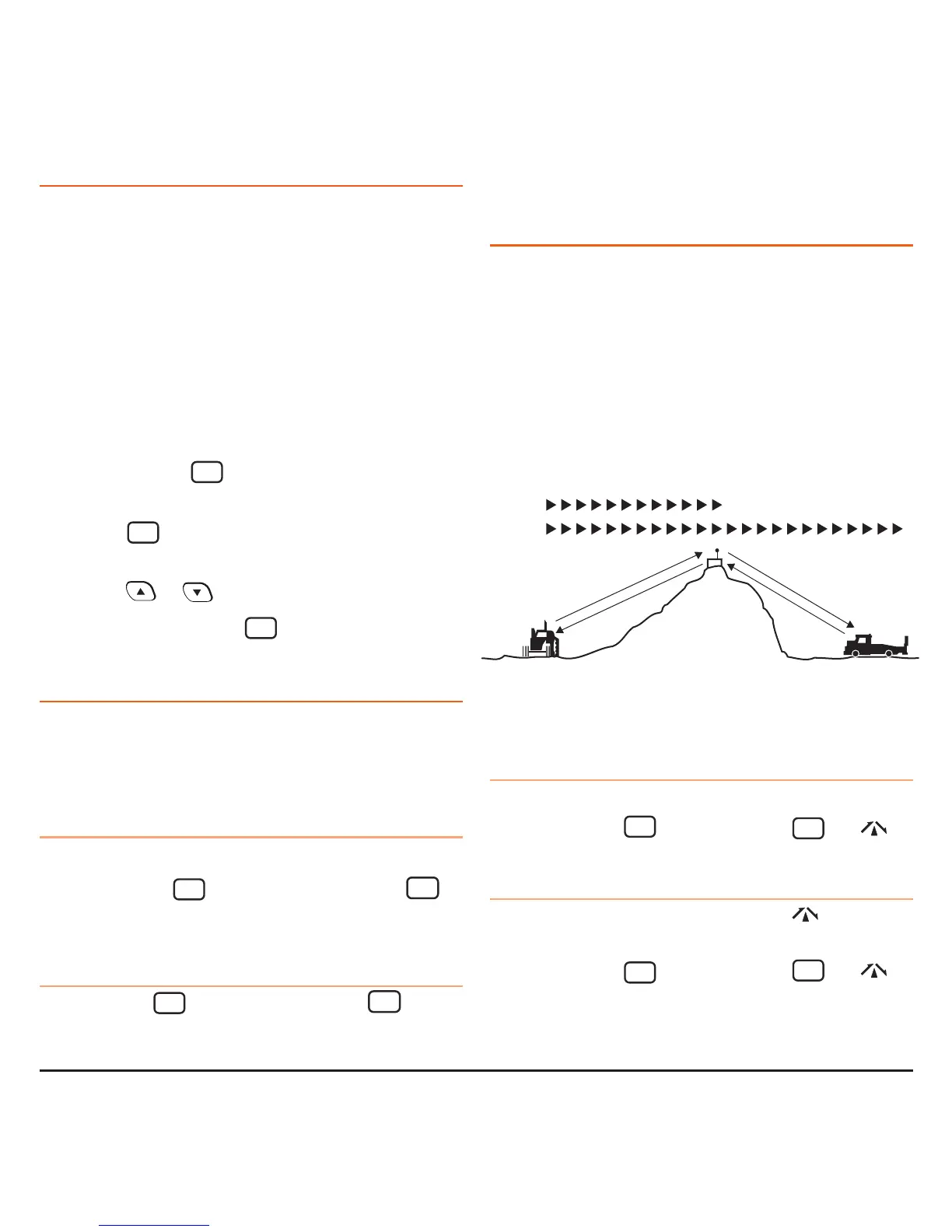
DuPlex oPerAtion
Duplex operation allows the radio to transmit on a different
frequency to that which it receives allowing operation through
repeater stations. Repeaters automatically re-transmit your
signal over a wider area, providing greatly increased range.
Duplex operates only on channels 1-8 and 41-48. When
duplex is selected on these channels, the radio receives
on that channel but actually transmits 30 channels
higher.
The TX3345 allows you to select Duplex operation individually
on each channel.
To select Duplex:
1. Select the required channel 1-8 or 41-48.
2. Briefly press the
MENU
F
key then press the
QUIET
DUP
key.
will appear on the display accompanied by a high beep.
To remove Duplex from a channel
1. Select the required channel 1-8 or 41-48.
will be visible
on the display.
2. Briefly press the
MENU
F
key then press the
QUIET
DUP
key.
will disappear from the display accompanied by a low beep.
Vehicle
Simplex/Duplex Range Comparison
Simplex
Repeater
operation
Channel 31
Channel 1
Repeater
Station
Channel 1
Channel 31
Vehicle



 To Next Page