TX3550S INSTRUCTION MANUAL PAGE 27
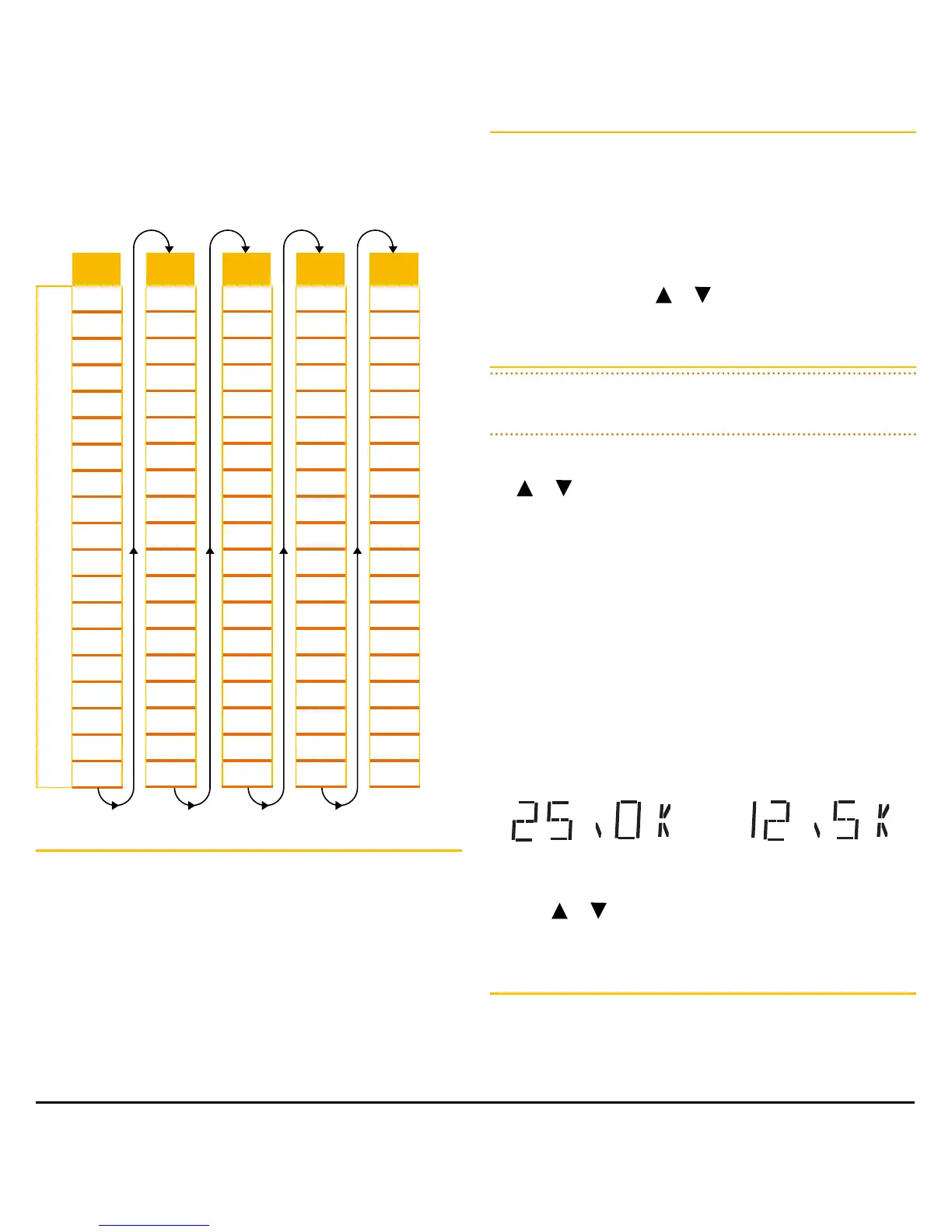
When using the combined Channel Bank RXA-E, all 5
Channel Banks becomes available in one continuous
sequence resulting in a total of 95 channels of Receive-only
frequencies. Channels are numbered in a repeating sequence
from 81 – 99.
RX-A
R
X
O
N
L
Y
C
H
A
N
N
E
L
S
81
82
83
84
85
86
87
88
89
90
91
92
93
94
95
96
97
98
99
RX-B
81
82
83
84
85
86
87
88
89
90
91
92
93
94
95
96
97
98
99
RX-C
81
82
83
84
85
86
87
88
89
90
91
92
93
94
95
96
97
98
99
RX-D
81
82
83
84
85
86
87
88
89
90
91
92
93
94
95
96
97
98
99
RX-E
81
82
83
84
85
86
87
88
89
90
91
92
93
94
95
96
97
98
99
Channel Editor
Receive-only channels are switched off by default. To
enable them you will need to activate the channel editor
in your radio which will then allow access to programming
frequencies into channels 81 – 99 of your selected Channel
Bank. Receive-only channels can be programmed with
frequencies in the range 403 – 520 MHz.
To activate the Channel Editor
1. Switch the radio off.
2. Press and hold the
LEVEL
key while switching the radio
on again.
3. ‘RXALL’ will be displayed briefly, indicating the RX
Channel Editor has been activated.
You can now press the
or
key to select channels
81 – 99 for programming.
Selecting Frequency Steps
NOTE: This menu option is only available when an RX-only
channel is selected.
The frequency step is the space between frequencies when
the
or
key is pressed. The frequency step can be
set to either 12.5 kHz or 25.0 kHz. You should select a
frequency step that matches the channel allocations in the
frequency band you are programming. If in doubt, selecting
12.5 kHz will ensure you do not miss any useful channels.
When selecting 12.5 kHz or 25.0 kHz steps the appropriate
wideband or narrowband filter will be selected automatically
to ensure optimum performance.
1. Select a Receive-only channel.
2. Press and hold
MENU
to select the menu.
3. Press
MENU
repeatedly until the frequency step is
displayed.
25kHz Steps 12.5 kHz Steps
4. Press
or
to change the frequency step
5. Press the
PTT
to exit the menu.
Displaying Frequencies
When selecting frequencies, your radio may change the
frequency in 12.5 kHz or 25 kHz steps, however the display
will only show the frequency to the nearest 10 kHz. See the
table on page 27.


 To Next Page
 Loading...











