PAGE 8 INSTRUCTION MANUAL TX3550S
KEYPAD FUNCTIONS
Many of the keys on the TX3540S controller microphone have
multiple functions. The primary functions are labelled in black,
while the secondary functions are labelled in red. To access a
primary function simply press the required key.
To access a secondary function, briefly press the F key
followed immediately by the required key.
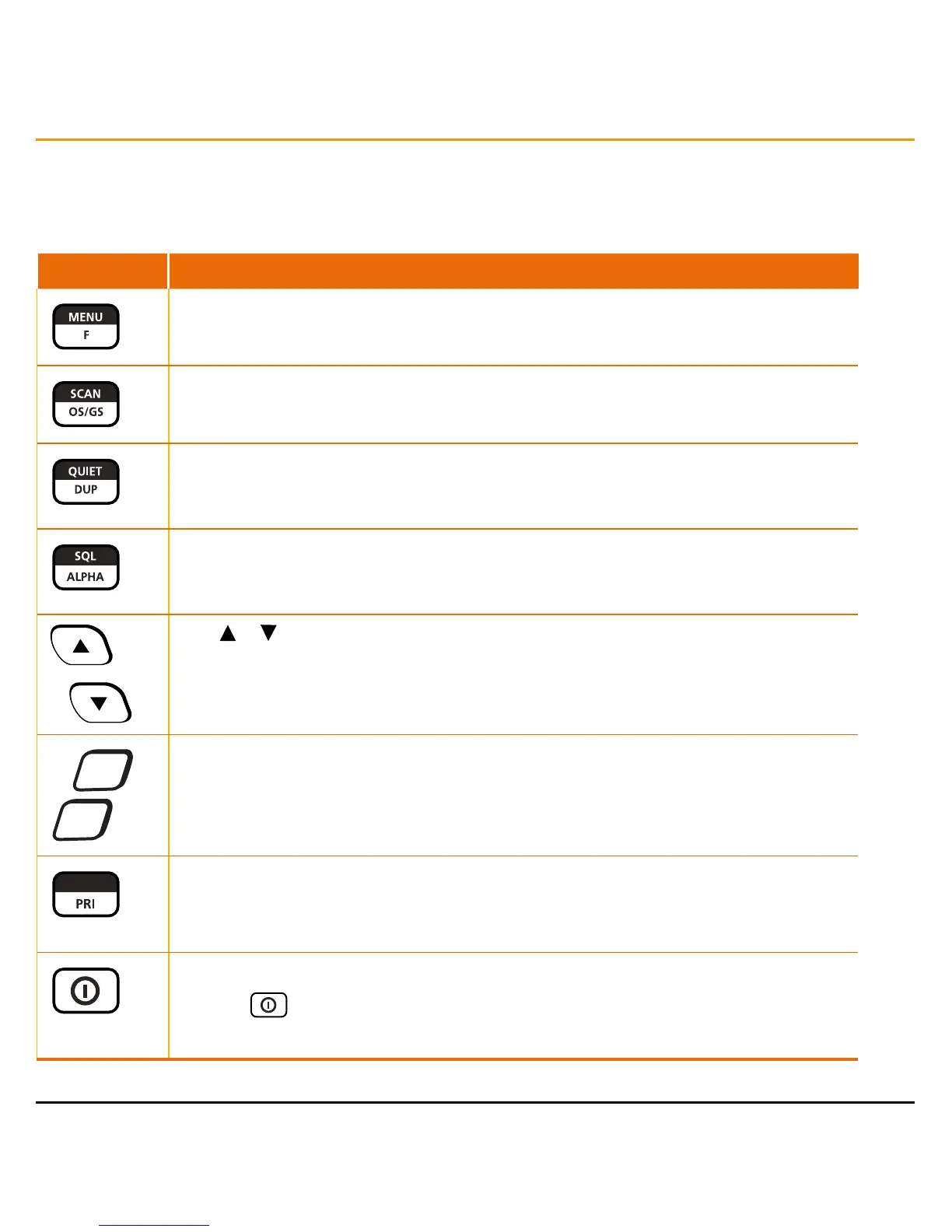
The table below shows the control functions for all models.
TX3550S FUNCTION
Press and hold MENU to access the configuration menu. Press
F
followed by the required key to access the secondary key-functions labelled in
red
.
Press SCAN to toggle scanning on or off. Press
F
followed by
OS/GS
to select Open Scan,
Group Scan or Network Scan.
Press and hold QUIET to tag the selected channel for use with SelCall. Press QUIET briefly
to toggle the quiet mode on all channels that have been tagged. Press
F
followed by
DUP
to
toggle duplex mode on or off on the selected channel.
Press SQL briefly to toggle the Squelch on or off. Press and hold SQL to toggle CTCSS/DCS
silent mode on or off on the selected channel. Press
F
followed by
ALPHA
to toggle Alpha or
Numeric display modes.
Press
or
to change channels.
+
–
Press the + or - keys to adjust the volume.
LEVEL
Press the the LEVEL key briefly to adjust the preset Squelch level. Press
F
followed by the
PRI
key to recall the Priority channel.
Press
F
then press and hold the
PRI
key to store the current channel as the Priority channel.
Press the
key to switch the radio on or off.



 To Next Page