7. HOW TO USE
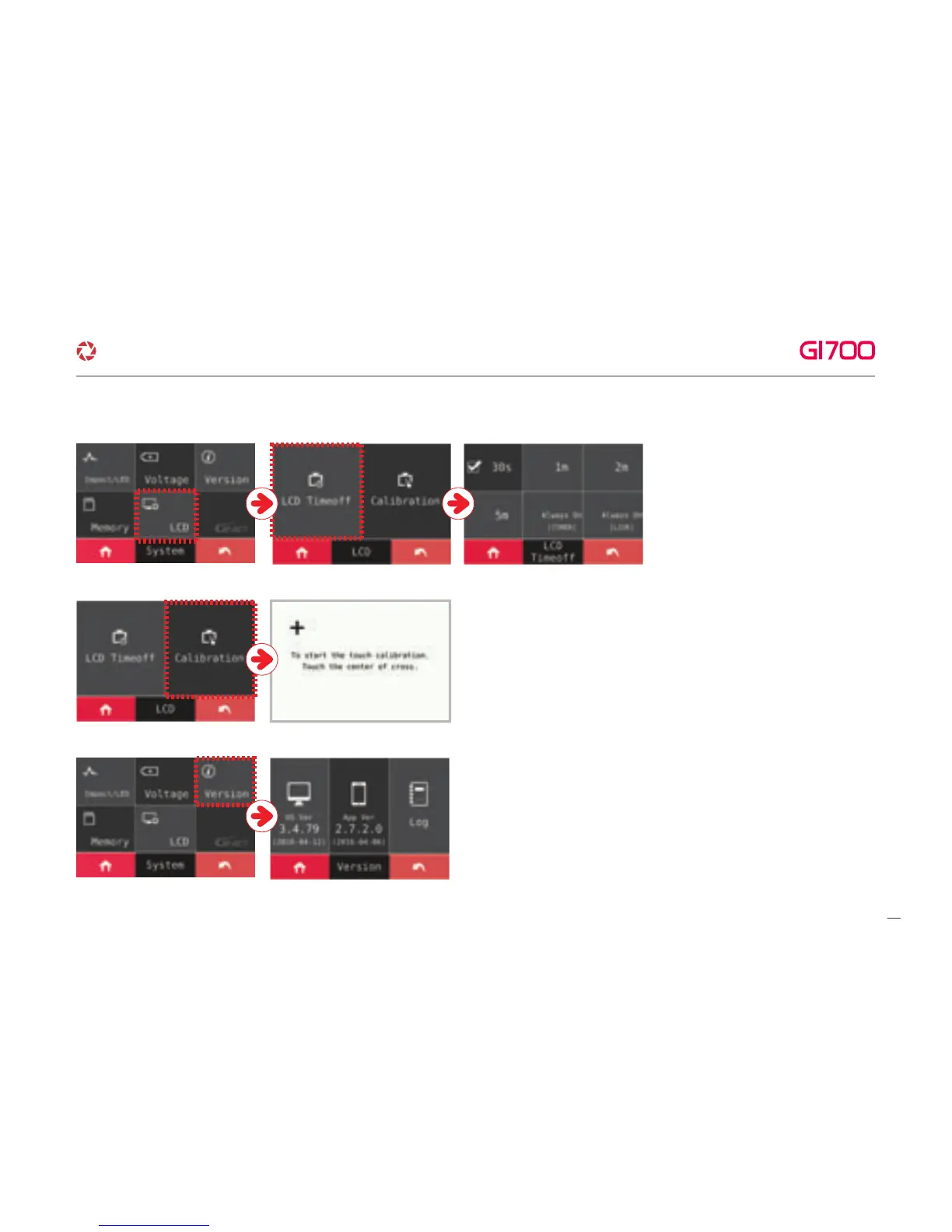
⑤ VERSION – Able to check current version of firmware.
④ LCD – Adjusting LCD Time off and
Calibration
※ TIME OFF
User can check time off option. After
setting of Time Off, the LCD will be
automatically off according to what
user set.
※ CALIBRATION
Adjust calibration of touch screen according to the guide
by touching cross which is showing on the screen.
※
Always On [Timer] / Always On [Live]
If the settings are done, the screen
will be changed to what user set after
1min without any operation.
24
·How to use LCD - SETUP
G-Net system DASH CAM



 To Next Page