2-9 Connecting The Printer To The Host Computer
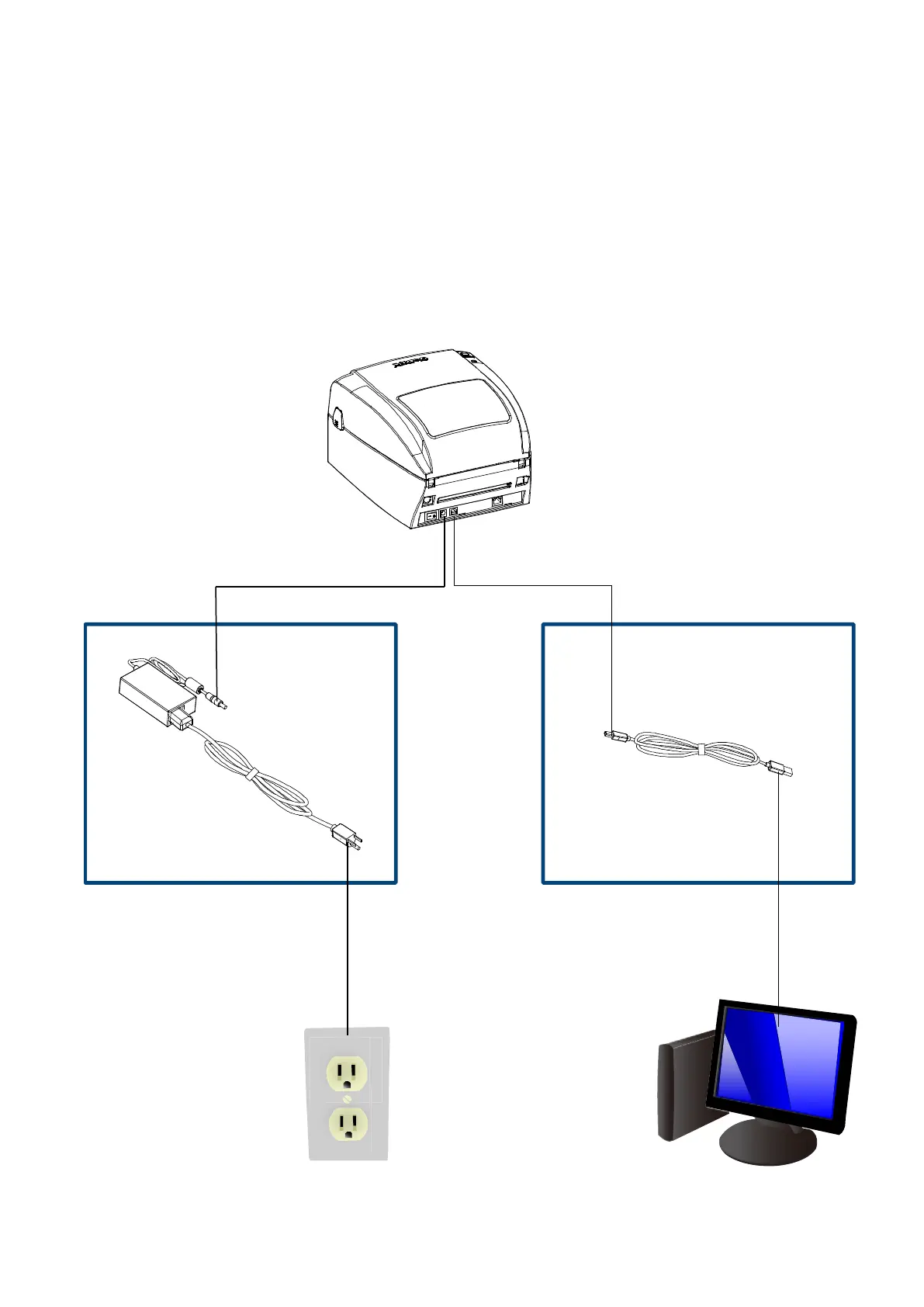
⚫ Please make sure that the printer is switched off.
⚫ Connect the power cord to the AC adapter and connect the adapter to the printer.
⚫ Connect the USB / parallel cable to the printer and host computer. (USB / parallel cable’s type
depends on the printer which you purchase.
⚫ Switch on the printer. The LED indicator should now lights up.



 To Next Page