5-4 Cleaning The Cutter (Cutter Model)
While using the cutter, paper jams may occur. Please follow the below steps to clean the paper jam.
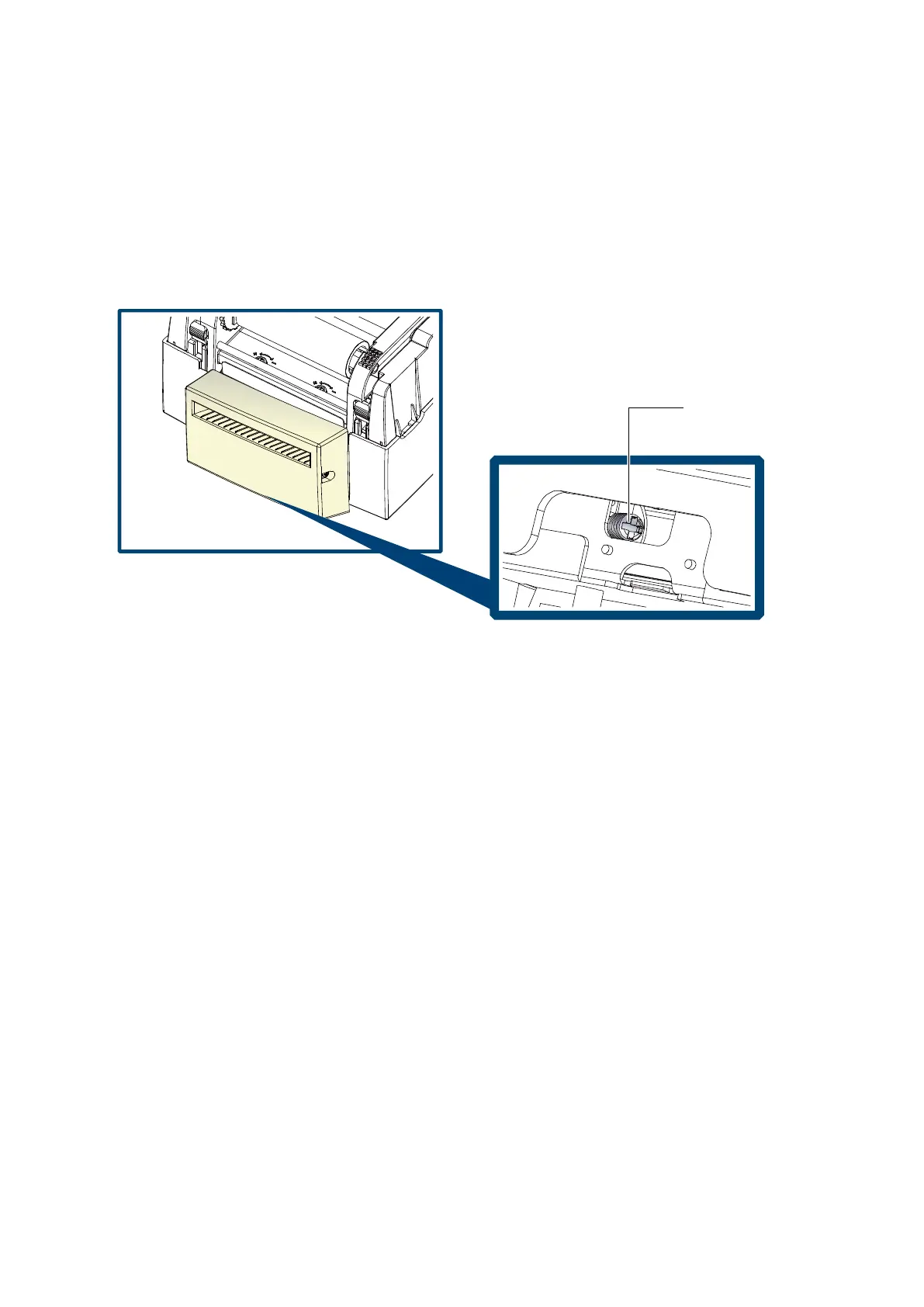
A socket head screw for adjusting the cutter is located on the bottom of cutter module, as shown in below illustration.
◆ Cleaning Steps
1. Switch off the printer.
2. Use a Philips screwdriver to turn the socket head screw and release the knife.
3. When you have cleared the paper jam, switch on the printer again. The cutter will automatically reset
! NOTICE
⚫ Labels should be at least 30 mm high to ensure correct functioning of the cutter.



 To Next Page