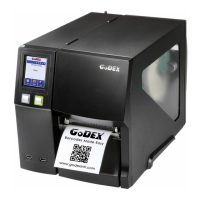
3-3 Label size calibration and Self Test Page
The printer can automatically detect and store label height.
That means the host computer does not need to transmit the label height to the printer.
And the self-test function lets you check whether the printer is functioning normally.
Here is how you run the label size calibration and self test.
STEP-01 Check that the paper is loaded correctly.
STEP-02 Switch off the printer and press Feed button.
STEP-03 Switch the printer on again, keeping the FEED button pressed. When the LED starts to flash red, release
the FEED button. The printer will now measure the label stock and store the label height.
STEP-04 Once the printer has successfully measured the label stock, it will print a self-test label.
contents of a self-test printout are listed below.
IP address of Ethernet port
Speed, Density, Ref. Point, Print direction
Label width, Form length, Stop position
Cutter, Label Dispenser, Mode
MAC Addr:xx-xx-xx-xx-xx-xx
##################################
Image buffer size:1500 KB
0000 GRAPHIC(S) IN MEMORY
000 ASIAN FONT(S) IN MEMORY
000 DATABASE(S) IN MEMORY
Reflective AD:1.96 2.84 2.49[0.88_23]
MAC address of Ethernet port
Printer is on factory default



 To Next Page