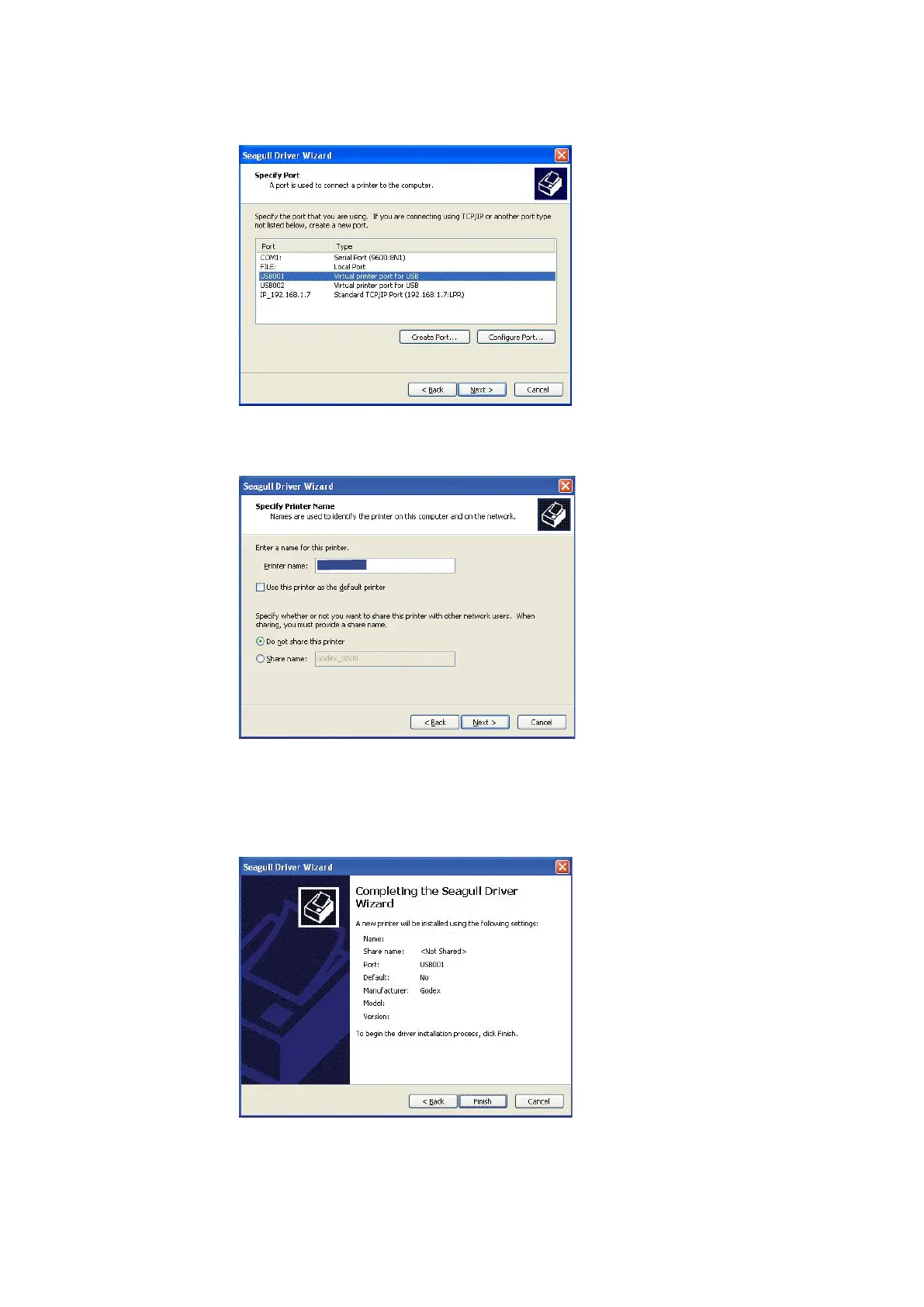
STEP-06 Specify the port used to connect the printer to the host computer.
STEP-07 Enter a printer name and assign the appropriate rights.
STEP-08 Once the installation is complete, a summary of the printer settings is displayed.
STEP-09 Check whether the printer settings are correct and click "Finish" to start copying the driver files.
STEP-10 Wait until copying is complete, then finish the installation.



 To Next Page