4. NetSetting for Ethernet
4-1 Installing The NetSetting software
The NetSetting software is used to manage the network configurations when connecting the printer via Ethernet port.
It is available on product CD or can be downloaded from official website. To install the NetSetting, please follow
below steps.
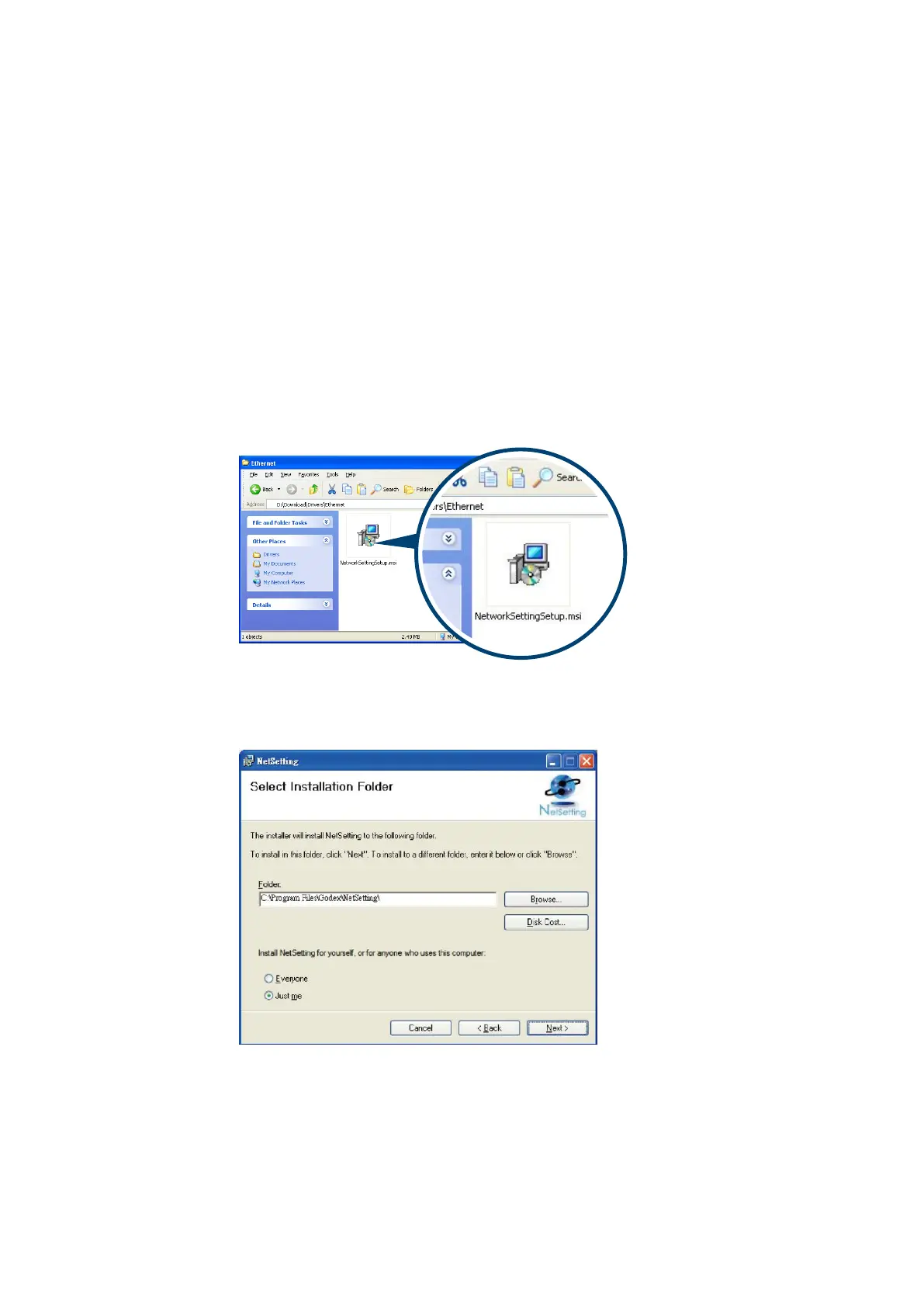
Step-01 Insert the product CD in the CD/DVD drive of the host computer and open the "Ethernet" folder on the
CD.
Step-02 Select the icon for the NetSetting installation file and click it to start the installation.
Step-03 Follow the instructions on the screen. The Setup Wizard guides you through the installation procedure
Step-04 Specify the “Installation Folder".
Step -05 Click ”Next” to start the installation.
Step -06 Once the installation is completed; you will see the NetSetting icon on your desktop.



 To Next Page