Software Operation Manual 8
3-3-2. Set Wireless Configuration Using Network Printer Server Control Center
1. Install the "Control Center" program to your PC. Network Printer Server Control Center is available in the
product CD of Ethernet or Wireless LAN module.
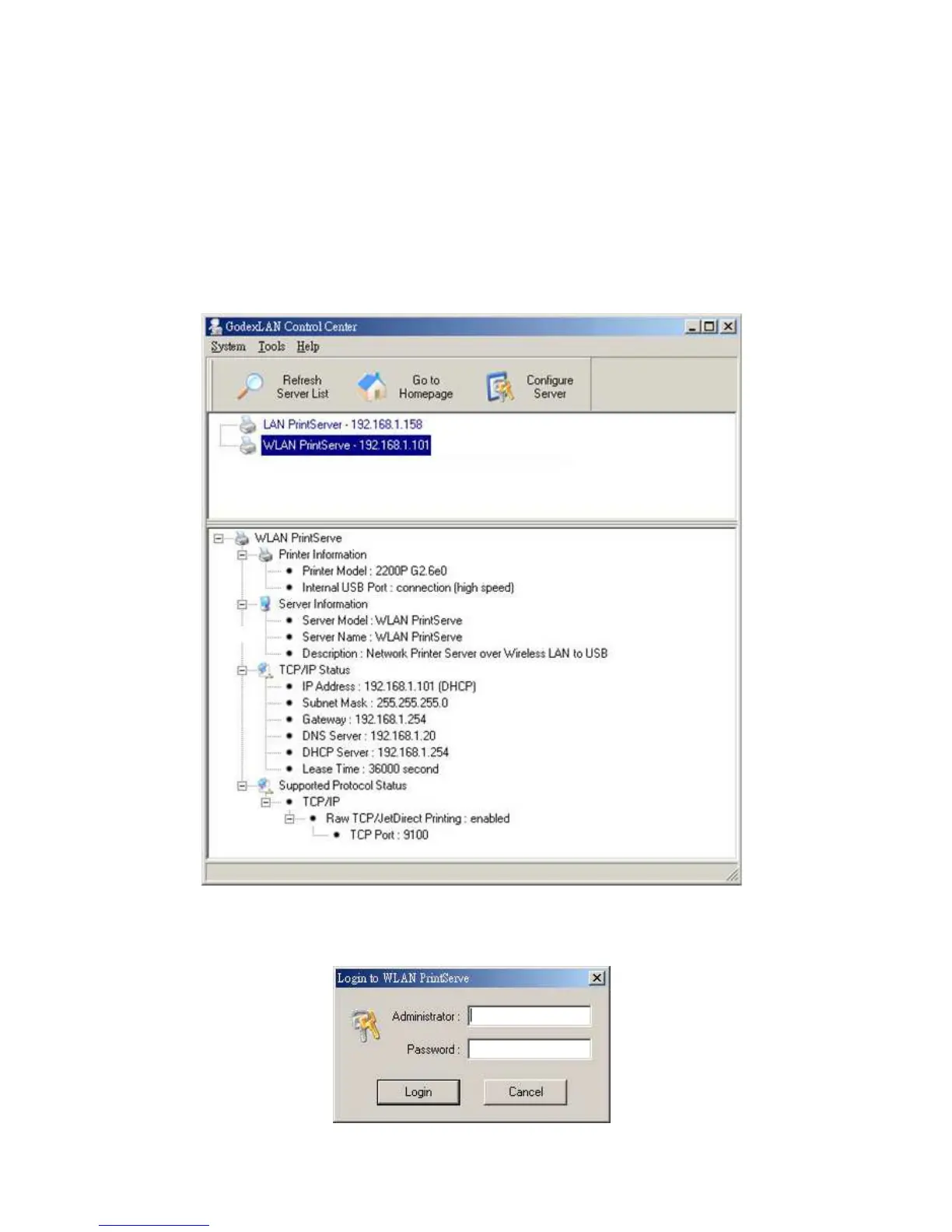
2. Start the Network Printer Server Control Center and an Auto-searching Network Printer Server window
will appear.
*If the wireless parameters are not correct or not set yet, you have to use LAN to access Network Printer
Server.
3. If the tool finds Network Printer Servers in your local area network, then you have to select a server from
the server list.
4. Double click the highlighted server (or click the “Configure Server” button) and type the server’s
administrator (default: admin) and password (default: admin).



 To Next Page