Software Operation Manual 15
3-4-2. Setting the IP Address Using the Control Center
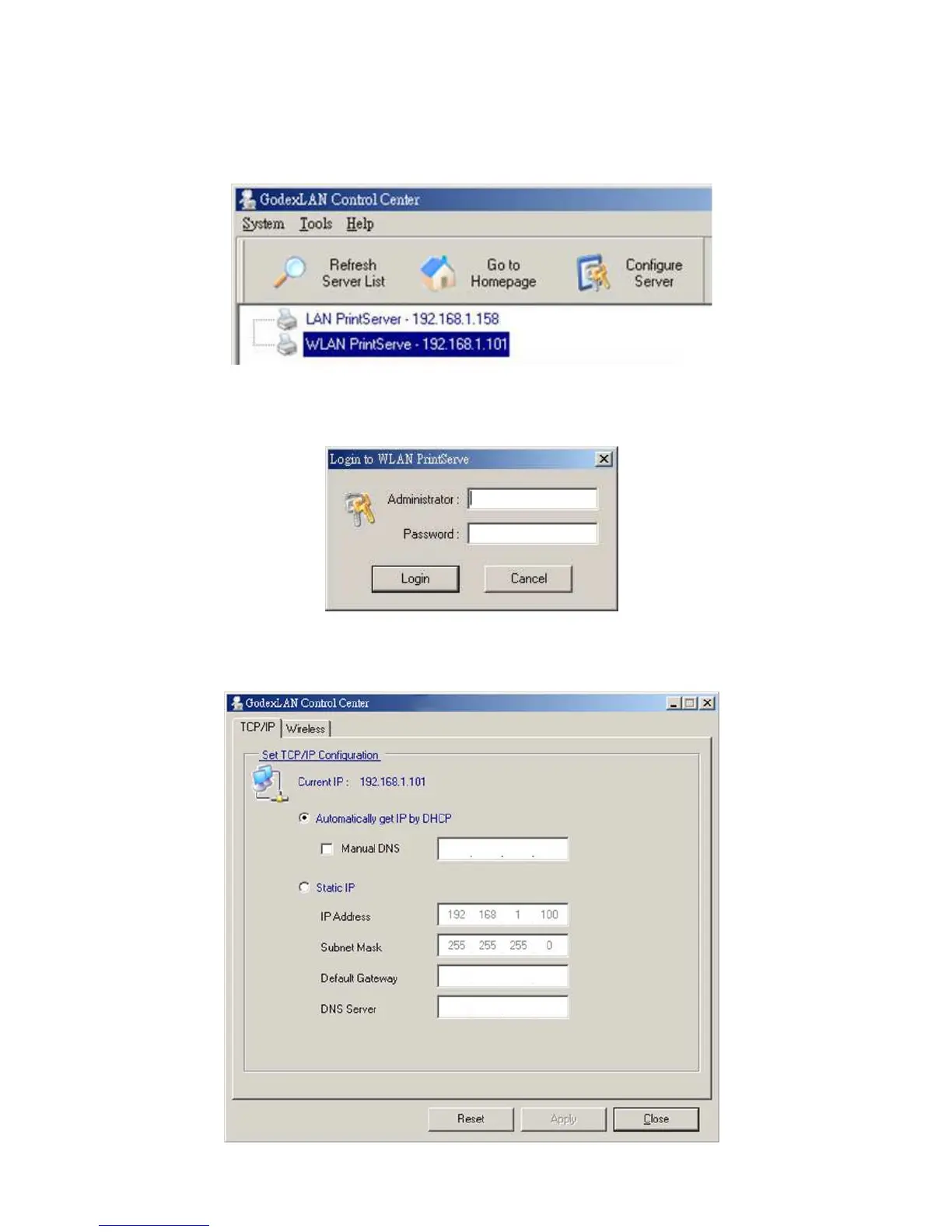
1. Start the Control Center and Auto-searching Server window will appear.
2. If the tool finds print servers in your local area network, then you have to select one server from the
Server List.
3. Double click the highlight list and enter the Server’s administrator (default: admin) and password (default:
admin).
4. After you have logged in successfully, select TCP/IP from the Server’s menu. The Set IP Address dialog
appears.



 To Next Page