Software Operation Manual 17
3-4-3. Setting the IP Address Using the Server’s Web Pages
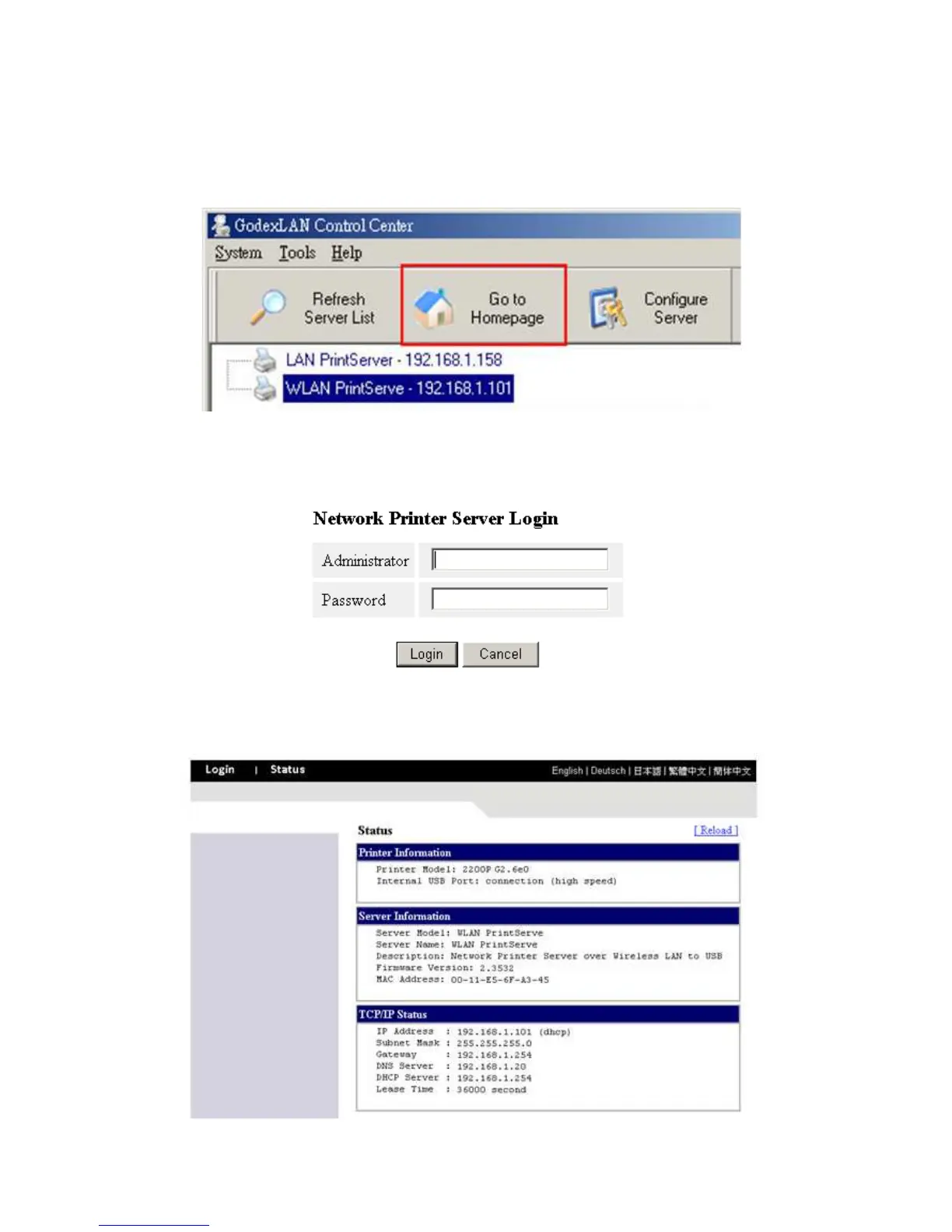
1. If you don’t know the current IP of you Server, you have to do the Step1~Step4 of Set the IP Address
Using the Control Center.
2. You can see the IP address of you Server in the Server List. Open IE Browser and enter the Server’s IP
address or click the “Go to Homepage” button in the Control Center.
3. Go to the web page and click "Login" link.
4. Login your administrator (default: admin) and password (default: admin).
5. After you have logged in successfully, the first configure page will be General Configuration of printer
server.



 To Next Page