Software Operation Manual 12
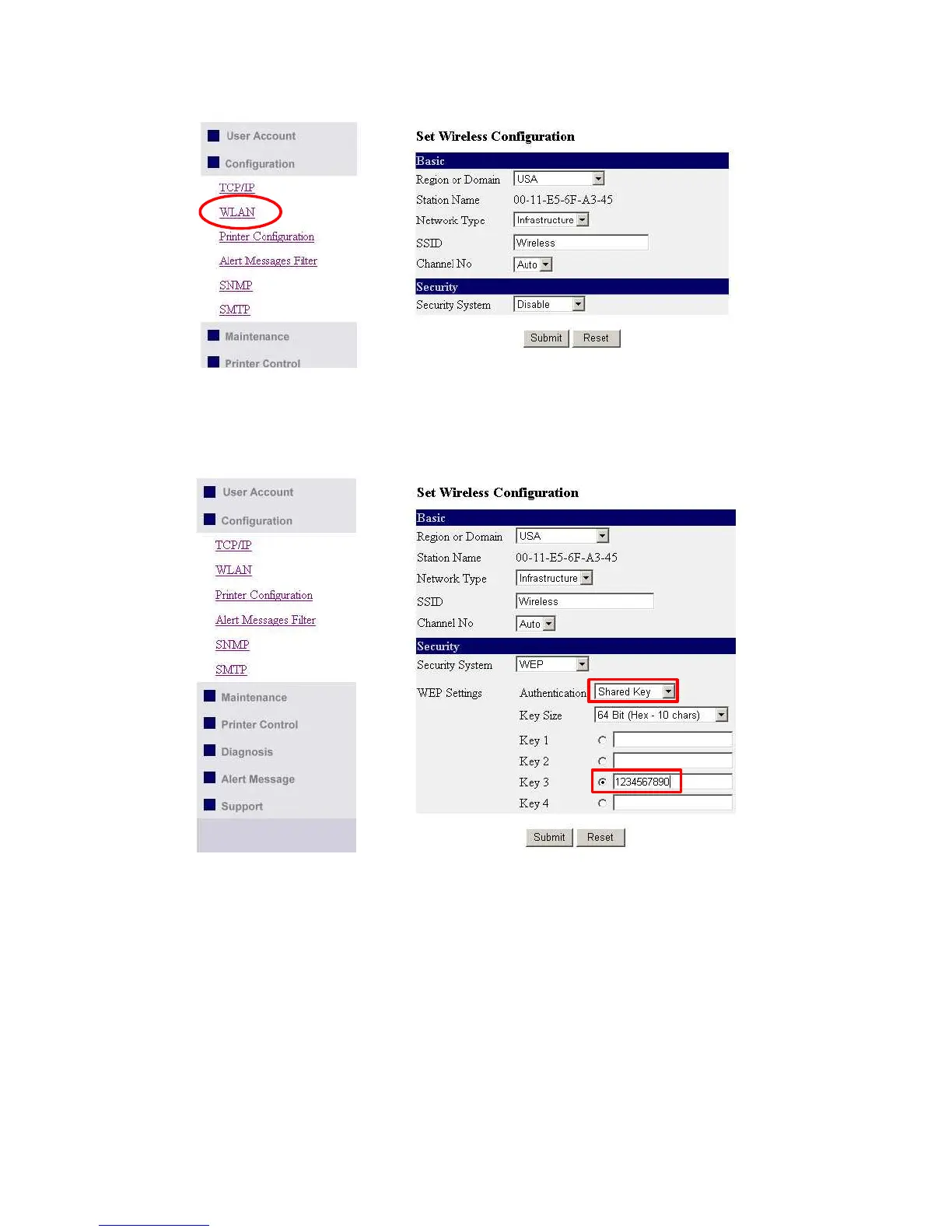
6. Click "WLAN" icon.
7. In order to join an existing wireless network, you have to set the correct network type (infrastructure or
ad-hoc), SSID, and the correct security method with the correct key information.
8. If the wireless network is secured by WEP64 or WEP128, key index and WEP key must be set correctly.
9. If the wireless network is secured by WPA-PSK/TKIP, the shared key must be set correctly.



 To Next Page