EasyManua.ls Logo

Godex RT200i - Page 35

Godex RT200i
69 pages
Print Icon
To Next Page IconTo Next Page
To Previous Page IconTo Previous Page
Loading...
31
3 Setting and Control for Operation Panel
027
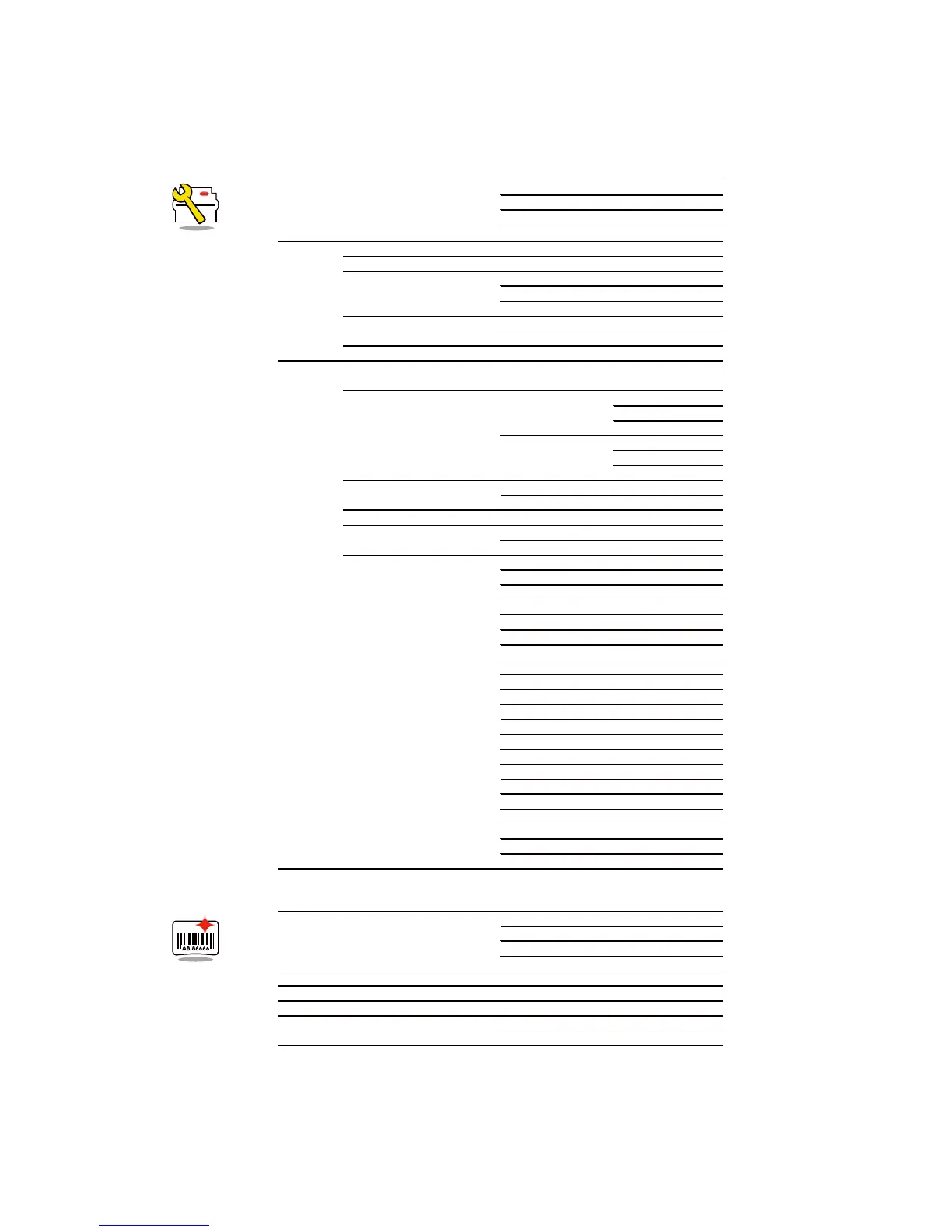
Setting Items in Setting Mode
Printer Setting
Label Setting
LCD Language
English
German
繁體中文
简体中文
Wizard
Speed
2-5 or 7
Darkness
0-19
Media Type
Label with Gaps
Label with Marks
Continuous
Printer Mode
Direct Thermal
Thermat Transfer
Tear-off Position
0-40
Setting
Darkness
0-19
Speed
2-5 or 7
Sensor
Media Detection
Auto Select
See-Through
Reflective
Media Type
Label with Gaps
Label with Marks
Continuous
Printing Mode
Direct Thermal
Thermat Transfer
Tear-off Position
0-40
Top of Form
Apply
Cancel
Codepage
850
852
437
860
863
865
857
861
862
855
866
737
851
869
Win 1252
Win 1250
Win 1251
Win 1253
Win 1254
Win 1255
Win 1257
Rotation
90°
180°
270°
Horizental Offset
-100 - 100
Vertical Offset
-100 - 100
Start Offset
-100 - 100
Recall Label
001 Form Name
002 Form Name

Other manuals for Godex RT200i

Related product manuals