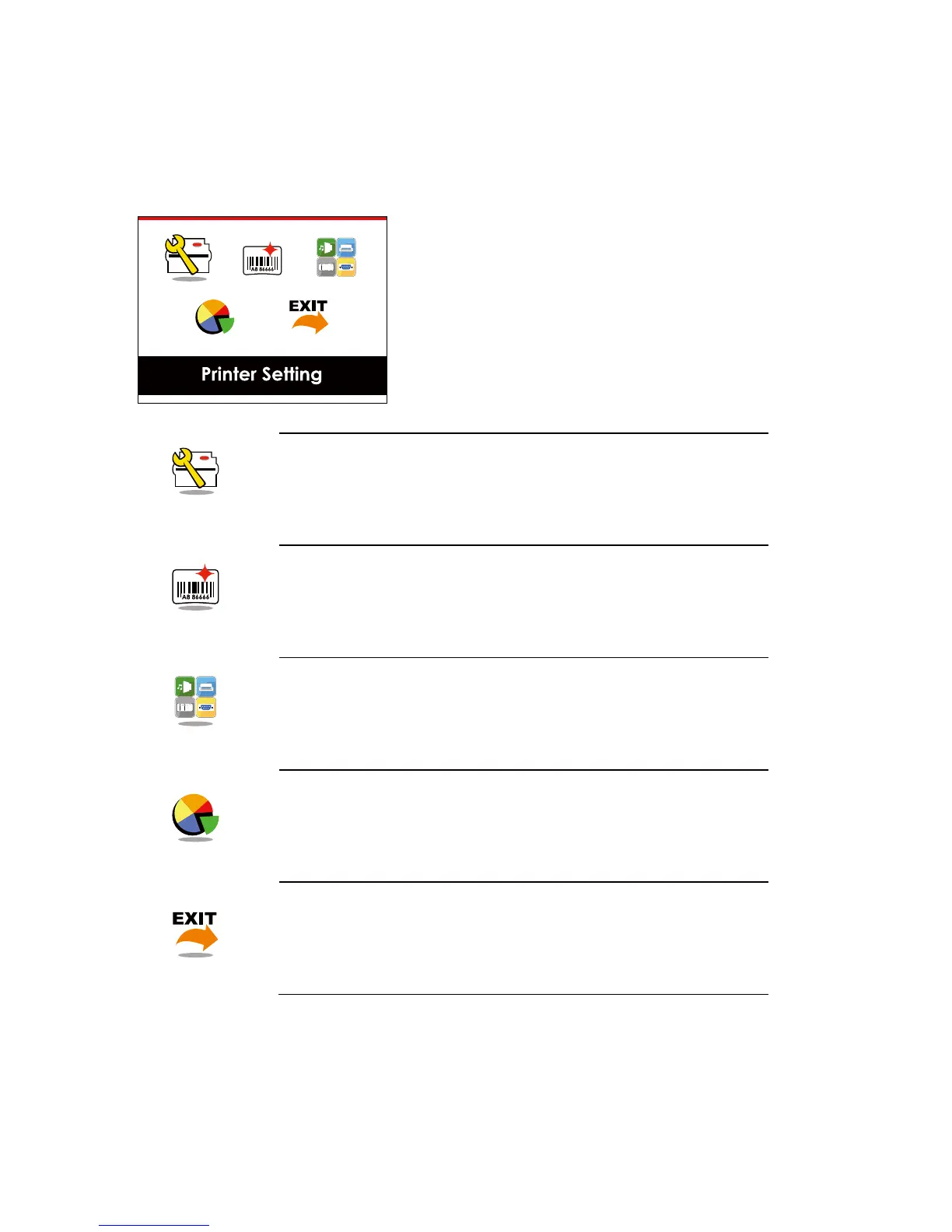
Main Page
Printer Setting
Label Setting
Device
Analysis
Exit
Setting items for printer, ex. Printing speed, darkness.
Also includes a Printing Wizard for your ease of printing.
Setting items for printing label, ex. Rotation, Printing position offset.
Option modules and connection port settings.
Self-Diagnose functions for printer, ex. TPH testing, self-test page printing.
Exit from Setting Mode.



 To Next Page