42 43
By pointing the flash head toward a
wall or ceiling, the flash will bounce
off the surface before illuminating
the subject. This can soften shadows
behind the subject for a more
natural-looking shot. This is called
bounce flash.
To set the bounce direction, hold the
flash head and turn it to a satisfying
angle.
Bounce Flash
1. If the wall or ceiling is too far away, the bounced flash might be too weak and
result in underexposure.
2. The wall or ceiling should be a plain, white color for high reflectance. If the bounce
surface is not white, a color cast may appear in the picture.
Note
:
ZOOM: Setting the Flash Coverage
The flash coverage can be set automatically or manually. It can be set
to match the lens focal length from 14 to 52mm(43 format) or 28mm to
105mm(135 format). In auto zoom mode, the focal length changes in
response to the camera's zoom lens to provide optimal flash results.
In manual zoom mode, press the
<ZOOM> button.
Turn the select dial to change the
ash coverage.
If <
> is displayed, the ash
coverage will be set automatically.
If you set the flash coverage manually, make sure it covers the lens focal length so
that the picture will not have a dark periphery.
Note
:
Low Battery Warning
If the battery power is low, < > will
appear and blink on the LCD panel.
Please replace the battery immediately.
TTL/M Mode Switch Function
1. Toggle the TTL/M mode toggle switch in non-wireless mode can switch
flash mode.
2. TCM switch function is workable by default when switched to M manual
mode from TTL mode.
The Reason & Solution of Not Triggering in Godox
2.4G Wireless
Disturbed by the 2.4G signal in outer environment (e.g. wireless base
station, 2.4G wifi router, Bluetooth, etc.)
→
To adjust the channel CH setting on the flash trigger (add 10+
channels) and use the channel which is not disturbed. Or turn off the other
2.4G equipment in working.
Please make sure that whether the flash has fi nished its recycle or
caught up with the continuous shooting speed or not (the flash ready
indicator is lightened) and the flash is not under the state of over-heat
protection or other abnormal situations.
→
Please downgrade the flash power output. If the flash is in TTL mode,
please try to change it to M mode (a pre-flash is needed in TTL mode).
Whether the distance between the flash trigger and the flash is too close
or not (
<
0.5m).
→
Please turn on the “close distance wireless mode”:
X1 Series: Press and hold the triggering button then turn on the device
until the indicator blinks twice.
Xpro and X2T Series: Set the C.Fn-DIST to 0-30m.
X3 Series: Set the trigger distance to 0-30m.
Whether the flash trigger and the receiver end equipment are in the low
battery states or not
→
Please replace the battery.
1.
2.
3.
4.
Sync Triggering
The sync cord jack is a Φ2.5mm plug. Insert a trigger plug here and the flash
will be fi red synchronously with the camera shutter.
Other Applications
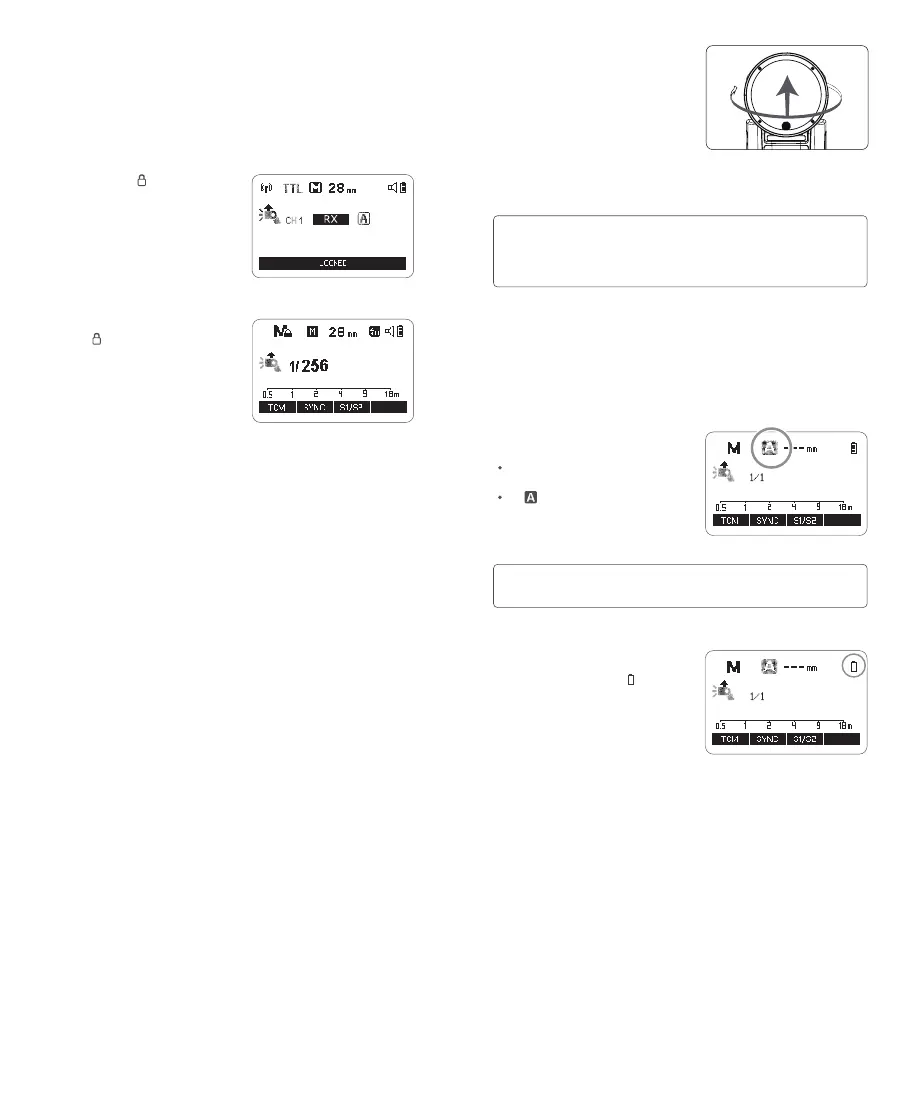
Screen Lock
Press and hold the < > button for 2s
can lock or unlock the screen, “LOCKED”
is displayed on the LCD panel when the
screen is locked.
Mode Lock
Press and hold the <MODE> button to
make the <
> is displayed on the panel,
the current flash mode (TTL/M/RPT
flash mode) is locked, press and hold
again to unlock, then the flash mode can
be switched by pressing the <MODE>
button.


 To Next Page