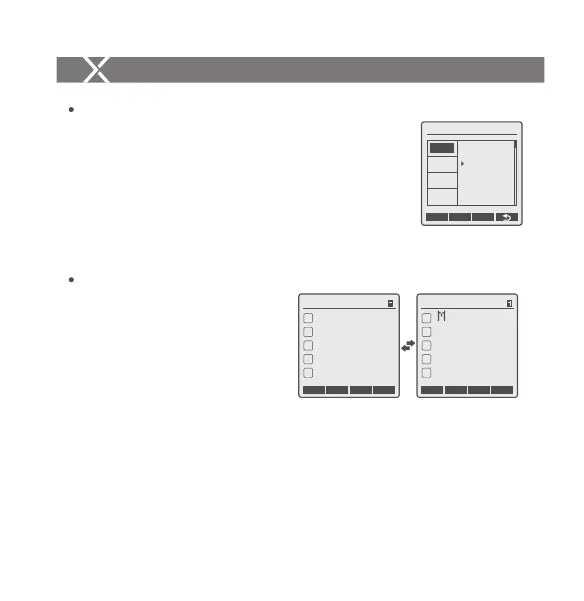
1. Press the <MENU> button to enter C.Fn SYNC and
press the <SET> button to choose IN or OUT. Press
the <MENU> button again to back to the main menu.
1.1 When choosing IN, this sync socket will enable
XProO to trigger flash.
1.2 When choosing OUT, this sync socket will send
trigger signals to trigger other remote control and
flash.
Sync Socket Settings
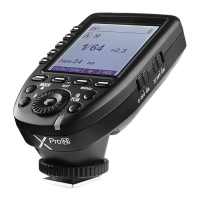
TCM transform function is a particular
function that owned by Godox:
TTL flash value transform into
power output value in M mode.
1.1 Set the flash trigger to TTL mode
and attach it to the camera.
Press the shutter for shooting.
1.2 Long press the <TCM> button, and the flash value in TTL mode will
transform into power output value in M mode (The displayed minimum value
is the set Min. value).
1.3 Please refer to the C.Fn setting custom functions to see the flash models
which are compatible with TCM functions.
Note:Please choose the relevant models in TCM function in C.Fn custom settings according
to your own flash.
TCM Function
Setting the Flash Trigger
C.Fn Ver 9.2
GROUP
LCD
SHOOT
SYNC
IN
OUT
CLEAR
CH1
Zm/CH SYNC
MOD
A
B
C
D
E
ALL
--
TTL
--
--
--
CH1
Zm/CH SYNC
MOD
A
B
C
D
E
ALL
--
--
--
--
1/128
SHOOT Function Settings
Press the <MENU> button to enter C.Fn SHOOT.
Press the <SET> button to choose one-shoot or multi-
shoots, and press the <MENU> button again to back to
the main menu.
One-shoot: When shooting, choose one-shoot. In the
M and Multi mode, the master unit only sends
triggering signals to the slave unit, which is suitable
for one person photography for the advantage of
power saving.
Multi-shoots: When shooting, choose multi-shoots,
and the master unit will send parameters and
triggering signals to the slave unit, which is suitable
for multi person photography. However, this function
consumes power quickly.
APP: Only send triggering signal when camera is
shooting (control the flash’s parameters by
smartphone APP).
C.Fn Ver 9.2
GROUP
LCD
SYNC
APP
CLEAR
SHOOT
Setting the Flash Trigger
- 38 -- 37 -


 To Next Page