GL102B USER’S GUIDE GOLANDERUSA.COM
10 Manual Control Mode
User can switch the control mode from PID mode to manual mode. Manual mode allows user to adjust the
output percentage manually. The output will remain the set percentage regardless what the measured
temperature is. For example, if the cycle time is 2 seconds, output percentage is set to 75, then in every 2
seconds, the output will be on for 1.5 seconds and will be off for 0.5 seconds. To switch from PID mode to
manual mode, press and hold the SET key until the AT indicator turns on. The PV window of the controller
will still show the measured temperature, the first digit of the SV window will show a letter “M”, which means
the controller is in manual mode. The right 3 digits of the SV window will show the output percentage. User
can use the UP/DOWN key to change the percentage manually. To switch back to PID mode, press and
hold the SET key until the AT indicator turns off.
11 Examples
11.1 Control a 12V DC fan for BBQ Smoker
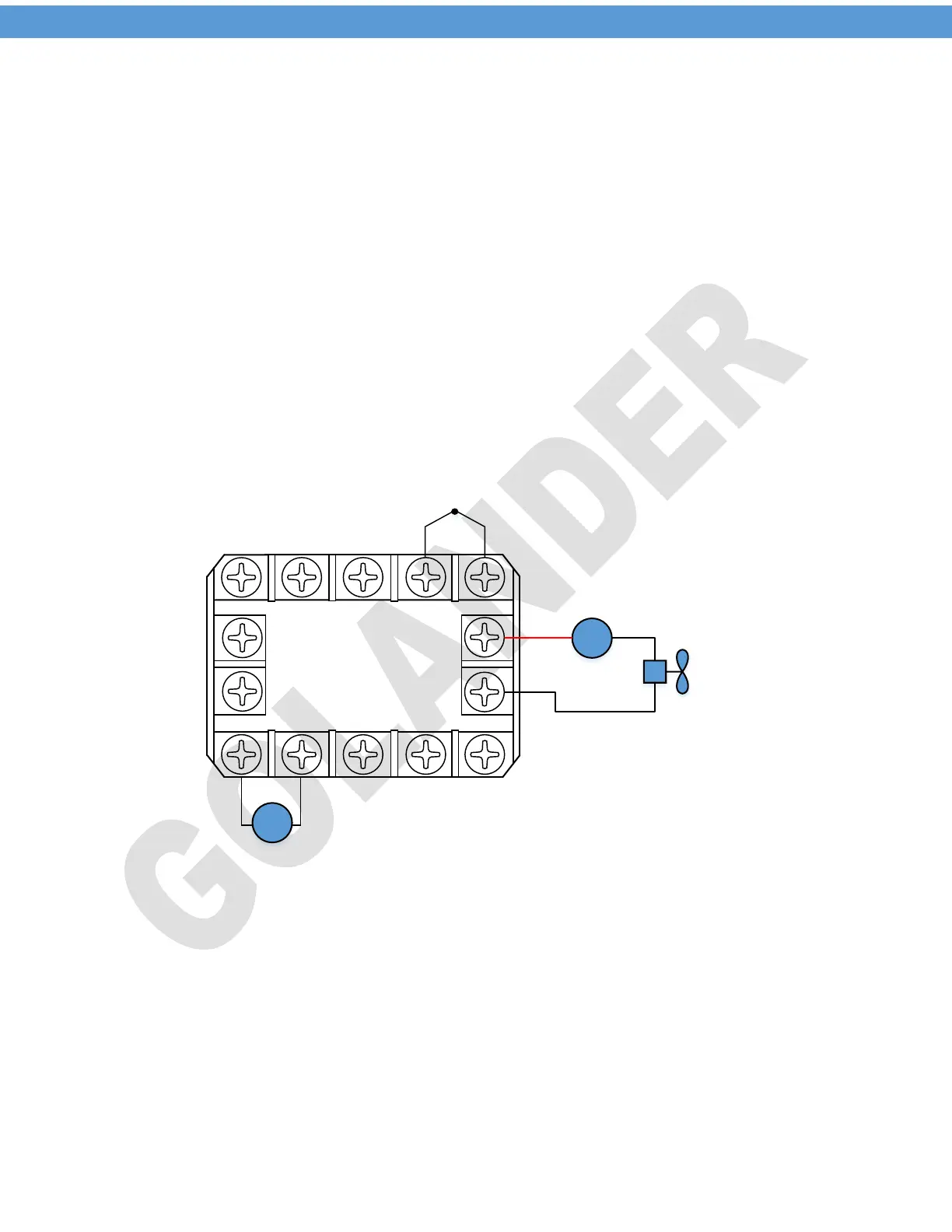
The DC fan draws about 0.3A current. Use J2 relay to control the fan directly. To use PID mode to control
the fan, set outy=1, set cycle time ot=15 seconds to save the lifetime of the relay and the fan. Set the SV to
the desired temperature you want to hold, for example, SV=350 °F.
8 9 10
1 2
3
4 5
7
6
-
+
11
12
13
14
9-30V DC
+
-
+
-
12V DC
DC Fan
Thermocouple
Figure 5. 12V DC Fan Wring
11.2 Control an 24V DC Solenoid Valve
To use a PT100 probe and a solenoid valve to keep the temperature in the range 150-170 °F, set control
mode to on/off mode, Outy=4; set input type for PT100, Inty=P10.0; set target temperature SV=170; set
Hy=20. Then the output will be off when the temperature reaches 170 °F, and will be on again when
temperature drops down to SV-Hy=150 °F.
8


 To Next Page
 Loading...