18
EN
DE
IT
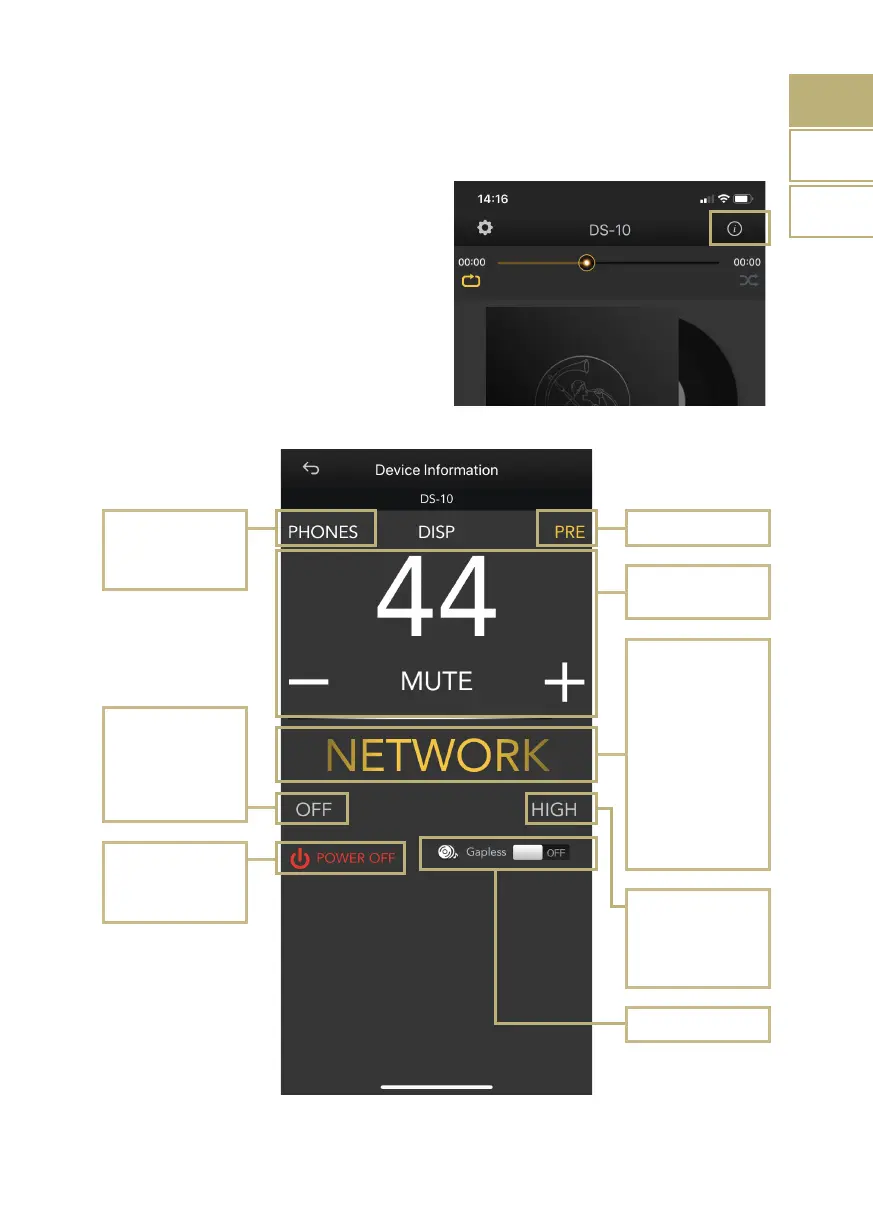
CONTROL PANEL
Tap the information icon found at the top
right corner of the Player screen to access
the control panel.
The control panel mirrors what you see on
the display of your DS-10, allowing you
to access all the features and functions,
including the volume, the input selection, the
gapless function and more.
Output selection
Line out
Headphones
PRE/DAC
Power ON/OFF
This button will shut
down the unit
Volume control
Input selection
Network
Bluetooth
Coax
AES/EBU
TOS-1
TOS-2
USB-DAC
Line In*
*DS-10 PLUS only
Chameleon mode
OFF
Preset 1
Preset 2
Preset 3
Headphone
output level
High
Low
Gapless ON/OFF



 To Next Page