EN - 3
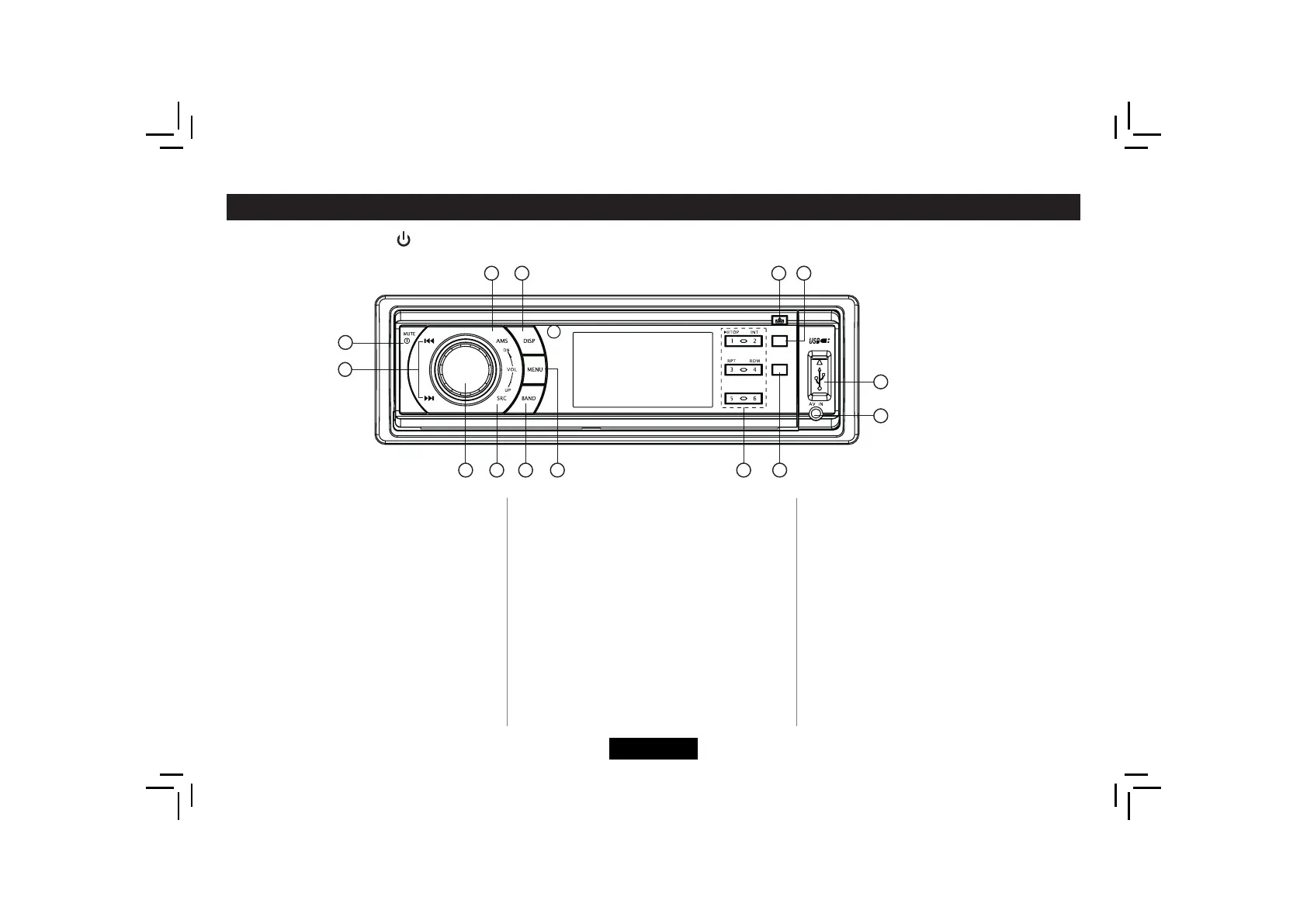
Panel Controls
1. - Power on
- Mute
- Press more than 2 seconds to power off.
2. - Radio tune
- Track skip/seek
3. - Press to pop out/push back the knob.
- Rotate the knob to adjust volume level
4. Radio
- Disc play (when disc inserted)
- USB (when USB inserted)
- Card (when SD/MMC inserted)
- AUX-in
5. – Band switch:
FM1->FM2->FM3->MW1->MW2
6. - Press to select VOL/BAS/TRE/BAL/FAD,
Power On/Off : Press to turn on/off the unit.
rotate the knob to adjust level.
- Hold it to system menu.
7. - Track playback
Button 1: - Play/Pause function.
- Long press if you want to start
playback from the beginning of
thefrsttrackofyourdisc.
Button 2: - Intro play (10 sec)
Button 3: - Track repeat play
Button 4: - Track random play
Button 5: - MP3 track -10 down
- Hold it to previous folder.
Button 6: - MP3 track +10 up
- Hold it to next folder.
- Radio preset
Press 1~6 to listen to a preset station.
Hold 1~6 to store station.
8. - Program type
9. - AUX-in jack
10. - USB connector
11. - Press to turn RDS AF on/off.
- Long press to turn RDS TA on/off.
12. - Panel release
13. - Display switch
14. - AMS: Radio preset scan
Radio auto preset
-SEARCH:MP3track/fle/character
search.
1
2
3
4
5
10
12
6
8
9
7
111314
TA
AF
PTY


 To Next Page