31
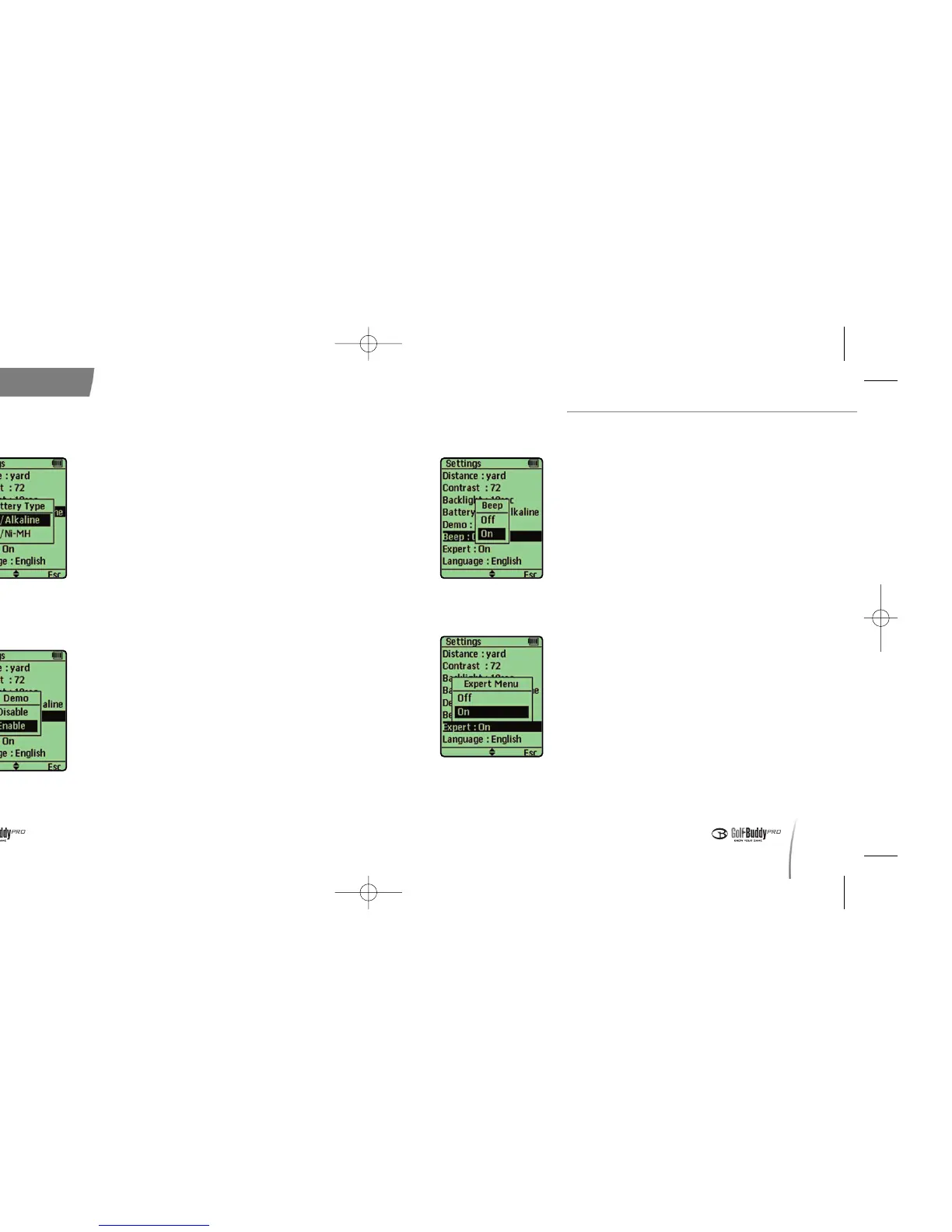
6. Sound Settings
7. Expert On/Off
Configuration
30
4. Battery Type
5. Demo Setting
●
The demo setting enables you to
familiarize yourself with GolfBuddy where
a satellite signal is unreachable.
●
To activate demo mode, select Disable or
Enable by pushing in the toggle button.
※ Distances on demo mode is different from the
real distances.
< Demo Setting >
●
This setting allows you to turn the sound
on or off.
●
The default setting for sound is “on”.
< Sound Settings >
●
This setting allows you to turn the
Advanced Menu on or off.
●
The default setting is “Expert Off”.
< Expert On/Off >
●
This setting allows you to select the type of
battery to use as a AAA backup.
●
You may use either the included lithium
polymer battery (LPB) or AA batteries with
your GolfBuddy.
●
When using AAA batteries, you may use
either Alkaline, or Nickel-Metal Hydrate
batteries. This setting allows you to
choose the type you will be using.
※ The default setting is set to LPB/Alkaline.
< Battery Type >
데카매뉴얼-영문0415 2008.4.15 8:4 PM 페이지30


 To Next Page