13
Before Using your GolfBuddy
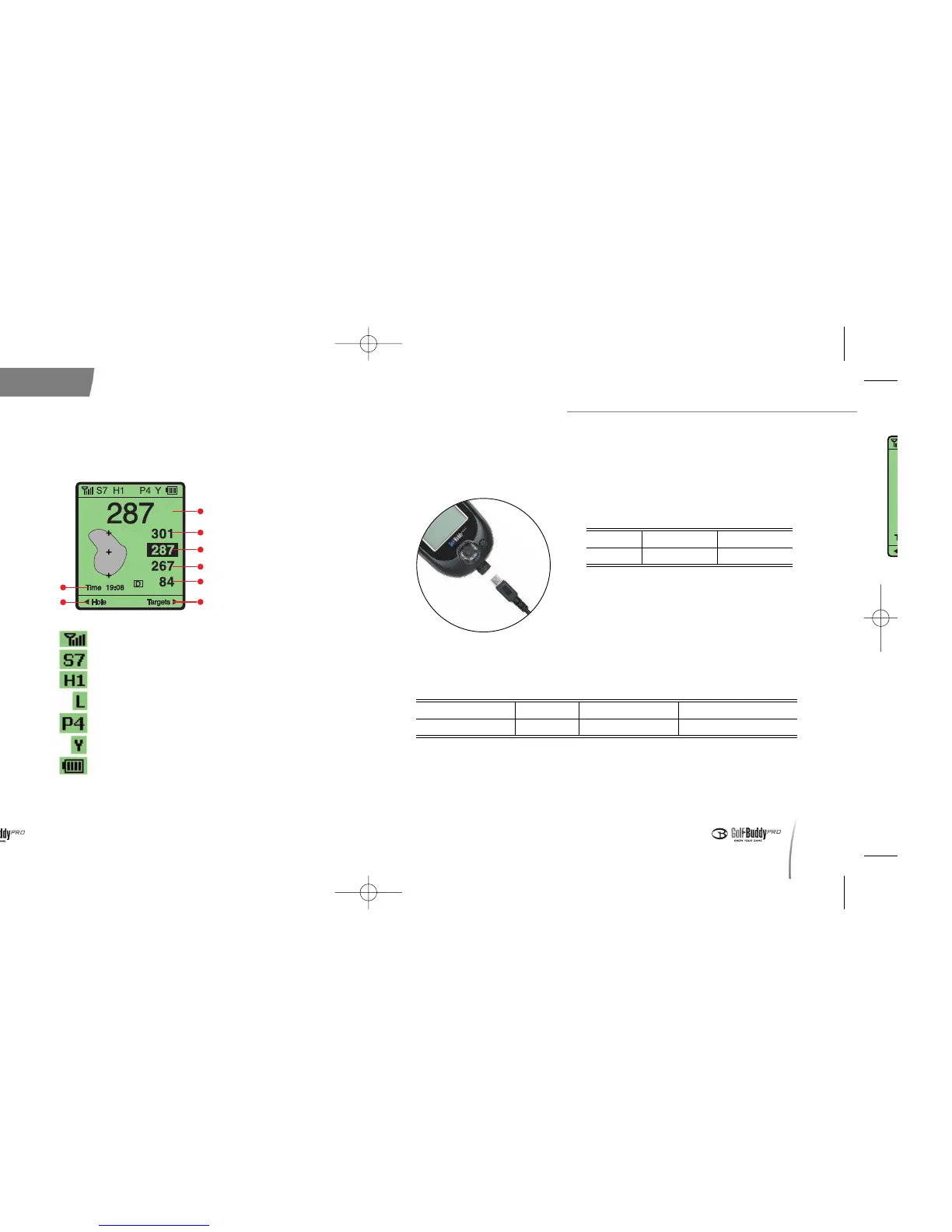
4. Screen Icons
12
Current Time
Change Hole
- GPS Satellite Signal
- Signal Strength Indicator
- Hole Info
- Green Info(Left/Right)
- Par Info
- Y : yard / m : meter
- Battery Indicator
< Play Screen >
Large Number
Back of the Green
Center of the Green
Front of the Green
Shot Distance
Target Info
5. Charging
Connect the charger into the slot on the bottom of your GolfBuddy as
shown in the picture below.
■■
Battery Charging Time and Usage
Time
- Actual battery life may vary depending
on customer use and settings.
* Estimated battery life is based on use of the
GolfBuddy unit with the backlight turned off.
■■
Battery Charge Status
- When blinking red Please check to make sure that the charger is
connected properly and check to see that the battery connections are
clean and free of dust.
Status Charging Charge Complete Error while Charging
Upper Left Light Red Green Blinking Red
Status
Charging Time
Standard Usage Time*
Time
~
~
3 Hours
~
~
13 Hours
< Connecting to the charger >
데카매뉴얼-영문0415 2008.4.15 8:4 PM 페이지12



 To Next Page