11
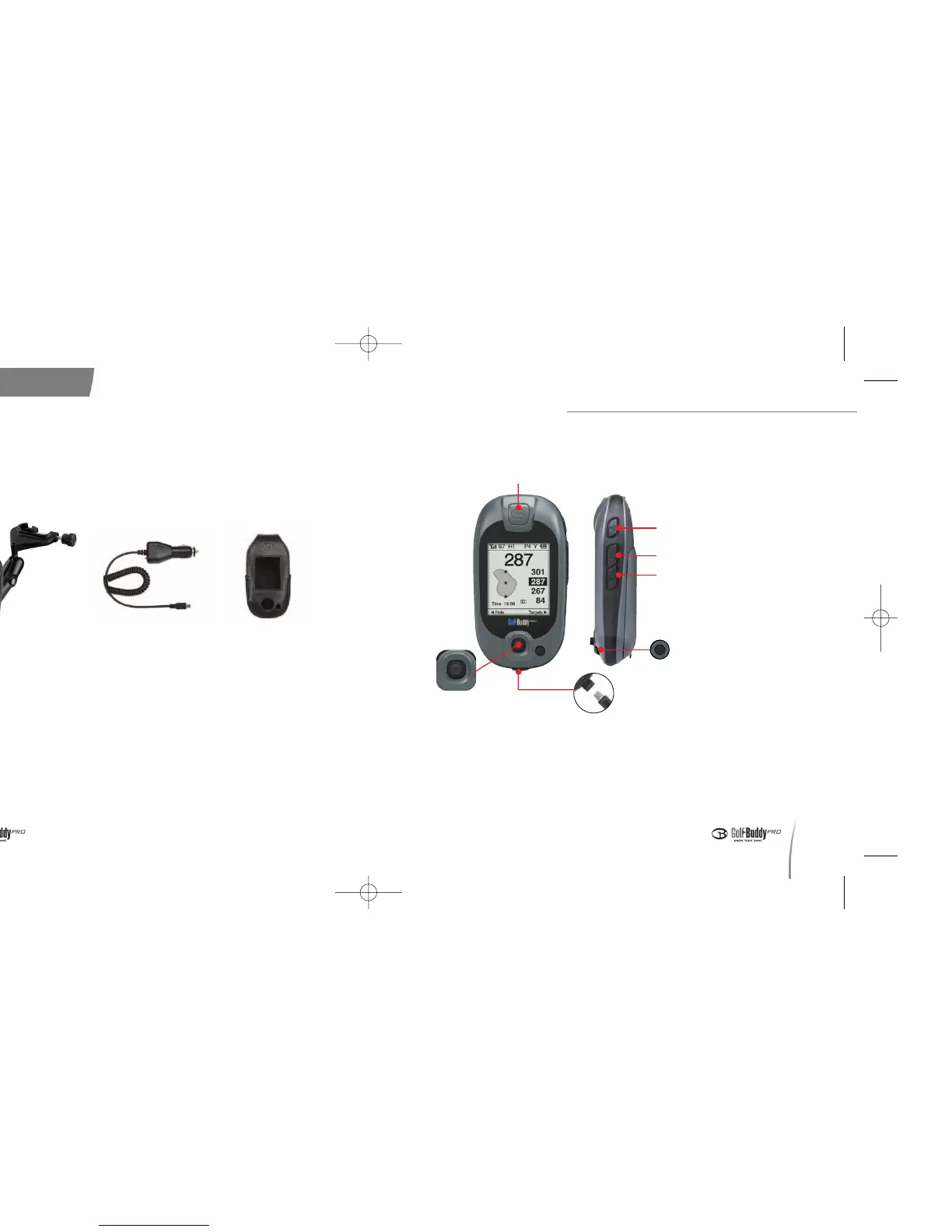
3. Buttons and Components of the GolfBuddy
Before Using your GolfBuddy
10
<Optional Accessories>
In addition to the included contents, the following accessories can also
be purchased from www.gpsgolfbuddy.com or an through authorized
retailer.
Satellite Signal chip
- Power On/Off
- Backlight On/Off
Mark Button
Toggle Button
Left : Change Hole
Right: Target Info/Edit Target
Center : Confirm/ Edit Score
Up : Change Green
Down : Change Unit(meters/yards)
PC Interface/
Charging Slot
Cancel Button
- Go back to Menu or
Play Screen
Menu Button
Cart Mount (Permanent and
Temporary)
Car Charger Leather Holster
[
데카매뉴얼-영문0415 2008.4.15 8:4 PM 페이지10



 To Next Page