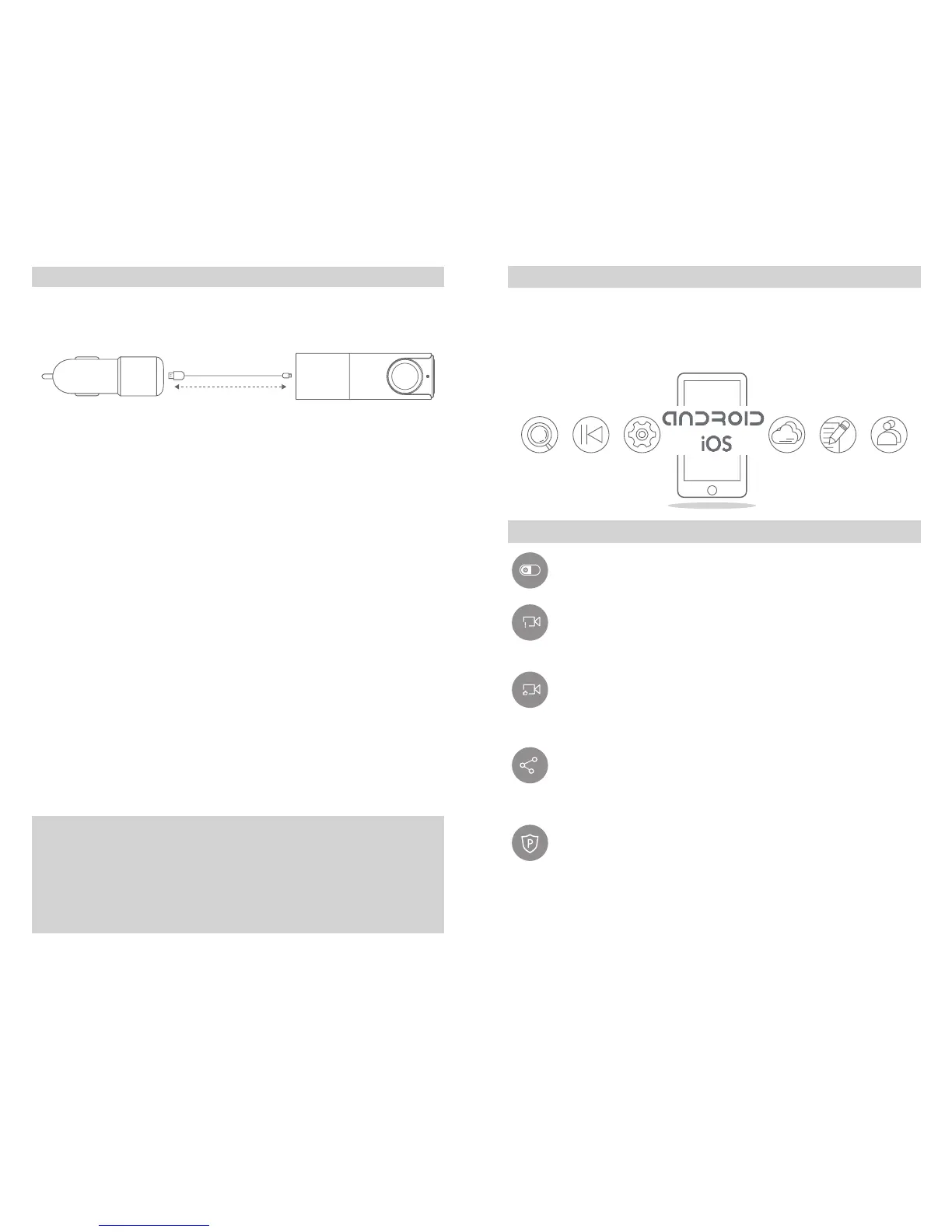
Connect and Bind the Camera:
1. Connect to power.
2. Upon connection, wait for the device to start and an alert tone
indicating start of recording. Flashing of the blue Wi-Fi indicator on
Camera’s side indicates connection with Goluk APP in progess. First
use requires binding of Camera with phone. Steps are as follows:
iPhone Users:
Go to settings, choose and connect to Golukxxxxxx in Wi-Fi list. Upon
connection, start the Goluk APP. Tap the blue Camera icon on the
home page to nish your rst binding.
Android Users:
Start the Goluk APP. Tap the blue Camera icon on the home page,
and follow the steps to complete binding. Manual connection in
phone settings is not needed.
Hint:
In case of fail connections during binding, please restart the Camera’s
power and press the RESET button near the power socket for 6
seconds. Wait for the blue Wi-Fi indicator to ash and then reconnect.
If a connection password is required for the Camera, please enter
123456789.
Attention:If you need to reset Camera password, press the
RESET button (at side of the Camera, near card slot) for 6
seconds to restore default factory settings. Afterward, please set
your password using mobile phone clients as soon as possible.
Goluk Mobile Client Operation:
Goluk APP supports the two major platforms ─ Android and iOS.
Users may preview real-time videos, replay previous videos, manage
devices, etc. via mobile client. Through this application, you may also
synchronize, add lter effects, edit and share stored videos.
Functions:
P.S: Please visit Goluk official website for more information of the
functions. Goluk mobile client will be upgraded regularly. Stay tuned
and discover more.
Record driving events ─ 1080p HD loop recording. Replay
videos through wireless mobile control.
Emergency videos ─ Automatically store videos in case of
sudden braking and collisions.
Instant Capture of Amazing Videos ─ Instant capture of
amazing videos via wireless remote on a single touch.
Immediate synchronized with mobile APP.Share to social
media like WeChat, Weibo by one press.
Live Broadcast ─ Share live videos to friends and yours via
Goluk APP: road conditions in the city, wonderful sceneries
in the suburbs.
Parking security ─ 24 hours parking security. Protects your
beloved car with advanced storage strategy in combination
of motion detection technology. (Requires a voltage regulator
cable)
5 6


 To Next Page