~ 13 ~
Method C: Software Control through RS-232 or USB port
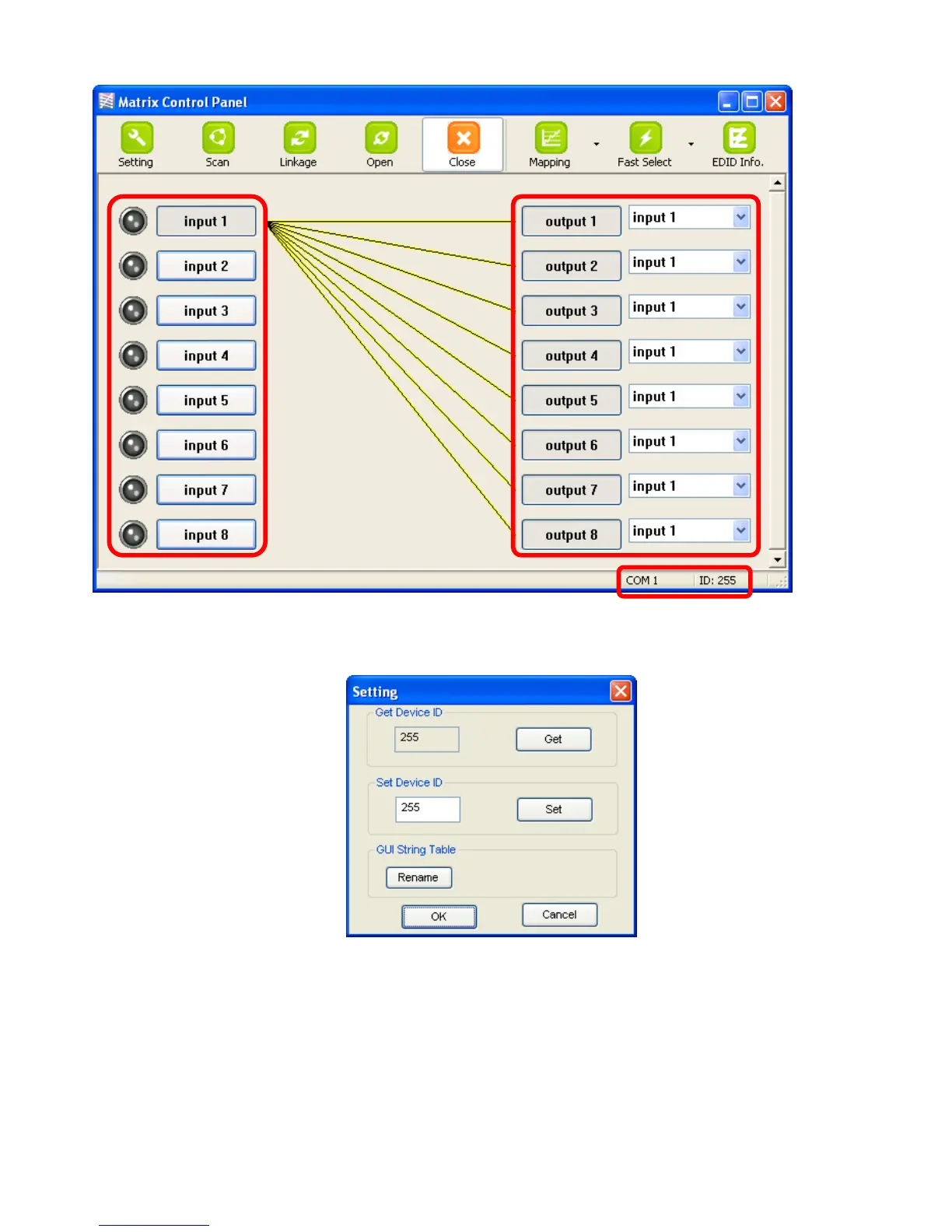
Software Control Menu
1. Setting button:
Click Get button to read back device ID.
Click Set button to write device ID.
Click Rename button to open the String Table.
In the String Table, assign the captions for each input and output port for easy recognition.
For example
Rename the Input1 to “Blu-ray player”, Input2 to “Sat. receiver,” input3 to “Game console,” input4
to “AV receiver,” input5 to “HDMI camcorder,” … etc., and rename output1 to “Conf. RM1,”
output2 to “Conf. RM2,” output3 to “Lobby,” output4 to “Main projector,” … etc.



 To Next Page