EasyManua.ls Logo

Goodman MBVC 1 Series - User Manual

Goodman MBVC 1 Series
24 pages
Print Icon
To Next Page IconTo Next Page
Loading...
MBVC***1
BLOWER CABINET
INSTALLATION INSTRUCTIONS

is a registered trademark of Maytag Corporaon or its related companies and is used under license. All rights reserved.
............................................................................ 2
 2
 2
 2
 2
 2
 2
 3
.................................................................................... 3
 3
 3
 3
 4
 4
 4
 4
 4
 5
 5
 5
 5
 6
 6
 
 
 
 
 
 9
 9
 
 10
 10
 10
 11
 12
 12
 13
 15
 17

 18

 19
 20
THIS PRODUCT CONTAINS ELECTRONIC COMPONENTS WHICH REQUIRE A DEFINITE
GROUND. PROVISIONS ARE MADE FOR CONNECTION OF THE GROUND. A DEDICATED
GROUND FROM THE MAIN POWER SUPPLY OR AN EARTH GROUND MUST BE
PROVIDED.
© 2019 - 2020 Goodman Manufacturing Company, L.P.
19001 Kermier Rd., Waller, TX 77484
www.goodmanmfg.com - www.amana-hac.com
P/N: IO-456A Date: February 2020
ONLY PERSONNEL THAT HAVE BEEN TRAINED TO INSTALL, ADJUST, SERVICE OR
REPAIR (HEREINAFTER, “SERVICE”) THE EQUIPMENT SPECIFIED IN THIS MANUAL
SHOULD SERVICE THE EQUIPMENT. THE MANUFACTURER WILL NOT BE
RESPONSIBLE
FOR ANY INJURY OR PROPERTY DAMAGE ARISING FROM IMPROPER SERVICE OR
SERVICE PROCEDURES. IF YOU SERVICE THIS UNIT, YOU ASSUME RESPONSIBILITY
FOR ANY INJURY OR PROPERTY DAMAGE
WHICH MAY RESULT. IN ADDITION, IN
JURISDICTIONS THAT REQUIRE ONE OR MORE LICENSES TO SERVICE THE EQUIPMENT
SPECIFIED IN THIS MANUAL, ONLY LICENSED PERSONNEL SHOULD SERVICE THE
EQUIPMENT. IMPROPER INSTALLATION, ADJUSTMENT, SERVICING OR REPAIR OF
THE EQUIPMENT SPECIFIED IN THIS MANUAL, OR ATTEMPTING TO INSTALL, ADJUST,
SERVICE OR REPAIR THE EQUIPMENT SPECIFIED IN THIS MANUAL WITHOUT PROPER
TRAINING MAY RESULT IN PRODUCT DAMAGE, PROPERTY DAMAGE, PERSONAL
INJURY OR DEATH.
WARNING
PROP 65 WARNING
FOR CALIFORNIA CONSUMERS
Cancer and Reproducve Harm -
www.P65Warnings.ca.gov
0140M00517-A
This device, which was assembled by Goodman Manufacturing
Company, L.P., contains a component that is classied as an
intentional radiator. This intentional radiator has been certied by
the FCC: FCC ID QOQBGM111. And this international radiator has
an Industry Canada ID: IC 5123A-BGM111.
This device complies with Part 15 of the FCC’s Rules. Operation of
this device is subject to two conditions:
(1) This device may not cause harmful interference; and
(2) This device must accept any interference received, including
interference that may cause undesirable operation.
And this device meets the applicable Industry Canada technical
specications.
The manufacturer of the intentional radiator (model no. BGM111) is
Silicon Laboratories Finland Oy, which can be contacted by calling
617-951-0200. (www.silabs.com)
The FCC responsible party is Goodman Manufacturing Company,
L.P., and may be contacted by calling (713)-816-2500, or at 19001
Kermier RD., Waller TX 77484. (www.GoodmanMFG.com)
This equipment complies with FCC radiation exposure limits. To
ensure compliance, human proximity to the antenna shall not be
less the 20cm during normal operations.
Changes or modications not expressly approved by the party
responsible for compliance could void the user’s authority to
operate the equipment.

Question and Answer IconNeed help?

Do you have a question about the Goodman MBVC 1 Series and is the answer not in the manual?

Summary

General Information and Features

Features

Details the key attributes and technological advancements of the modular blower, including ComfortBridge compatibility.

Clearances and Accessibility

Specifies required clearances for installation and access for maintenance and service.

Insulation Recommendations

Guidance on using insulation to ensure efficient operation and prevent nuisance sweating.

Installation Instructions

Upflow Installation

Procedure for installing the blower unit in an upflow air configuration with a cased evaporator coil.

Counterflow Installation

Procedure for installing the blower unit in a counterflow air configuration with a cased evaporator coil.

Horizontal Installation

Procedure for installing the blower unit in a horizontal airflow configuration with a cased evaporator coil.

Electrical Connections

208;230 Volt Line Connections

Guidelines for connecting the unit to 208 or 230 volt power supplies, including knockout usage.

Low Voltage Wiring

Instructions for connecting low voltage thermostat and control wiring using copper conductors.

System Operation and Configuration

CoolCloud HVAC Phone Application

Guide to using the CoolCloud app for unit setup, diagnostics, software updates, and troubleshooting.

Communicating Outdoor Unit Setup

Steps for configuring communicating outdoor units with the air handler for optimal performance.

Troubleshooting Matrix

Symptoms and Corrective Actions

Detailed matrix of operational symptoms, diagnostic codes, faults, possible causes, and corrective actions.

Homeowner Maintenance Recommendations

Routine Maintenance

Recommended maintenance tasks for homeowners to ensure proper system upkeep and longevity.

Summary

General Information and Features

Features

Details the key attributes and technological advancements of the modular blower, including ComfortBridge compatibility.

Clearances and Accessibility

Specifies required clearances for installation and access for maintenance and service.

Insulation Recommendations

Guidance on using insulation to ensure efficient operation and prevent nuisance sweating.

Installation Instructions

Upflow Installation

Procedure for installing the blower unit in an upflow air configuration with a cased evaporator coil.

Counterflow Installation

Procedure for installing the blower unit in a counterflow air configuration with a cased evaporator coil.

Horizontal Installation

Procedure for installing the blower unit in a horizontal airflow configuration with a cased evaporator coil.

Electrical Connections

208;230 Volt Line Connections

Guidelines for connecting the unit to 208 or 230 volt power supplies, including knockout usage.

Low Voltage Wiring

Instructions for connecting low voltage thermostat and control wiring using copper conductors.

System Operation and Configuration

CoolCloud HVAC Phone Application

Guide to using the CoolCloud app for unit setup, diagnostics, software updates, and troubleshooting.

Communicating Outdoor Unit Setup

Steps for configuring communicating outdoor units with the air handler for optimal performance.

Troubleshooting Matrix

Symptoms and Corrective Actions

Detailed matrix of operational symptoms, diagnostic codes, faults, possible causes, and corrective actions.

Homeowner Maintenance Recommendations

Routine Maintenance

Recommended maintenance tasks for homeowners to ensure proper system upkeep and longevity.

Overview

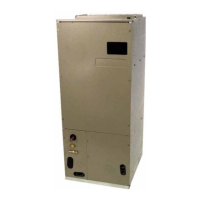
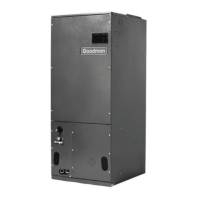
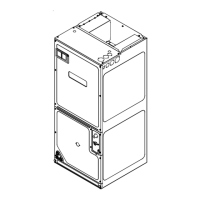
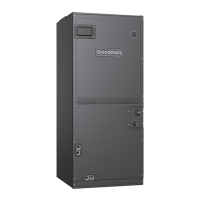
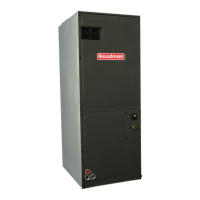
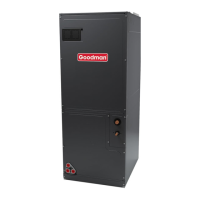
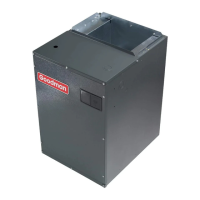
The MBVC***1 Blower Cabinet is a modular air handling unit designed for use in split air-conditioning systems, functioning as the indoor component when combined with a cased evaporator coil. It can also operate as an electric furnace when an electric heater is installed. This device is part of the ComfortBridge™ Technology family, offering advanced digital communication capabilities and simplified wiring.

Function Description:

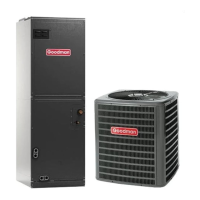
The blower cabinet serves as the indoor section of a split air-conditioning or heat pump system. It can be matched with a remote condensing or heat pump unit. When equipped with an electric heater, it functions as an electric furnace. The unit's internal algorithms automatically control cooling and heating stages based on simple 24VAC thermostat inputs (Y for cooling, W for heating, G for fan operations). This allows for 2-stage or inverter Air Conditioner/Heat Pump functionality. The control board does not accommodate an O wire thermostat input for reversing valve signals.

Usage Features:

  • Installation Flexibility: The unit can be positioned for upflow, counterflow, horizontal right, or horizontal left operation. Zero clearance is allowed on all sides for combustible materials, but 36 inches should be allotted on the door side for maintenance.
  • Electrostatic Discharge (ESD) Precautions: To protect the integrated control module, users must discharge their body's static electricity before touching the unit or any connected wires. This involves firmly touching a clean, unpainted metal surface of the modular blower near the control.
  • 208/230 Volt Line Connections: The unit is factory-connected for 230V operation. For 208V operation, the red wire from terminal 3 of the transformer must be disconnected and connected to terminal 2. Power supply wires (red and black) must be connected using provided wire nuts and electrical tape. A ground wire must be connected to the ground lug inside the unit.
  • Low Voltage Wiring: A 24V-control voltage connects the air handler to the room thermostat and condenser. Minimum 18 AWG copper wire is required for installations up to 150 feet. Low voltage wiring should not interfere with blower operation or routine maintenance.
  • CoolCloud™ HVAC Phone Application: The unit is Bluetooth-ready and integrates with the CoolCloud™ HVAC phone application. This app allows contractors to commission the unit, perform software updates, and troubleshoot. Users can view model information, active diagnostic error codes, and test operational modes (heat/cool/fan) directly from their phone. The application automatically notifies users when software updates are available.
  • Communicating Outdoor Units (Quick Start Guide): For communicating outdoor units, only Y (cooling) and W (heating) inputs from the thermostat are required. Internal algorithms manage staging. A single-stage 24VAC thermostat should be set up to control a single-stage AC outdoor unit and single-stage electric heat. The 1 & 2 wires connect the indoor and outdoor units for communication.
  • Non-Communicating Outdoor Units (Quick Start Guide): For non-communicating outdoor units, airflow must be set in the "ton" menu on the PCB or via the CoolCloud HVAC app to prevent "IdL" error codes and ensure blower operation during cooling calls. For two-stage electric heat, only a single W input is needed, with internal algorithms controlling staging.
  • Charging Instructions (Inverter Outdoor Unit): To charge an inverter outdoor unit, apply a G call (FAN CALL) to the MBVC control, ensuring the blower is running. Then, follow specific push-button procedures on the outdoor inverter control board to enter and exit charge mode.
  • Charging Instructions (Two-Stage Outdoor Unit): For two-stage outdoor units using the CoolCloud HVAC app, energize the outdoor unit to 49% capacity or lower using the cooling icon in the outdoor unit menus, then charge according to the outdoor equipment's information. For single-stage outdoor units, provide a cooling call from the thermostat and charge accordingly.
  • Electric Heat Kit Testing: In the CoolCloud HVAC app, select the electric heat icon and choose any value less than 50% for low stage operation and greater than 50% for high stage operation to confirm proper function.
  • Dehumidification: The unit supports dehumidification by reducing blower speed during combined cooling and dehumidification calls. The control board has a 24V dehumidification input (DH). Users can configure the Dehum Logic Menu (DHL) to "Hi" or "Lo" via push buttons or the CoolCloud HVAC app, depending on whether the humidistat closes or opens on humidity rise.
  • Auxiliary Alarm Switch: The control includes a 24VAC Aux Alarm (CON-DENSATE IN/OUT) for a condensate switch. By default, the switch is normally closed and opens when the evaporator coil base pan water level is undesirable, triggering an "EOF" error code and turning off the outdoor condensing unit.
  • 7-Segment Display and Push Buttons: Three on-board push buttons (Left, Center, Right) allow navigation through indoor and outdoor system menus. Left and Right buttons scroll through menus and options, while the Center button enters menus and selects options.
  • Accessory Control (Humidifiers, Dehumidifiers, Ventilators): For external accessories, ensure the 24VAC thermostat can control them. Connect accessory control wires from the thermostat to the devices. If the thermostat provides a continuous fan call (G signal), ensure the thermostat G terminal is connected to the indoor unit's G terminal. Select appropriate fan-only airflow via push buttons or the CoolCloud HVAC app.
  • Ramping Profiles: The variable-speed circulator offers four ramping profiles (A, B, C, D) to enhance cooling performance and comfort. These profiles can be selected via the CoolCloud app or push buttons.
  • Electric Air Cleaner: The control has an Accessory Relay and ½-inch accessory terminals (EAC-IN and EAC-OUT) that are normally open. The relay closes when the blower is running, providing continuity between the terminals. It's recommended to use 24VAC with these terminals, limiting current to 1A.

Maintenance Features:

  • Bi-Annual Maintenance: A bi-annual maintenance checkup by a qualified servicer is strongly recommended before heating and cooling seasons.
  • Filter Replacement/Cleaning: Filters must be checked at least monthly and replaced or cleaned as required. Operating the unit without a filter can lead to dust and lint buildup, reduced efficiency, equipment damage, and fire. High-efficiency filters are available.
  • Motor Lubrication: Indoor and outdoor fan motors are permanently lubricated and do not require additional oiling.
  • Aluminum Indoor Coil Cleaning: This unit is equipped with an aluminum tube evaporator coil. The safest cleaning method is flushing the coil with water. Coil cleaners containing corrosive chemicals (e.g., chlorine, hydroxides) should not be used, as they can cause premature aluminum evaporator coil failure. An alternate cleaning method involves using products listed in TP-109, followed by thorough rinsing.
  • Troubleshooting (Before Calling Servicer):
    • Confirm thermostat settings.
    • Wait 15 minutes for devices to reset automatically.
    • Check the electrical panel for tripped circuit breakers or failed fuses.
    • Check the disconnect switch near the indoor furnace or blower.
    • Check for obstructions on the outdoor unit and indoor air inlets/outlets.
    • Check and clean/replace the filter.
    • Listen for unusual noises; if present, call a qualified servicer.
  • Troubleshooting Matrix: The manual provides a detailed troubleshooting matrix linking symptoms of abnormal operation to diagnostic/status LED codes, fault descriptions, possible causes, and corrective actions. This helps identify and resolve issues such as communication errors, open fuses, auxiliary switch errors, invalid memory card data, circulator blower motor failures, and airflow problems.

Goodman MBVC 1 Series Specifications

General IconGeneral
ModelMBVC1 Series
TypeAir Handler
Cabinet MaterialGalvanized Steel
RefrigerantR-410A
Phase1
Frequency60 Hz
ConfigurationHorizontal
Blower TypeMulti-Speed
Cooling Capacity1.5 to 5 tons
DimensionsVaries by model
WeightVaries by model
Voltage208/230V
HeightVaries by model
WidthVaries by model
DepthVaries by model

Related product manuals