The channel List
16
08
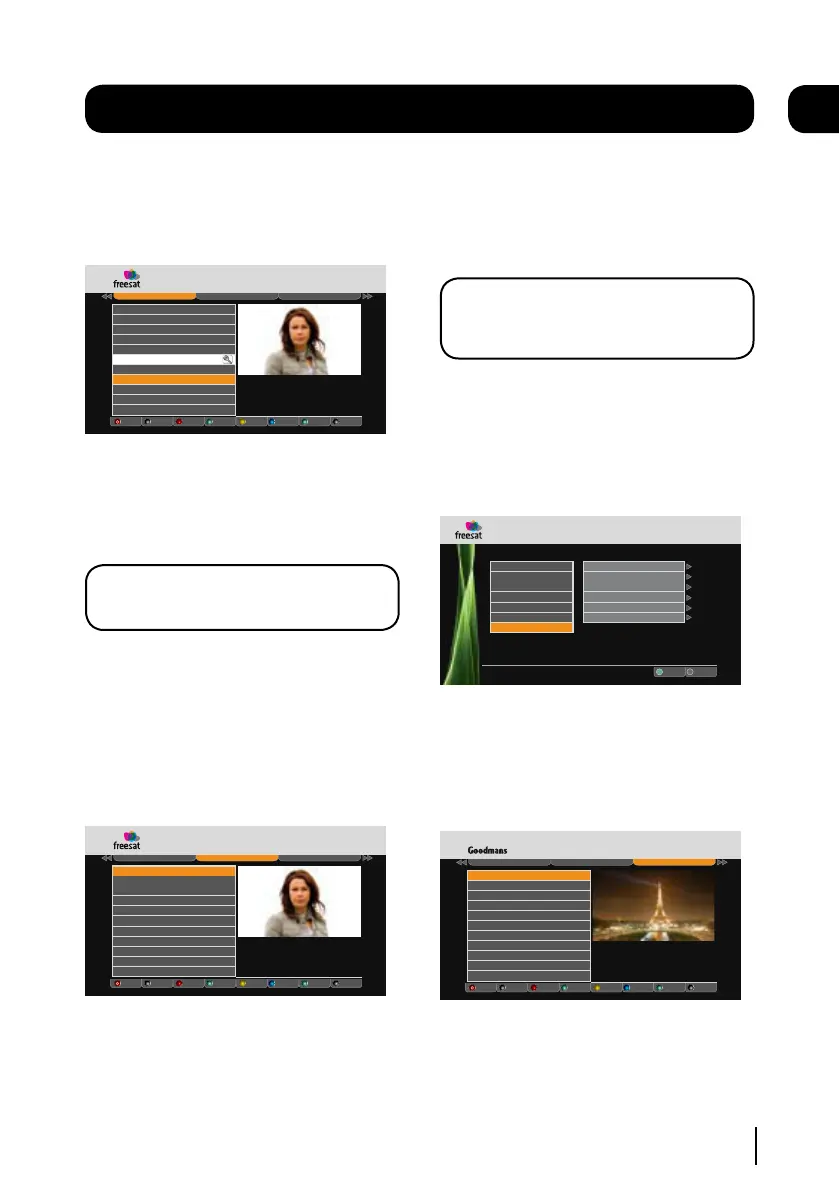
Hiding a channel
Use the [p] and [q] buttons to select the
channel that you want to hide. Press the [RED]
button to hide it.
Weds 8 Oct 8:22pm
Channel List
All Channels
Favourite List
Manual Channels
Record
Watch
Exit Menu
Manual Rec
Hide Add Fav
Guide
104 Channel 4
105 Five
106 BBC THREE
107 BBC FOUR
108 BBC HD
110 BBC ALBA
113 ITV2
114 ITV2+1
103 ITV1 London
102 BBC 2 England
101 BBC 1 London
EXIT
GUIDE
OK
R
Delete
When a channel is hidden, a magnifying glass
icon will be shown.
To unlock a channel, select the hidden channel
using the [p] and [q] buttons. Press the [RED]
button to unhide it.
DON’T FORGET! Hidden channels will not be
shown in the EPG window.
Favourites
The favourites function lets you keep your
favourite channels in a separate list.
Use the [p] and [q] buttons to select a
channel. Press the [GREEN] button to add it to
the favourite list.
Weds 8 Oct 8:22pm
Channel List
All Channels
Favourite List
Manual Channels
Record
Watch
Exit Menu
Manual Rec
Hide Add Fav
Guide
108 BBC HD
EXIT
GUIDE
OK
R
Delete
To add additional channels to your favourites
list press the [tt] button and select a new
channel.
Deleting a channel
Use the [p] and [q] buttons to select a
channel that you want to delete. Press the
[YELLOW] button to delete it.
DON’T FORGET! It is not possible to un-
delete a channel. You will have to do a First
Time Install again. See page 20.
Manual Recording
The manual recording feature lets you set-up
when you want a recording to start and stop
manually. Press the [BLUE] button to access the
manual recording window.
R
Exit Menu
EXIT
.
Channel Number
Day
Start Time
End Time
F r e q u e n c y
Save to Library
Weds 8 Oct 8:22pmManual Recording
101
F r i d a y
22:45
22:00
Once
Select
OK
Date
10 / 10 / 2008
Use the [p], [q], [t] and [u] buttons to
change the settings. To add the recording to the
library select ‘Save to Library’ and press the [OK]
button.
Manual Channels
Weds 8 Oct 8:22pm
Channel List
All Channels
Favourite List
Manual Channels
Record
Watch
Exit Menu
Manual Rec
Hide Add Fav
Guide
3001 Sky News
EXIT
GUIDE
OK
R
Delete
3002 Sky News
3003 Sky News UK (Cable)
3004 Sky News Eire (Cable)
The manual channel tab shows you your
non-freesat channels. See page 23 for further
information.


 To Next Page