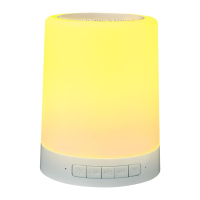
This document describes the Goodmans Water Speaker, model 347113, a portable audio device designed for indoor use, featuring Bluetooth connectivity and a unique water display.
Function Description
The Goodmans Water Speaker is a portable audio speaker that allows users to play music wirelessly via Bluetooth or through a wired LINE IN connection. It features a built-in rechargeable battery, making it suitable for use anywhere indoors. A distinctive characteristic of this speaker is its water display, which likely synchronizes with the audio playback to create a visual effect. The device is designed for ease of use, with simple controls for volume, track selection, play/pause, mode selection, and power. It also supports stereo pairing, allowing two speakers to be connected together for an enhanced audio experience.
Important Technical Specifications
- Model Number: 347113
- Bluetooth Specification: Bluetooth V 4.2
- Operating Distance: 10 meters (max.)
- Frequency Response: 80Hz~18KHz
- Built-in Battery: 3.7V / 1200mAh
- External Power Supply: DC 5V
- Speaker Power: 2 x 3W
- Product Size: 9.6 x 7.5 x 30cm
Usage Features
Charging the Water Speaker:
The speaker has a built-in rechargeable battery. Before first use, it should be fully charged. To charge, connect the provided USB cable to the USB port on the Water Speaker and the other end to a USB port on a computer or a 5V 1A USB wall charger (not included). A RED LED indicator will illuminate during charging and turn off when fully charged. A low battery warning alert will sound when the battery is low, indicating it needs recharging.
Pairing with a Bluetooth Device:
- Press and hold the Power ON/OFF button to turn the speaker ON. You will hear "Bluetooth mode, pairing."
- On your Bluetooth-enabled phone or tablet, turn on Bluetooth and search for devices.
- Select "GOODMANS WATER SPKR" from the list of available devices. If prompted for a pass code, enter "0000."
- Upon successful pairing, you will hear "connected."
- The Water Speaker will remember previously paired devices and automatically reconnect when the device's Bluetooth is active and in range.
- To pair with a new device, turn off Bluetooth on the last connected device, then use the new device to search and select the pairing name.
Playing Your Music:
- Connect the two speakers together using the provided speaker connecting cable for stereo sound.
- Once your smartphone or tablet is paired via Bluetooth, use your music app to play music.
Using the LINE IN Connection:
- If your device does not have Bluetooth, or if you prefer a wired connection, you can use the LINE IN feature.
- Connect the LINE IN cable (provided) to the Water Speaker and the other end to your audio device.
- Select and play your music on your device.
Note: When a LINE IN cable is connected, the Water Speaker will disconnect from its Bluetooth device.
Controls:
- Increase Volume / Next Track: Press to switch to the next track. Hold to increase volume.
- Decrease Volume / Previous Track: Press to switch to the previous track. Hold to decrease volume.
- Play / Pause: Press to play or pause music.
- Mode: Press to select between Bluetooth and LINE IN functions.
- Power ON / OFF Button: Press and hold for three seconds to switch the power ON or OFF.
Back View Connections:
- Pair box stereo connection: Used to connect two speakers for stereo sound.
- Micro USB Charging Socket: Used for charging the battery.
- LINE IN Input: Used to connect the Water Speaker to devices without Bluetooth.
- Main box stereo connection: Connects to the other speaker.
Maintenance Features
Troubleshooting:
- Cannot turn ON: Ensure the Water Speaker is fully charged. Press the ON/OFF button for 3 seconds to turn it ON.
- Cannot pair with Bluetooth device: Turn on the Water Speaker. Ensure the LINE IN cable is not connected.
- Cannot hear music: Turn the Water Speaker ON. Use the volume control on your device to turn the volume up.
- Device keeps disconnecting from Water Speaker: Make sure the Water Speaker is fully charged. If the LINE IN cable is connected, remove it. Ensure your device is not further than 10 meters away from the Water Speaker.
General Care:
- Remove the USB cable once charging is complete.
- The product is intended for use within the UK.
- The device complies with Electromagnetic Compatibility, Low Voltage, Restriction of Hazardous Substances, and Radio Equipment Directives.
This description provides a comprehensive overview of the Goodmans Water Speaker based on the provided user manual.

 Need help?

 To Next Page
 General