P. 14
3. LOUDNESS
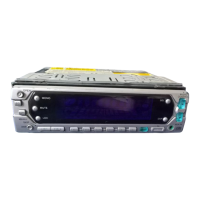
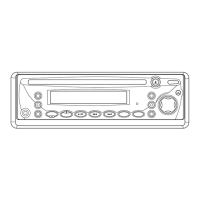
To increase bass output, press and hold (BND/LOU) (16) button for more than 2
seconds, until the Display shows “LOUD ON”.
4. Faceplate Release
Press REL (9) button. Front panel will pop open. Remove panel and store in protective
case.
5. Clock Set
Press the DSP button (15) to show the clock in the display. To set the clock press
and hold the DSP button (15) whilst the clock is showing until the clock starts flashing.
To adjust the hour repeatedly press the TUNE >>| button (20). To adjust the minutes
press the TUNE |<< button (19). Press the DSP button (15) again to set the clock.
6. LCD Display
Displays current radio frequency and activated functions on the display (18).
7. Preset EQ
Repeatedly press the EQ button (22) to cycle through the available preset EQ modes
as follows. (Please note if the bass and treble settings are adjusted in the SEL menu
the preset EQ mode will automatically be set to DSP OFF).
8. Flashing Led
This LED (23) will flash when the front panel is removed.
9. Reset
RESET button (24) must be pressed with either a ball point pen or thin metal object.
RESET button (24) is to be activated for the following reasons:
- Initial installation of the unit when all wiring is completed.
- Any of the function buttons do not operate.
- Error symbol on the display.
If RESET button (24) is pressed and the unit still is not functioning, please use a
cotton swab soaked in isopropyl alcohol to clean the socket on the back of the front
panel.
10. Mono/Stereo
If there are large amounts of noise (hiss) when listening to a station in stereo press
this button to change to mono, which may improve the reception. To return to stereo
reception press the MONO button again.
11. Scan
Press the SCN button (3) to scan through the wave band for available stations.
12. Local/Distance
Press LOC button (2) shortly to select between local and distant stations.
Local setting for reception of strong station, and a distant setting for reception of
weaker stations. This setting is used during AUTO SEEK operation.
Goodmans Product Information Helpline (0870) 873 0080
FLAT CLASSICS POP M ROCK M DSP OFF



 To Next Page