49
Setting up your system
Turn subtitles on and off
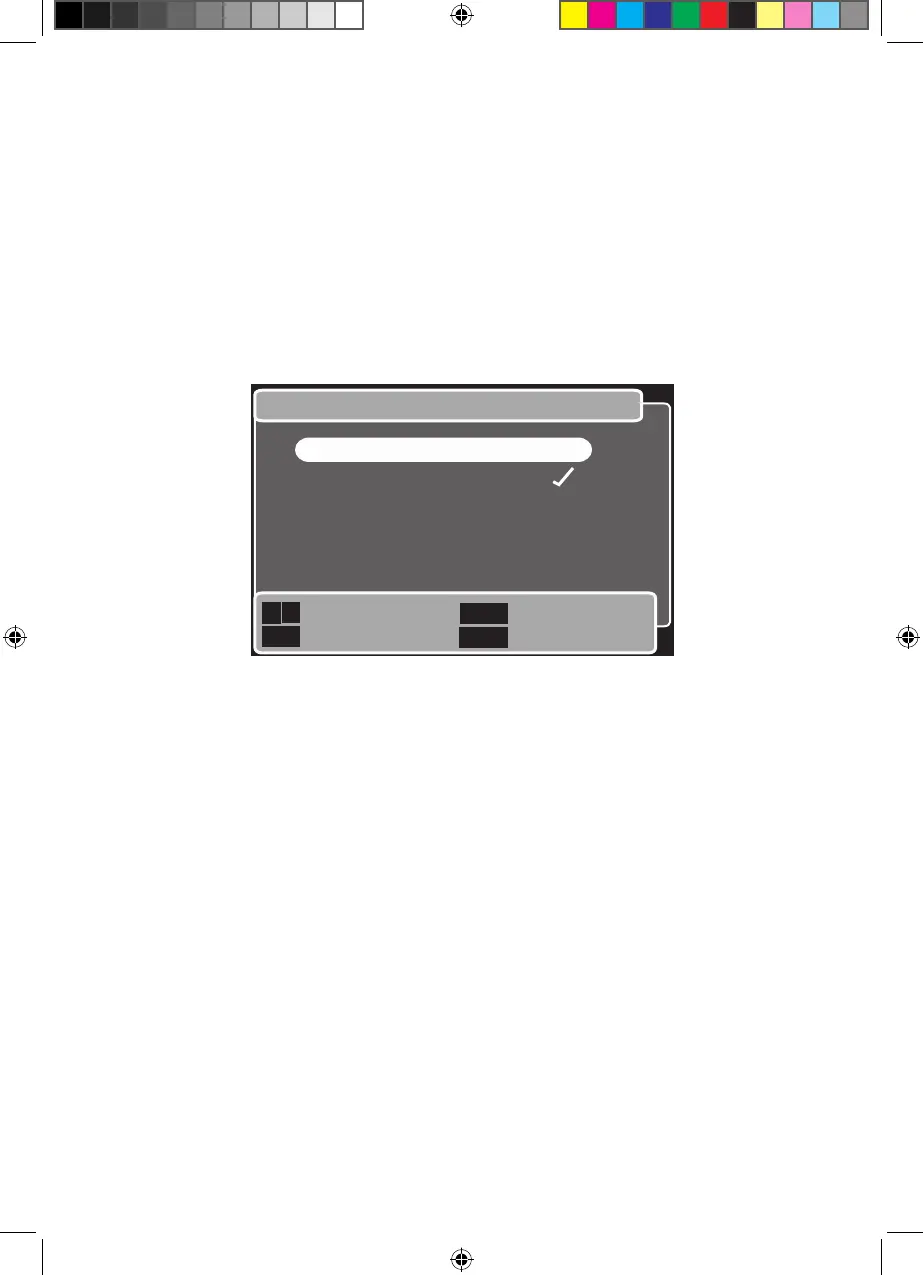
This function lets you select whether to have subtitles on or off as default.
In the ‘Visual preferences’ menu,
Use the 1 Up and Down buttons to highlight ‘Turn subtitles on/off’.
Press the 2 OK button.
The ‘Turn subtitles on/off’ menu will open. See below.3
Turn subtitles on/off
Next/Previous
Save and return
Previous menu
Return to TV
Back
Exit
OK
1. Turn subtitles on
2. Turn subtitles off
Use the 4 Up and Down buttons to highlight the setting you want.
Press the 5 OK button to save the setting and return to the previous menu,
Or, press the Back button to return to the previous menu without change,
Or, press the Exit button to ignore any change and return to watching TV.
Goodmans GDB20TTS_Instruction Manual.indb 49 6/15/2010 4:26:45 PM



 To Next Page