15151515
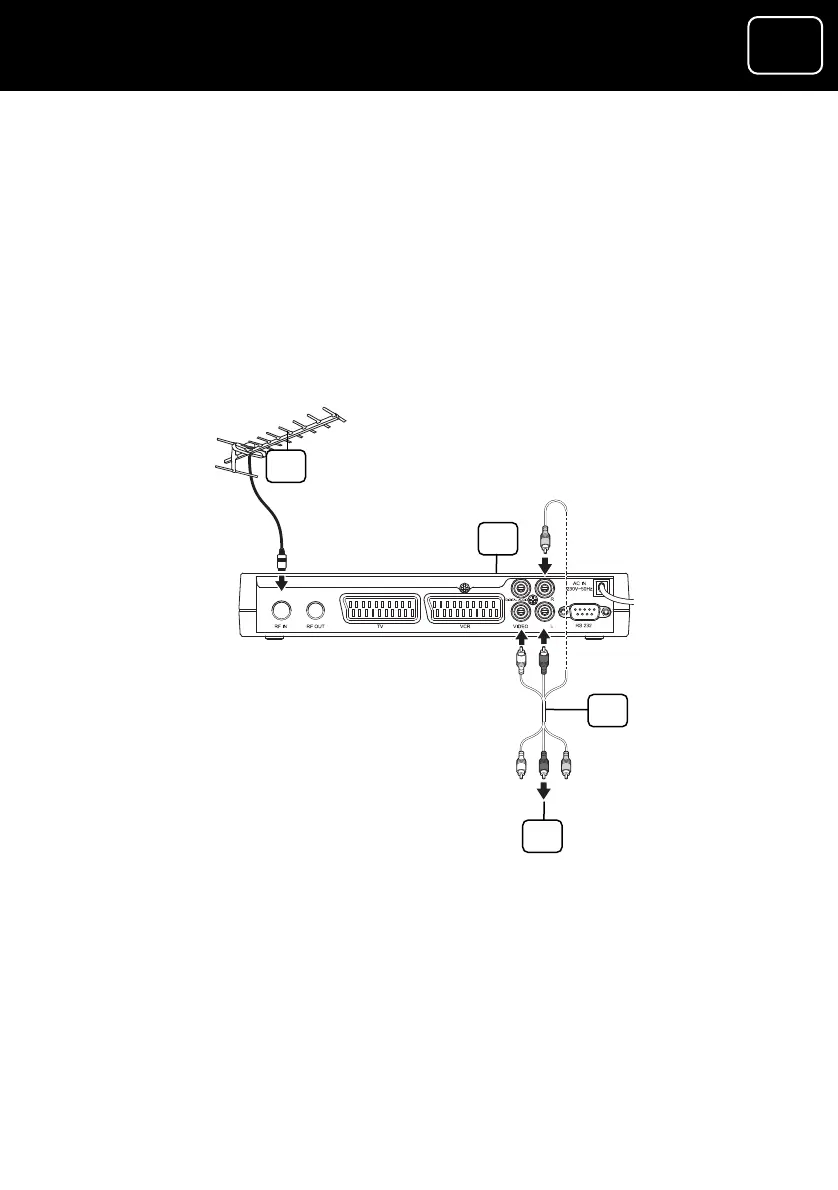
Connection 3 (If you want to connect using an AV c
Plug an AV cable (this is not supplied with your rec
get one from an electrical shop) into
able)
eiver, but you can
the ‘L’, ‘R’ and ‘VIDEO’ sockets
o the ‘AV line in’
V.
To see the picture on your TV you will need to choose the ‘AV’
channel on your TV. If you have difficulty doing this, please read the
TV’s instruction manual.
(on the back panel of the receiver) and connect it t
sockets on your T
1 Outside aerial
2 Receiver
3 AV cable (this is not supplied with your receiver)
4 To the TV’s ‘AV in’ sockets
1
2
3
4
GDR10 Di
ital TV receiver



 To Next Page