44
DR10 Di
ital TV Receiver
44
GDR10 Di
ital TV receiver
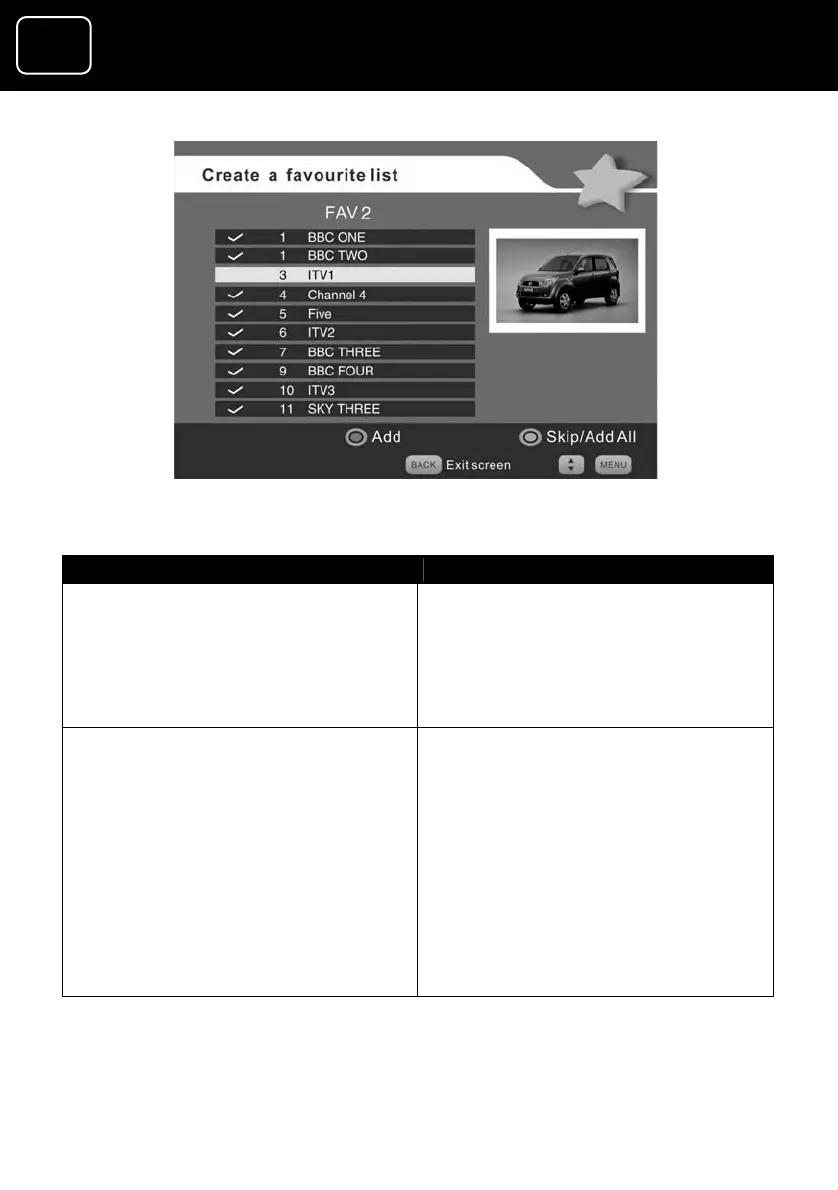
Create a favourite list’ screen (3)
What do you want to do? Press this button
Delete a channel from you
channels list
button while
nel you don’t
will disappear and
utton label changes to
ve.)
r favourite Press the green
selecting the chan
want.
(The tick symbol
the green b
‘Add’. See screen (3) abo
Lock a channel ss the red button while selecting
the channel you want to lock
Pre
A warning appears when you first
lock a channel in the list, telling you
that parental controls need to be set
up so the channel can be locked. If
you have already set up parental
controls, you can ignore this
warning.
Press ‘OK’ to make the warning
screen disappear.


 To Next Page