46
DR10 Di
ital TV Receiver
46
GDR10 Di
ital TV receiver
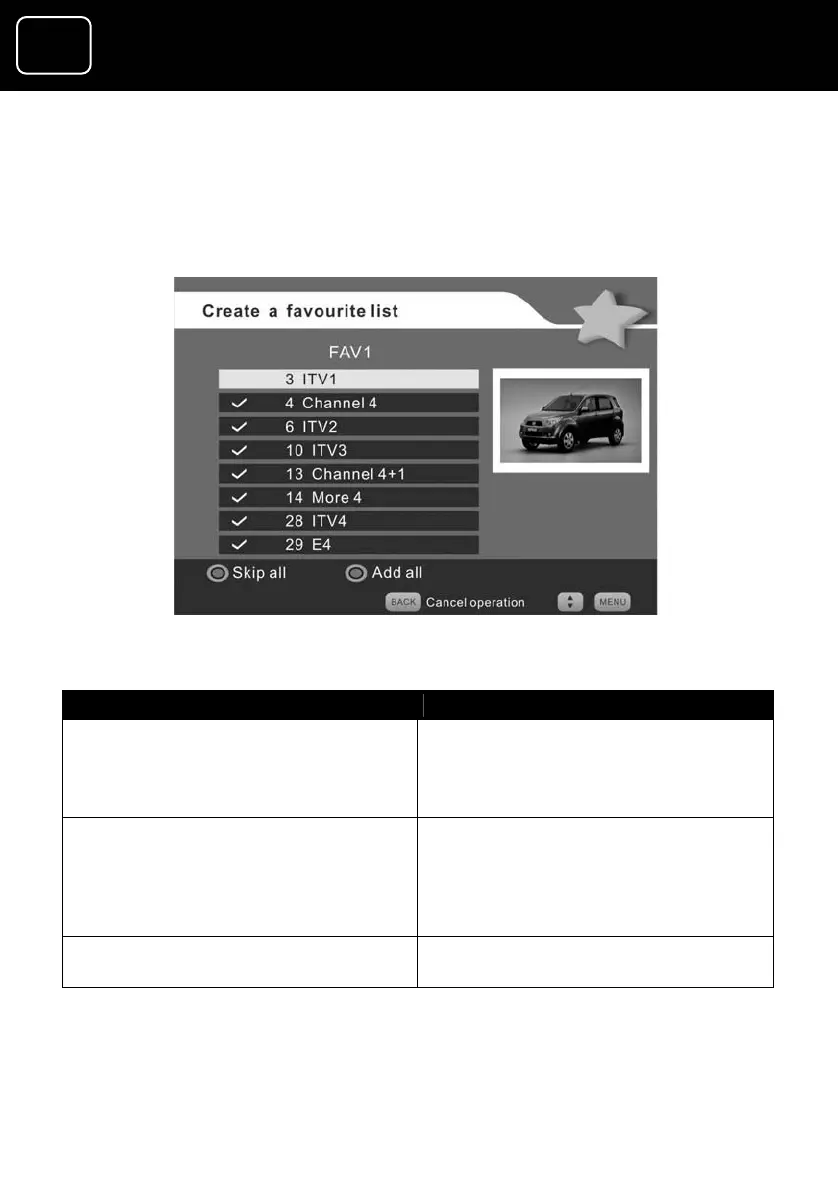
2 You can remove all channels from the screen
the blue button, and then add
(2) list by pressing
the channels you want by
pressing the green button. This method is best when you only
want a few channels on your favourite list.
Create a favourite list screen (4)
What do you want to do? Press this button
Remove all channels from
button
(The red-button label then changes
to ‘Skip all’. See screen (4) above.)
the list
Press the blue
Confirm that you want all channels
removed
Press the red button
(The tick symbol appears and the
green-button label changes to
‘Skip’.)
Add a channel Press the green button while
selecting the channel you want


 To Next Page