Need help?
Do you have a question about the Goodmans GDSBT100OP and is the answer not in the manual?
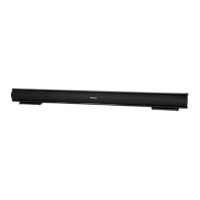
Lists items included: soundbar, cables, remote control, wall mount kit, and guarantee booklet.
Details the touch controls for power, source, volume, and Bluetooth on the soundbar's front panel.
Explains the rear panel ports: Power Cord, Line In, Aux Input, Coaxial Input, and Optical Input sockets.
Describes the functions of each button on the remote control for power, source selection, presets, and volume.
Guides on connecting power, turning the unit on, and selecting initial audio input modes.
Explains the automatic power-off feature that activates after 170 minutes of no audio signal.
Instructions on how to use the volume controls on the soundbar's center to set a comfortable listening level.
Connects audio sources via 3.5mm cable and selects the Line In mode on the soundbar or remote.
Connects audio sources via RCA cable and selects the Aux In mode on the soundbar or remote.
Connects TV audio via Optical or Coaxial cable and selects the respective input mode.
Details pairing and connecting Bluetooth devices, including the default password '0000'.

 To Next Page
 General