EasyManua.ls Logo

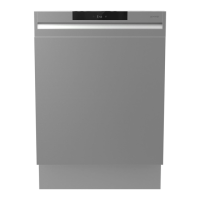
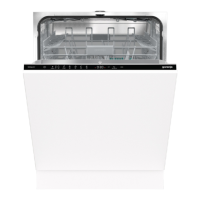
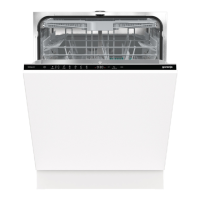
Gorenje GI672C60X - User Manual

Gorenje GI672C60X
40 pages
Print Icon
To Next Page IconTo Next Page
Loading...
User manual
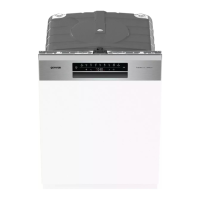
Dishwasher
GI672C60X

Questions and Answers

  • V
    vicki80Aug 18, 2025
    Why is the Gorenje Dishwasher control panel not responding?
    • K
      Katherine KhanAug 18, 2025
      The control panel might not respond for several reasons. You may have pressed the control panel too soon after closing the door; wait a moment and try again. Ensure the door is completely closed, as the control panel only works when the door is shut. Check if the Child lock or Automatic child lock is activated. Also, the control panel may be dirty; clean it with a dry or slightly damp cloth.
  • K
    Katie MartinezAug 20, 2025
    How to fix Gorenje GI672C60X F12 error?
    • K
      Kyle BakerAug 21, 2025
      The F12 error indicates a water inlet fault. First, ensure that the water tap is turned on. Then, check the outer filter on the inlet hose for any blockages.
  • K
    Kelsey HarrisonAug 23, 2025
    What to do if Gorenje Dishwasher shows F10 error?
    • S
      Sara VillegasAug 23, 2025
      The F10 error code indicates overfilling water. Try unblocking the drainage pump.
  • P
    Penny ParkerAug 26, 2025
    What causes the F67 error in a Gorenje GI672C60X?
    • K
      kcampbellAug 26, 2025
      The F67 error suggests a water inlet fault. Verify that the water tap is open and check the outer filter on the inlet hose for any blockages.
  • P
    Patrick EvansAug 28, 2025
    How do I resolve the F52 error on my Gorenje Dishwasher?
    • J
      janet28Aug 28, 2025
      The F52 error indicates a water level fault. Start by cleaning the coarse and fine filters. Also, check the outer filter on the inlet hose to make sure it is not blocked.
  • D
    diazjaredAug 31, 2025
    What does error F11 mean on Gorenje Dishwasher?
    • D
      Debbie GordonAug 31, 2025
      The F11 error code indicates a water outlet fault. Please refer to the section addressing 'Water remains in the dishwasher'.
  • B
    Brittany DavenportSep 2, 2025
    What should I do if my Gorenje Dishwasher displays error F40?
    • H
      hansendanaSep 2, 2025
      The F40 error indicates an inlet valve leakage. Turn off the water tap.
  • R
    Roger Simmons MDSep 4, 2025
    What does Gorenje Dishwasher error F41 mean?
    • M
      Ms. Ariana HarrisSep 5, 2025
      The F41 error indicates a heater fault. Turn off the water tap and remove the plug from the wall socket.
  • M
    Mark LewisSep 7, 2025
    What does error code F54 mean on a Gorenje Dishwasher?
    • L
      Laura SmithSep 7, 2025
      The F54 error code indicates overfilling water. Turn off the water tap. To avoid water leakage outside the dishwasher, do not remove the plug from the wall socket until the water tap on the supply line has been turned off!
  • R
    rhayesSep 9, 2025
    What is the cause of the F45 error on my Gorenje GI672C60X?
    • G
      Gregory HansenSep 10, 2025
      The F45 error indicates a diverter fault.

Summary

Your Dishwasher

Safety Instructions

Essential safety guidelines for operating the dishwasher safely.

Control Panel and Basic Operation

Overview of the control panel, On/Off, and Start/Pause/Stop functions.

Programs and Options

Details on wash programs, their functions, and available options like TotalDry and Delayed Start.

Loading and Unloading Dishes

Guidance on correctly loading and unloading dishes for optimal washing and drying results.

Initial Setup

Water Hardness and Softener Settings

How to check water hardness and adjust the dishwasher's water softener settings.

Rinse Aid and Salt Management

Instructions for refilling the rinse aid and salt compartments for optimal results.

Energy and Water Saving Tips

Practical advice to reduce energy and water consumption during dishwasher operation.

Dishwasher Operation

Adding Detergent

How to correctly add detergent to the detergent compartment for effective cleaning.

Starting, Stopping, and Programs

Step-by-step guide on how to start, pause, stop programs, and use the program chart.

Handling Program Interruptions

Information on how to manage program interruptions like power failure or adding more dishes.

WiFi and Connectivity

ConnectLife App Setup

Steps to connect the dishwasher to your wireless network and the ConnectLife app.

Remote Control and Pairing

How to remotely control the dishwasher and pair additional devices or users.

Settings and Customization

Child Lock and Sound Settings

How to activate/deactivate child lock and configure audible signals.

Rinse Aid and Water Hardness Adjustment

Adjusting rinse aid dosage and setting the water softener for optimal cleaning.

TAB Setting and Defaults

Configuring for all-in-one detergents and resetting settings to factory defaults.

Care and Cleaning

Maintaining Consumables

Instructions for regularly topping up rinse aid and salt to ensure proper function.

Cleaning Internal Components

Procedures for cleaning filters, spray arms, and running the self-clean program.

Unblocking Filters and Pumps

Step-by-step guide to clear blockages in the drainage pump and water inlet filter.

Troubleshooting

Error Message Reference

A list of error codes and their corresponding actions to resolve issues.

Common Operational Problems

Solutions for frequent problems like unresponsive controls, door issues, or dirty dishes.

WiFi Connectivity Troubleshooting

Steps to resolve issues related to the dishwasher's WiFi connection and app functionality.

Installation

Safety and Setup Procedures

Critical safety precautions and initial setup steps for installing the dishwasher.

Water and Electrical Connections

Detailed instructions for connecting the dishwasher to water and power supplies.

Service and Technical Information

Service, Contact, and Warranty

Guidance on contacting customer service, troubleshooting, and warranty information.

Technical Specifications

Key technical data such as dimensions, weight, power, and water pressure.

Consumer and Test Institute Info

Information for consumers and test institutes regarding product databases and energy labelling.

Gorenje GI672C60X Specifications

General IconGeneral
TypeBuilt-in
Built-in displayYes
Drying systemCondensation drying
Delayed start timerYes
Upper basket adjustable heightYes
Half Load OptionYes
Appliance placementBuilt-in
Product sizeFull-size
Delayed start24 h
Water consumption per cycle9.6 L
Width59.8 cm
Installation compartment width600 mm
Installation compartment depth55 cm
Installation compartment height82 cm
Water Consumption9.6 l

Related product manuals