Get to Settings by going to Start > Settings . From there, browse the
categories or use search to nd what you're looking for, including advanced
options in Control Panel.
Most apps also have their own settings inside the app itself. Look for the
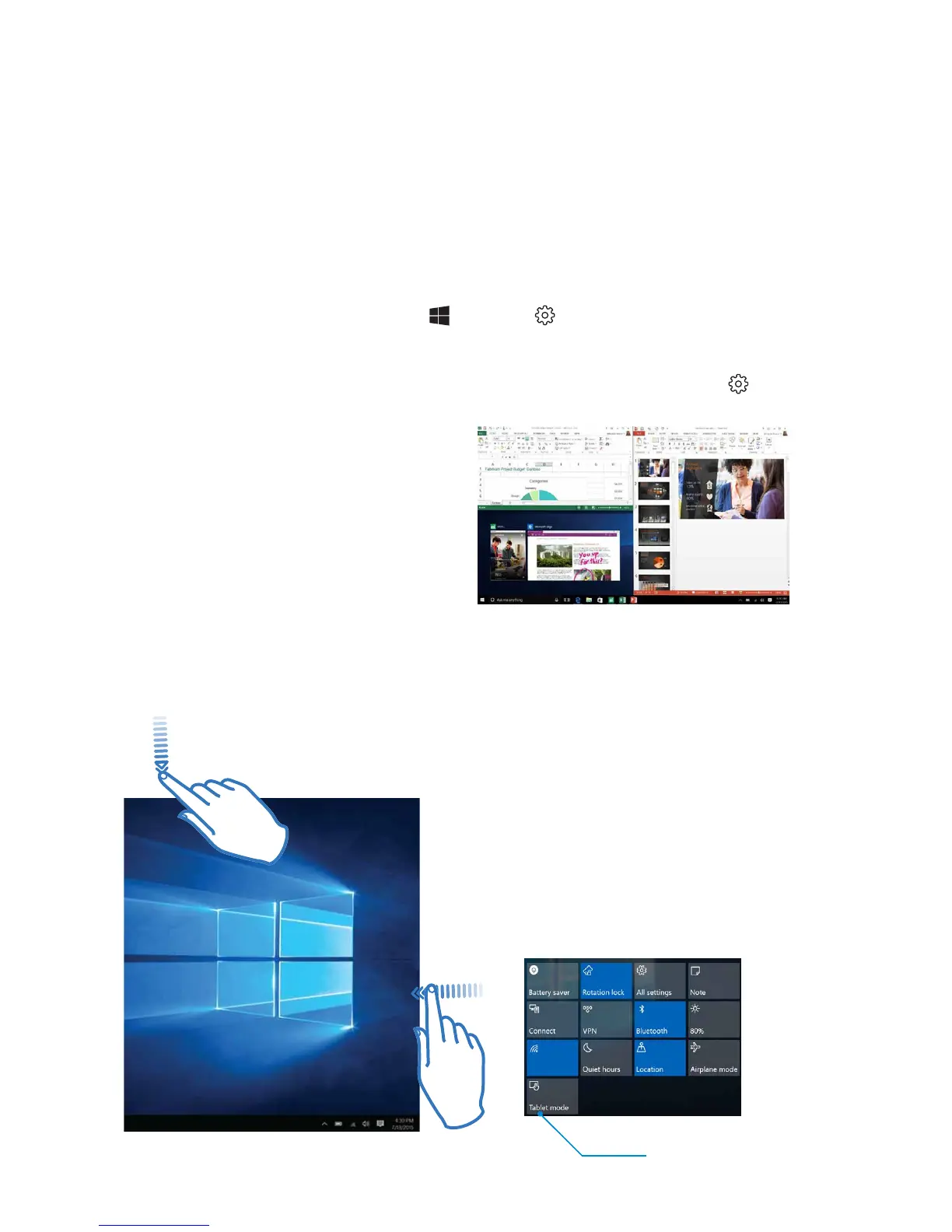
Multi-Task with Multi-Window
Windows 10 makes it easier to
organise your screen with
enhancements in Snap. Now you
can quickly snap up to four things
on your screen at once simply by
dragging those apps into the
corners. Windows will even suggest
how to ll the gaps with other open
apps.
Personalise your GoTab Open Start, then go to Settings > Personalisation
> Start to change which apps and folders appear in the Start menu.
Also change your Lock screen. Try changing the background to a favourite
photo or slide show, or choose any combination of detailed and quick
status notications to show you upcoming calendar events, social network
updates and other app and system notications.
SWIPE LEFT for Action Center and
Notications
Swipe in from the right side of the
screen to see important
notications from Windows and
your apps.
You can change common settings
quickly, like screen brightness,
rotation lock, or tap Settings to
open the full settings menu.
Apps
To open an app,
tap the app tile.
Toggle between
Tablet Mode and
PC Mode


 To Next Page