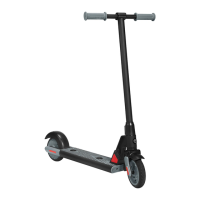
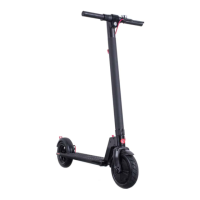
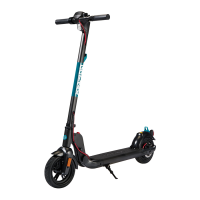
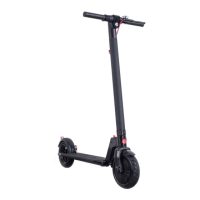
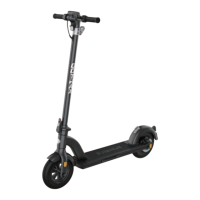
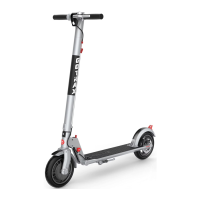
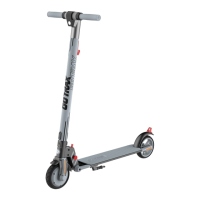
This document is a user manual for the GOTRAX G Pro Electric Scooter.
Function Description
The GOTRAX G Pro is an electric scooter designed for personal transportation. It features a folding mechanism for portability and storage, a display console for essential information, and a braking system for safe operation. The scooter is equipped with a headlight and tail light for visibility, and a thumb throttle for acceleration. It also includes a cruise control feature and a push assist mode for user convenience.
Important Technical Specifications
- Top Speed: 20 mph
- Distance per Charge: 24 Miles
- Weight Range Up To: 220 lbs (100 kg)
- Battery Type: 36V 10.4AH
- Battery Charger: DC 42V 3.0A
- Charge Time: 3-4 hours
- Power Requirements: AC 100-240V~50/60HZ 3.0A
- Recommended Tire Pressure (PSI): 50
Usage Features
Assembly:
The scooter comes partially assembled. Users need to straighten and lift the tiller upright, then lock it using the folding lever. The exposed cable is then inserted into the tiller, followed by the console. The console is secured in place with a tool and screws.
Charging:
Before first use, the battery must be fully charged. To charge, open the rubber charging port cover, insert the charging plug, and observe the charger box light (red for charging, green for fully charged). After charging, cover the port to protect it from dust and debris. Charging should occur between 32 and 104 degrees Fahrenheit.
Console Functions:
- Power On/Off: Long press the power button.
- Headlight/Tail Light: Hold the "+" button for 3 seconds to power them on or off.
- Display Lock: The default password is "000". Use the "+" button to input "0" and press the power button to set. Repeat for all three zeros. Press the power button twice to deactivate the lock.
- Setting a Custom Code: Press the "+" button and power button together for 10 seconds. Use the "+" button to input the first number of your code and press the power button to set. Repeat for all three numbers. Press the power button twice to deactivate the lock.
- Cruise Control: Press the throttle for 8 seconds while moving. Press the handbrake to cancel.
- Push Assist Mode: Hold the "-" button while walking next to the scooter. The scooter will move at 1.8 mph.
- Display Information: The console shows speed in MPH, distance, battery life, and headlight status.
Riding Tips:
- Start riding by placing one foot on the platform and pushing off with the other foot on the ground, simultaneously pressing the throttle.
- Use the handbrake to slow down or stop.
- The scooter performs best on smooth surfaces like carparks, smooth roads, footpaths, and bike lanes.
- Do not press the throttle while walking beside the scooter.
- Be aware of terrain, curbs, and obstacles.
Folding/Unfolding:
- Folding: Ensure the scooter is powered off. Press the lock buckle and pull down the lever. Fold the tiller towards the rear fender and lock the tiller hook to the fender hook buckle.
- Unfolding: Unconnect the tiller hook from the fender hook. Pull the tiller upwards and lock the locking device at the bottom of the tiller by pulling the clamp towards the tiller. Test the tiller to ensure it's locked before riding.
Maintenance Features
General Maintenance:
Regular cleaning and maintenance extend the scooter's life.
Cleaning and Storage:
- Clean dirty scooters with a soft damp cloth.
- Store the scooter in a dry and cool location when not in use.
- Avoid storing outdoors, as sun exposure can damage appearance and reduce battery/tire life.
Brake Adjustments & Service:
Contact customer service for brake adjustments or any other service. Attempting repairs yourself may void the warranty and risk damaging the scooter.
Tires:
If tire pressure is low, fill to the recommended 50 PSI.
Cleaning Restrictions:
- DO NOT use alcohol, gasoline, kerosene, or other corrosive chemical solvents, as they can damage the scooter's appearance and structure.
- DO NOT use a pressure washer, as it may damage the electronics.
Battery Information:
- Only use the approved GOTRAX power adapter for charging to avoid fire risk or equipment damage.
- Dispose of used batteries properly according to local regulations to prevent environmental pollution.
- Store the scooter and power adapter between -4 and 122 degrees Fahrenheit.
- Warning: Prolonged exposure to UV rays, rain, and other elements can damage enclosed materials. Store indoors when not in use. The battery has no user-serviceable parts.
Troubleshooting & Warranty:
For troubleshooting or detailed information, contact GOTRAX customer service. User manuals are updated frequently on GOTRAX.com. Warranty information is also available on GOTRAX.com.

 Need help?

 To Next Page
 General